
Staff WiFi without the shared password, ever again
Every member of staff on their own certificate, delivered by the MDM you already run, and only compliant devices get on. Five to ten minutes, once, for the whole organization. Access ends the moment someone is disabled in your directory. JPMorgan runs it across 5,000 branches, and McDonald's cut IT helpdesk requests by 80%.
The demo signs in with a Google account. Your staff sign in with Microsoft Entra ID, Okta or Google Workspace, in the same two taps.
- 80% fewer IT helpdesk requests
- 5,000 JPMorgan branches
- 99.9% RADIUS uptime SLA
- Compliance-gated join
Managed devices
Certificates delivered by the MDM you already run
Purple issues the certificate and your MDM delivers it over SCEP. Staff join without typing anything. Supported: Microsoft Intune, Jamf Pro, JumpCloud, Kandji, Hexnode, Iru and Addigy.
Microsoft Intune with Conditional Access
Deploy the certificate-based WiFi profile from the console you already use. Compliance state feeds Conditional Access, so a device that fails a rule is refused at authentication: a compliance-gated join.
Jamf Pro
Distribute the 802.1X profile and certificate to Apple hardware over SCEP. Devices arrive on the network already trusted, with instant revocation.
JumpCloud with device posture checks
JumpCloud manages the device and its posture while Purple runs the RADIUS layer. One directory identity governs both the endpoint and its network access.
Kandji, Hexnode, Iru and Addigy
The same SCEP payload, the same five to ten minutes, once. Device posture and MDM enrollment state land in the authentication log.
Personal phones
Personal phones on the same SSID, not the guest network
Staff open the Purple app, tap Sign in with Microsoft, Google or Okta, and tap to install their WiFi pass. No hotspotting, no guest network, no second SSID. Nobody wants a two-SSID solution.
- Sign in with Entra ID, Okta or Google Workspace.
- One certificate-based pass per person, on the same secure SSID.
- Revoked with the account.
Leavers
A leaver never forces a password change again
Disable the account in your directory and access ends at every site, with live sessions killed by RADIUS CoA. Prove it later from the authentication log. Certificates that outlive the person only die at expiry. Purple ends access with the directory account, the moment you disable it.
- Joiners and movers provisioned over SCIM.
- Group membership drives the VLAN.
- Every accept and reject logged with its reason, posture and MDM enrollment state.
Proof
Staff WiFi at JPMorgan, Whitbread and McDonald's
JPMorgan runs staff WiFi on Purple across 5,000 branches, Whitbread runs segmented staff WiFi on Purple, and McDonald's cut IT helpdesk requests by 80%.
- 5,000
- JPMorgan branches on Purple staff WiFi
- 80%
- fewer IT helpdesk requests at McDonald's
- 90%
- fewer on-site IT engineer visits at McDonald's Belgium
- 500M
- logins a year across the Purple platform
On-site visits from IT engineers reduced by 90%.
Add-on: Purple Shield
Make this network safer and faster with Purple Shield
Purple Shield bolts onto Access or runs standalone. Set a different DNS policy per VLAN and by time of day, so staff, guests and residents each get the filtering that fits them, with dashboard analytics. Page loads up to 500% faster and 20 to 40% less web traffic. Try it free for 30 days.
FAQ
Common questions
Can we try it before a design session?
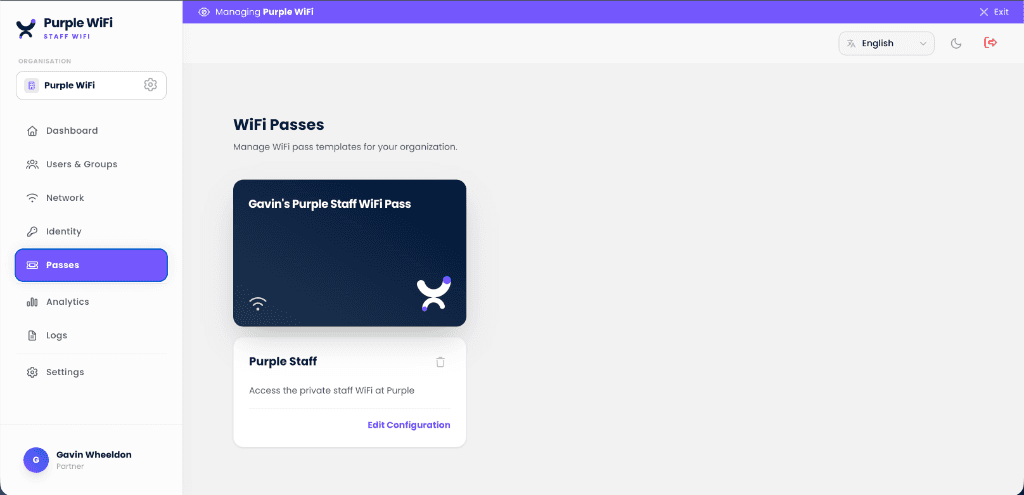
Yes. Get a staff WiFi pass in two minutes: sign in, get the pass, and watch it join the network. The demo uses a Google account. Your staff sign in with Microsoft Entra ID, Okta or Google Workspace in the same two taps.
Does staff WiFi honor Conditional Access?
Yes. Purple respects Conditional Access policies from Entra ID, so a device that fails compliance checks is not admitted to the network. Device posture and MDM enrollment state are recorded with every authentication.
Which authentication methods does staff WiFi use?
WPA-Enterprise with 802.1X. EAP-TLS on certificates is the default; PEAP is available for devices that need a username and password.
How long does the MDM setup take?
Five to ten minutes, once, for the whole organization.
Does it work across multiple sites?
Yes. Cloud RADIUS and the identity integration are central, so the same policy reaches every building with no per-site RADIUS hardware.
Be the IT team that retired the staff password
Tell us your directory and your MDM. We map the move off the shared password, site by site, and you keep the plan. All in a 45-minute design session.
- Get your three-SSID plan in 45 minutesTell us what runs on your WiFi today, and a Purple network engineer maps it with you.
- Map your SSIDs onto threeOpen, secure and xPSK, on the access points you already own. You leave with the plan.
- Prove it on one site firstJudge the result on tickets and audit evidence, then roll out.
Your design session
45 minutes. Your estate. A plan you keep.
Led by a Purple network engineer. No slides. You keep the plan.