
Open network: guest WiFi and onboardingGuest Access
Visitor WiFi pre-registration: access ready before arrival
You will be able to decide whether visitor WiFi pre-registration fits your estate and deploy it on the access points you already run. You can set an access window, return the guest VLAN and Session-Timeout over RADIUS, and test the arrival flow. Every visitor then connects in one step, and access ends when the visit...
15 min read
Set up visitor WiFi pre-registration in seven steps on the access points you already own; captive portal setup takes under 15 minutes. Visitors register from a link in their invite, Purple stores the record with an access window, and on arrival RADIUS (the protocol that authorizes network access) puts them on the guest VLAN for that window only.
What will you have when visitor WiFi pre-registration is live?
When you finish, every visitor receives a link before they arrive. They register once, on their own device, at home or on the train. On the day, they join your open visitor SSID. The captive portal recognizes the identity they registered, and they are online in one step. Nobody at reception reads out a password.
A captive portal is the web page a device sees before the network lets it through. A VLAN (virtual LAN) is a logical network segment. Your guest VLAN reaches the internet and nothing else.
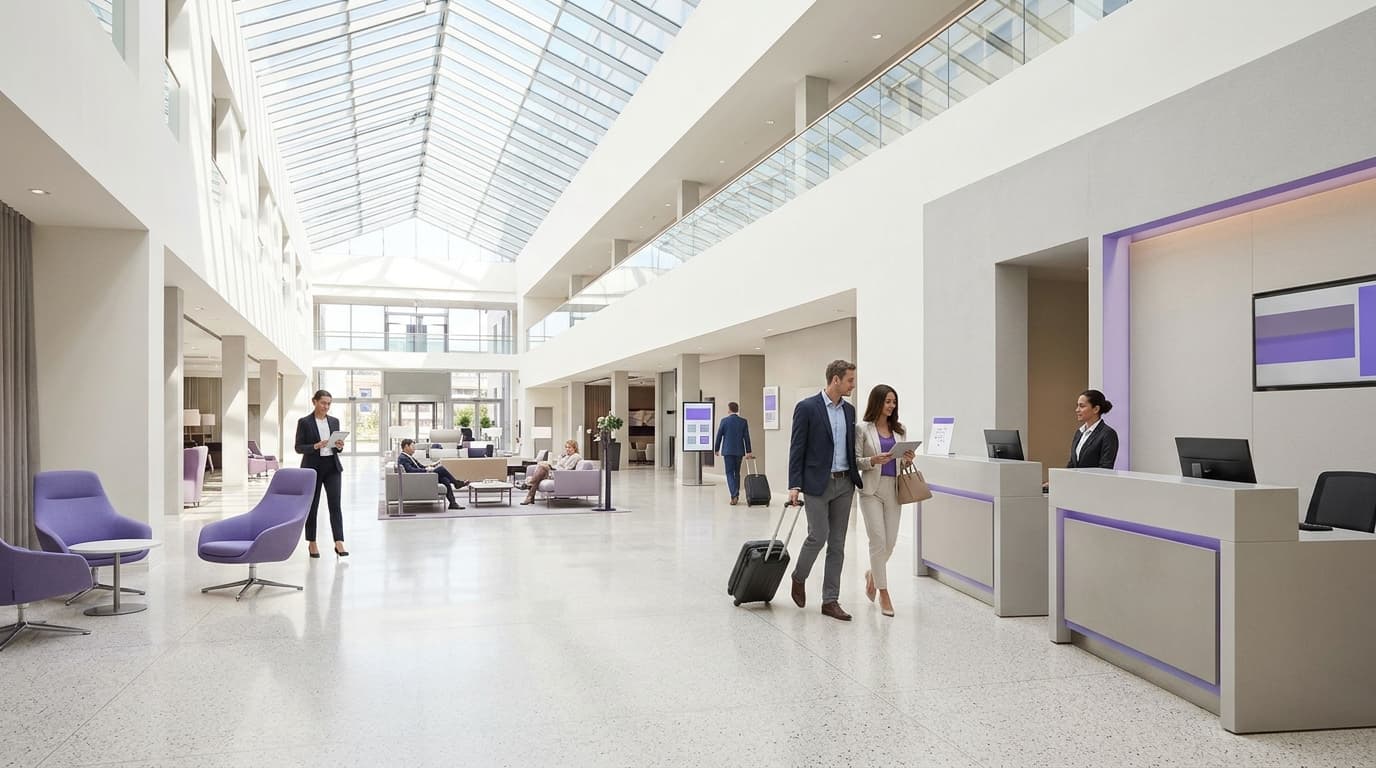
{"slot":"hero","alt":"A visitor at a reception desk connects a phone to guest WiFi without filling in a form, while a screen behind the desk shows their pre-registered visit.","caption":"Pre-registration moves the WiFi form from the lobby to the invite.","prompt":"Bright modern office reception, a visitor holding a phone showing a WiFi connected confirmation, receptionist in soft focus behind, subtle purple accent lighting, clean editorial photography, no text, no logos"}
The end state has five parts:
- One open visitor SSID per estate, broadcast on the access points you already run.
- A pre-registration form, linked from the invite, that captures only what the visit needs.
- A visitor record in Purple with a start and end time. This guide calls that the access window.
- RADIUS answers that put each visitor on an isolated guest VLAN and end the session when the window closes.
- A walk-up form on the same SSID for anyone who did not pre-register.
This guide covers the open network only. Staff belong on the secure network, which uses 802.1X (port-based network access control) with EAP-TLS (certificate sign-in). Identity on that network comes from Microsoft Entra ID, Okta or Google Workspace. Long-stay residents and shared devices belong on xPSK, where each device or resident holds its own key. Visitors who come for a day belong here.
What do you need before you pre-register guest WiFi visitors?
Check these before you open the console. Most failed go-lives trace back to a missing row in this table, not to a wrong step.
{"caption":"Prerequisites for visitor WiFi pre-registration","asOf":"2026-06-10","columns":[{"key":"p","label":"Prerequisite"},{"key":"w","label":"Why it matters"},{"key":"c","label":"How to confirm"}],"rows":[["Supported access points","Purple overlays Cisco Meraki, HPE Aruba, Ruckus, Juniper Mist, Ubiquiti UniFi, Cambium, Extreme and Fortinet","Your AP console offers external captive portal and RADIUS options on the SSID"],["Admin rights on the AP console","You edit SSID, RADIUS and walled garden settings","You can save a change to a test SSID"],["Purple account with the Access open network","Holds the captive portal, visitor records and RADIUS","Your venues appear in Purple"],["Guest VLAN","Keeps visitors out of corporate and PCI DSS cardholder data networks","DHCP hands out addresses and only the internet is reachable"],["Outbound RADIUS from APs or controller","The access decision travels over RADIUS","Firewall rules allow the RADIUS ports Purple gives you"],["DNS for unauthenticated devices","Devices must resolve the captive portal before sign-in","A test device resolves public domains on the guest VLAN"],["Privacy notice and lawful basis","CCPA/CPRA applies to every field you collect","Your data protection officer has approved the fields and notice"],["An invite channel","The link has to reach the visitor before arrival","Confirmation emails, calendar invites or tickets you already send"],["Test devices","Captive portal behavior differs by operating system","One current iPhone and one current Android phone"]],"footnote":"Purple-specific values, such as RADIUS server addresses and shared secrets, come from your Purple account. Never copy them from another site.","download":{"filename":"visitor-wifi-pre-registration-prerequisites.csv"}}
You need no new hardware. Purple is hardware-agnostic and runs as a cloud overlay on the access points in the table. Pick one pilot venue with a friendly reception team and a steady flow of visitors. Prove the flow there before you copy it across the portfolio.
How does visitor WiFi pre-registration work?
Pre-registration splits sign-in into two moments. The slow part happens before the visit: typing a name and email and reading a privacy notice. The fast part happens in the lobby: proving who you are and getting a network address.
{"kind":"flow","direction":"lr","caption":"The visitor record is created before arrival; on the day, identity sets the VLAN and the access window sets the session length.","alt":"Flow from a host invite through visitor pre-registration and a Purple record to a RADIUS decision that places the visitor on the guest VLAN, or sends them to the walk-up form outside the access window.","nodes":[{"id":"a","label":"Host sends invite","sub":"Link in confirmation email or calendar invite","tone":"neutral"},{"id":"b","label":"Visitor pre-registers","sub":"Name, email, visit date, unselected opt-ins","tone":"brand"},{"id":"c","label":"Record stored in Purple","sub":"Identity plus access window","tone":"brand"},{"id":"d","label":"Arrives, joins open SSID","sub":"Captive portal opens on the device","tone":"neutral"},{"id":"e","label":"Captive portal matches identity","sub":"Visitor confirms the email they registered","tone":"brand"},{"id":"f","label":"RADIUS decision","sub":"Is the visit inside its access window?","tone":"neutral"},{"id":"g","label":"Online on guest VLAN","sub":"Session-Timeout ends access at window close","tone":"success"},{"id":"h","label":"Falls back to walk-up form","sub":"Outside the window or no record","tone":"danger"}],"edges":[{"from":"a","to":"b","label":"before arrival"},{"from":"b","to":"c"},{"from":"c","to":"d","label":"visit day","style":"dashed"},{"from":"d","to":"e"},{"from":"e","to":"f"},{"from":"f","to":"g","label":"inside window"},{"from":"f","to":"h","label":"outside window","style":"dashed"}]}
Before arrival. The host or the events team sends the invite. The visitor opens the link and completes the form. Purple stores a record holding identity, venue, visit date and the access window you set.
On arrival. The device joins the open SSID and detects the captive portal. Some devices probe a known web address. Others read the portal URL from DHCP or router advertisements, as RFC 8910 describes. The visitor confirms the identity they registered. Purple checks the record and answers the access point over RADIUS.
During the visit. The RADIUS answer carries the policy. An Access-Accept with VLAN attributes places the device on the guest VLAN. A Session-Timeout attribute closes the session when the window ends. Identity sets the VLAN, so a contractor and a conference attendee can share one SSID and land in different segments.
{"tone":"proof","title":"Proven at airport scale","text":"Vancouver International Airport and Kinetic Melbourne Airport run on Purple. Purple onboards about 2 million people a day across 80,000+ venues in 90 countries."}
How do you set up visitor WiFi pre-registration, step by step?
Work through the seven steps in order. Each one has a check. Do not move on until the check passes.
{"title":"Set up visitor WiFi pre-registration","steps":[{"title":"Write the access policy","body":"Decide who can invite, the access window, session length, bandwidth cap and guest VLAN.","check":"Every row of the values table has a value and an owner."},{"title":"Point the visitor SSID at Purple","body":"Set the SSID to open, with an external captive portal and RADIUS pointing at Purple. No new hardware.","check":"A test device joining the SSID is redirected to the Purple captive portal.","variants":[{"label":"Meraki","body":"Meraki dashboard: external splash page plus RADIUS on the SSID."},{"label":"Aruba","body":"Aruba Central or controller: external captive portal profile on the WLAN."},{"label":"Ruckus","body":"SmartZone or Ruckus One: WLAN handing sign-in to an external portal."},{"label":"Mist","body":"Mist dashboard: WLAN guest portal set to external."},{"label":"UniFi","body":"UniFi Network: hotspot with an external portal."}]},{"title":"Open the walled garden","body":"Allow the captive portal domains, and any sign-in provider domains, before authentication.","check":"An unauthenticated device loads the full captive portal with no blank areas."},{"title":"Build the pre-registration form","body":"Ask for name, email, host and visit date. Add conscious-choice opt-ins, unchecked by default.","check":"A test submission appears in Purple with the right venue and visit date."},{"title":"Put the link in the invite","body":"Add the pre-registration link to the confirmation email, calendar invite or ticket the visitor already gets.","check":"The link opens and submits on a phone using cell data."},{"title":"Return VLAN and Session-Timeout","body":"Have RADIUS return the guest VLAN and a Session-Timeout that ends at the access window close.","check":"The AP client list shows the test device on the guest VLAN."},{"title":"Run the arrival test","body":"Pre-register a test identity, walk on site with a phone that has never joined, and connect.","check":"One-step connection, correct VLAN, and the session ends when the window closes."}]}
Step 1: write the access policy
Write the policy down before you touch a console. Then every venue in the property portfolio gets the same answer. These are starting values, not rules:
| Setting | Example value | Why |
|---|---|---|
| Who can invite | Named hosts and the events team | Stops open links circulating |
| Access window opens | Two hours before the visit | Early arrivals connect without a call to IT |
| Access window closes | End of the visit day | No access lingers after the visit |
| Guest VLAN | Dedicated, internet only | Keeps visitors out of PCI DSS scope |
| Data collected | Name, email, host, visit date | Matches CCPA/CPRA data minimization |
Step 2: point the visitor SSID at Purple
Set the SSID to open association and hand sign-in to an external captive portal. Use the URL from your Purple account. Then add Purple as the RADIUS server for both authentication and accounting. Accounting matters: without it, Purple cannot see when a session starts and stops. If your access points sit behind a firewall, allow the RADIUS ports Purple gives you, outbound from the controller or each access point.
Step 3: open the walled garden
The walled garden is the list of domains a device can reach before it signs in. If it is incomplete, the captive portal loads half a page or none at all. Add the captive portal domains Purple lists for your account, plus the domains of any sign-in provider you offer. The captive portal walled garden configuration guide covers what to allow and what to leave out.
Steps 4 and 5: build the form and send the link
Keep the form short. CCPA/CPRA asks you to collect only the data the purpose needs. Name, email, host and visit date cover most visits. Marketing consent, if you want it, goes in as a conscious-choice opt-in, unchecked by default.
Then put the link where the visitor already looks. That means the meeting invite from the host, the booking confirmation from the hotel or the ticket email for an event. Printed tickets can carry the same link as a QR code. You invite guest WiFi access in the same message that confirms the visit, so there is no separate email to ignore.
Step 6: return the VLAN and the session limit
Purple returns standard RADIUS attributes in the Access-Accept. VLAN assignment uses the tunnel attributes from RFC 3580. The session limit uses Session-Timeout from RFC 2865. The access point receives these values:
Tunnel-Type             = VLAN (13)
Tunnel-Medium-Type      = IEEE-802 (6)
Tunnel-Private-Group-ID = "<guest VLAN ID>"
Session-Timeout         = <seconds until the access window closes>
Session-Timeout is a number of seconds, not a clock time. A visitor who signs in at 08:45 for a window closing at 17:30 gets 31,500 seconds. On the access point side, enable the SSID setting that lets RADIUS override the VLAN. Without it, the access point ignores the attribute and uses the SSID default.
{"tone":"warning","title":"Key pre-registration to identity, not MAC address","text":"iOS and Android randomize MAC addresses per network by default, so a MAC captured at registration rarely matches the device that arrives. Match on the email or identity the visitor registered."}
Worked scenario: a 200-room hotel hosting a two-day conference
Situation. The hotel printed voucher codes for every conference attendee. Front desk handed them out at check-in, and codes stayed valid for a week.
What was done. The events team added the pre-registration link to the delegate confirmation email. They set an access window of 07:00 to 19:00 on both days and gave the conference its own VLAN. Hotel guests kept the existing walk-up flow on the same SSID.
Outcome. Voucher printing for the event fell to zero. The lobby step shrank from a five-field form to one confirmation. Every attendee session closed at 19:00 because Session-Timeout enforced it, not because someone remembered to revoke codes.
Worked scenario: a city hall civic center with daily meeting visitors
Situation. Reception gave every visitor a shared password that changed once a month. Anyone who had visited in the last four weeks could still join.
What was done. Hosts pasted the pre-registration link into their meeting invites. Each access window opened 30 minutes before the meeting and closed at the end of the day. The shared password was retired at the end of the pilot month.
Outcome. The number of people holding valid access after their visit fell from everyone in the last month to zero. Each connection now ties to a named visitor record, which gives the city hall evidence for its access reviews.
How do you check visitor WiFi pre-registration works?
Check in three places: the visitor's device, the access point console and Purple. A pass on the device alone proves little. The VLAN and session length only show up in the console.
{"title":"Visitor WiFi pre-registration go-live checks","groups":[{"heading":"On the visitor's device","items":[{"text":"The invite link opens and submits on mobile data","why":"Proves the link works off your network"},{"text":"The captive portal appears within seconds of joining the SSID"},{"text":"The pre-registered identity is recognized with no repeat form"},{"text":"Web browsing works straight after sign-in"}]},{"heading":"In the access point console","items":[{"text":"The client shows as authorized, not pending","why":"Pending means the RADIUS accept never arrived"},{"text":"The client sits on the guest VLAN, not the SSID default"},{"text":"The session ends when the access window closes"}]},{"heading":"In Purple","items":[{"text":"The visitor record shows the right venue and visit date"},{"text":"Consent choices match what the test visitor selected"},{"text":"A walk-up test without pre-registration still reaches the form"}]}],"download":{"filename":"visitor-wifi-pre-registration-checks.csv"}}
{"tone":"tip","title":"Test like a stranger","text":"Use a cell phone that has never joined the SSID, and open the invite on mobile data. Saved networks and corporate DNS hide the failures a real visitor would hit."}
To test the access window end without waiting all day, set a short window on a test identity. Ten minutes is enough. Confirm the client drops at the close and gets the walk-up form when it rejoins.
What changes on Meraki, Aruba, Ruckus, Mist and UniFi?
The flow is the same on every vendor: open SSID, external captive portal, RADIUS to Purple, walled garden, VLAN from RADIUS. Only the place you set each value changes. Check menu names against your vendor's current documentation, because consoles change between releases.
{"title":"Visitor SSID settings by access point vendor","tabs":[{"label":"Cisco Meraki","body":"Work in the Meraki dashboard on the visitor SSID.","bullets":["Set association to open and send sign-in to an external captive portal using the Purple URL","Add Purple as the RADIUS server for authentication and accounting","Let RADIUS assign the VLAN, and list the portal domains in the walled garden"]},{"label":"HPE Aruba","body":"Work in Aruba Central or on your controller, depending on how the property is managed.","bullets":["Create an external captive portal profile with the Purple URL","Point the authentication server group at Purple","Allow the portal domains in the pre-authentication role, and let RADIUS set the role or VLAN after sign-in"]},{"label":"Ruckus","body":"Work in Ruckus SmartZone or Ruckus One on the visitor WLAN.","bullets":["Choose a WLAN type that hands sign-in to an external captive portal","Set Purple as the authentication and accounting service","Add the portal domains to the walled garden on that WLAN"]},{"label":"Juniper Mist","body":"Work in the Mist dashboard on the visitor WLAN.","bullets":["Set the guest portal to external, using the Purple URL","Add Purple as the RADIUS server","Allow the portal domains before authorization, and enable dynamic VLAN from RADIUS"]},{"label":"Ubiquiti UniFi","body":"Work in the UniFi Network application on the guest network.","bullets":["Enable the hotspot with an external portal pointing at Purple","Add Purple as the RADIUS server where your setup supports it","Allow the portal domains before authorization, and confirm the guest network VLAN"]}]}
Cambium, Extreme and Fortinet follow the same pattern. On a mixed property network, set the policy once in Purple and repeat only the SSID settings on each vendor's console.
What goes wrong most often, and how do you fix it?
These failures account for most support calls during a rollout. Each has a quick test and a fix.
The captive portal loads blank or half-styled
Cause. A domain the portal needs is missing from the walled garden. Fix. Compare your walled garden with the domain list in your Purple account. Re-test on a device that has never signed in.
The captive portal never appears
Cause. DNS is not resolving for unauthenticated devices, or the SSID is not redirecting. Fix. From a device on the guest VLAN, resolve a public domain before sign-in. If that fails, fix DHCP and DNS on the guest VLAN first. Then confirm the SSID hands sign-in to the external portal.
The visitor is not recognized and sees the full form
Cause. The visitor registered with a different email, or the record belongs to a different venue. Fix. Check the record's venue and visit date in Purple. For multi-site visits, make sure the invite targets the venue the visitor will actually walk into.
The device lands on the wrong VLAN
Cause. The SSID ignores VLAN attributes from RADIUS, so it falls back to its default. Fix. Enable the setting that lets RADIUS override the VLAN, then reconnect the test device. Confirm the change in the client list.
The session ends early or runs past the visit
Cause. The access window is set in the wrong time zone, a common problem on properties that span regions. Fix. Check the venue time zone wherever you define the window. Then re-run the 10-minute window test.
The invite link fails for some visitors
Cause. The visitor's email security rewrites or pre-opens links, or the link expired before the visit. Fix. Open the link from an external mailbox, and set link expiry later than the window opens.
If a step still fails after these fixes, start from the walled garden. That is where most open network problems sit. The walled garden configuration guide walks through the diagnosis in detail.
Where does pre-registration sit in your open network?
Pre-registration is one onboarding pattern on the open network. The open network: guest WiFi and onboarding pillar covers the rest, including walk-up sign-in, BYOD onboarding and walled gardens. To see how Purple runs the open network on your access points, read about Purple Access open networks.
High-volume venues usually skip pre-registration and optimize walk-up sign-in instead. The QSR guest WiFi guide shows that pattern across thousands of restaurants. For a wider view of visitor access WiFi, from plans to consent, read the guest WiFi guide.
Two adjacent jobs sit outside this guide. Guest marketing from opted-in visitor records belongs to Purple Engage. DNS filtering on the guest VLAN belongs to Purple Shield.
Frequently asked questions
Do I need new access points for visitor WiFi pre-registration?
No. Purple runs as a cloud overlay on the access points you already own: Cisco Meraki, HPE Aruba, Ruckus, Juniper Mist, Ubiquiti UniFi, Cambium, Extreme and Fortinet. You change SSID settings, add Purple as the RADIUS server and fill in the walled garden. No rip and replace is needed. Mixed environments work too. You set the visitor policy once in Purple and repeat only the SSID settings on each vendor's console.
How much does visitor WiFi pre-registration cost?
Cost depends on your Purple plan and the number of venues in your property portfolio, so the fastest route to a figure is a quote against your actual sites. Plans run from Connect through Capture to Engage, and the right one depends on what you do with visitor data after sign-in. Because the setup uses your existing access points, there is no hardware line in the budget. Rollout time is the main internal cost.
How long does it take to deploy across a multi-site property portfolio?
Captive portal setup takes under 15 minutes. The rest of the time goes on SSID changes, walled garden entries and approval of the form by your privacy officer. Pilot one venue first and run the full go-live checklist there. Then copy the same SSID settings to each site. On cloud-managed properties you can often apply those settings to many sites from one console, which shortens the rollout.
Does pre-registration help with CCPA/CPRA?
Yes. It gives you evidence for your CCPA/CPRA obligations rather than making you compliant by itself. Each visitor record holds the fields collected, the privacy notice shown and the consent choices made. Conscious-choice opt-ins arrive unchecked by default. A short form supports data minimization. Purple is ISO 27001 certified and also holds GDPR, CCPA and Cyber Essentials certifications. That helps your vendor due diligence.
Can we move from voucher codes or a shared password without downtime?
Yes. Run pre-registration alongside your existing method on the same SSID for a pilot period. Visitors who pre-register connect in one step. Everyone else keeps using the walk-up form or a voucher. Once the go-live checks pass and reception stops issuing codes, retire the vouchers or shared password. Retiring the shared password is the step that removes access for past visitors.
What happens when a visitor did not pre-register?
They use the walk-up form on the same SSID. The captive portal shows the full form instead of a confirmation, and they sign in in the lobby. Nobody is locked out because an invite went to spam. Visitors who arrive outside their access window take the same route. That keeps reception out of the WiFi conversation even when pre-registration misses someone.
How does pre-registration compare with Passpoint or OpenRoaming for visitors?
Pre-registration suits one-off visits on the open network. Passpoint (Hotspot 2.0) lets a device join automatically using a profile it already holds. OpenRoaming extends that across a federation of participating networks. Both suit frequent visitors and live on the secure network, using cloud RADIUS. Many properties run both. First-time visitors pre-register, and regular visitors move to a profile that connects them with no captive portal at all.
Frequently asked questions
Do I need new access points for visitor WiFi pre-registration?
No. Purple runs as a cloud overlay on the access points you already own: Cisco Meraki, HPE Aruba, Ruckus, Juniper Mist, Ubiquiti UniFi, Cambium, Extreme and Fortinet. You change SSID settings, add Purple as the RADIUS server and fill in the walled garden. No rip and replace is needed. Mixed properties work too. You set the visitor policy once in Purple and repeat only the SSID settings on each vendor's console.
How much does visitor WiFi pre-registration cost?
Cost depends on your Purple plan and the number of venues in your property portfolio, so the fastest route to a figure is a quote against your actual sites. Plans run from Connect through Capture to Engage, and the right one depends on what you do with visitor data after sign-in. Because the setup uses your existing access points, there is no hardware line in the budget. Rollout time is the main internal cost.
How long does it take to deploy across a multi-site property portfolio?
Captive portal setup takes under 15 minutes. The rest of the time goes on SSID changes, walled garden entries and approval of the form by your privacy officer. Pilot one venue first and run the full go-live checklist there. Then copy the same SSID settings to each site. On cloud-managed properties you can often apply those settings to many sites from one console, which shortens the rollout.
Does pre-registration help with CCPA/CPRA?
Yes. It gives you evidence for your CCPA/CPRA obligations rather than making you compliant by itself. Each visitor record holds the fields collected, the privacy notice shown and the consent choices made. Conscious-choice opt-ins arrive unchecked by default. A short form supports data minimization. Purple is ISO 27001 certified and also holds GDPR, CCPA and Cyber Essentials certifications. That helps your vendor due diligence.
Can we move from voucher codes or a shared password without downtime?
Yes. Run pre-registration alongside your existing method on the same SSID for a pilot period. Visitors who pre-register connect in one step. Everyone else keeps using the walk-up form or a voucher. Once the go-live checks pass and the front desk stops issuing codes, retire the vouchers or shared password. Retiring the shared password is the step that removes access for past visitors.
What happens when a visitor did not pre-register?
They use the walk-up form on the same SSID. The captive portal shows the full form instead of a confirmation, and they sign in in the lobby. Nobody is locked out because an invite went to spam. Visitors who arrive outside their access window take the same route. That keeps the front desk out of the WiFi conversation even when pre-registration misses someone.
How does pre-registration compare with Passpoint or OpenRoaming for visitors?
Pre-registration suits one-off visits on the open network. Passpoint (Hotspot 2.0) lets a device join automatically using a profile it already holds. OpenRoaming extends that across a federation of participating networks. Both suit frequent visitors and live on the secure network, using cloud RADIUS. Many properties run both. First-time visitors pre-register, and regular visitors move to a profile that connects them with no captive portal at all.