What is WiFi marketing and why consent matters
Published
WiFi marketing is the use of a venue's guest WiFi sign-in as a permission-based channel for first-party insight and campaigns, not passive device tracking. The popular advice to collect an email before giving someone internet access misses the point: a connection can serve guests without becoming a marketing opt-in.
Think of the network as the door, the captive portal as the counter, and a campaign as something a guest may choose to take. The counter can explain the terms of access and offer an optional loyalty sign-up, but marketing shouldn't be the price of entry. That distinction helps a venue decide what data it needs and what it can leave uncollected.
Table of Contents
- What WiFi Marketing Means at the Sign-In
- How Guest WiFi Becomes a Campaign Event
- Choosing Anonymous, Consented or Identity-Backed Access
- Consent That Does Not Gate the Connection
- How to Attribute Visits and Campaigns
- Set the Guest Journey Before You Collect
What WiFi Marketing Means at the Sign-In
A sign-in that asks for the most data is rarely the one that serves the venue best. WiFi marketing is the use of a venue's guest WiFi moment as a permission-based channel for insight and campaigns. At that moment, three jobs overlap: giving access, learning what happened, and inviting a guest into a campaign. Treating them as one job is how venues end up demanding an email address just to hand over internet access.
Guest WiFi has become a familiar touchpoint in hotels, restaurants, shops, and airports. Familiarity does not make the sign-in a marketing form. Access, analytics and marketing are three switches at the same socket. Turning on access does not require turning on the other two. A café can give a visitor internet access, show its terms, and offer an optional loyalty sign-up. The visitor can connect and leave without joining anything.
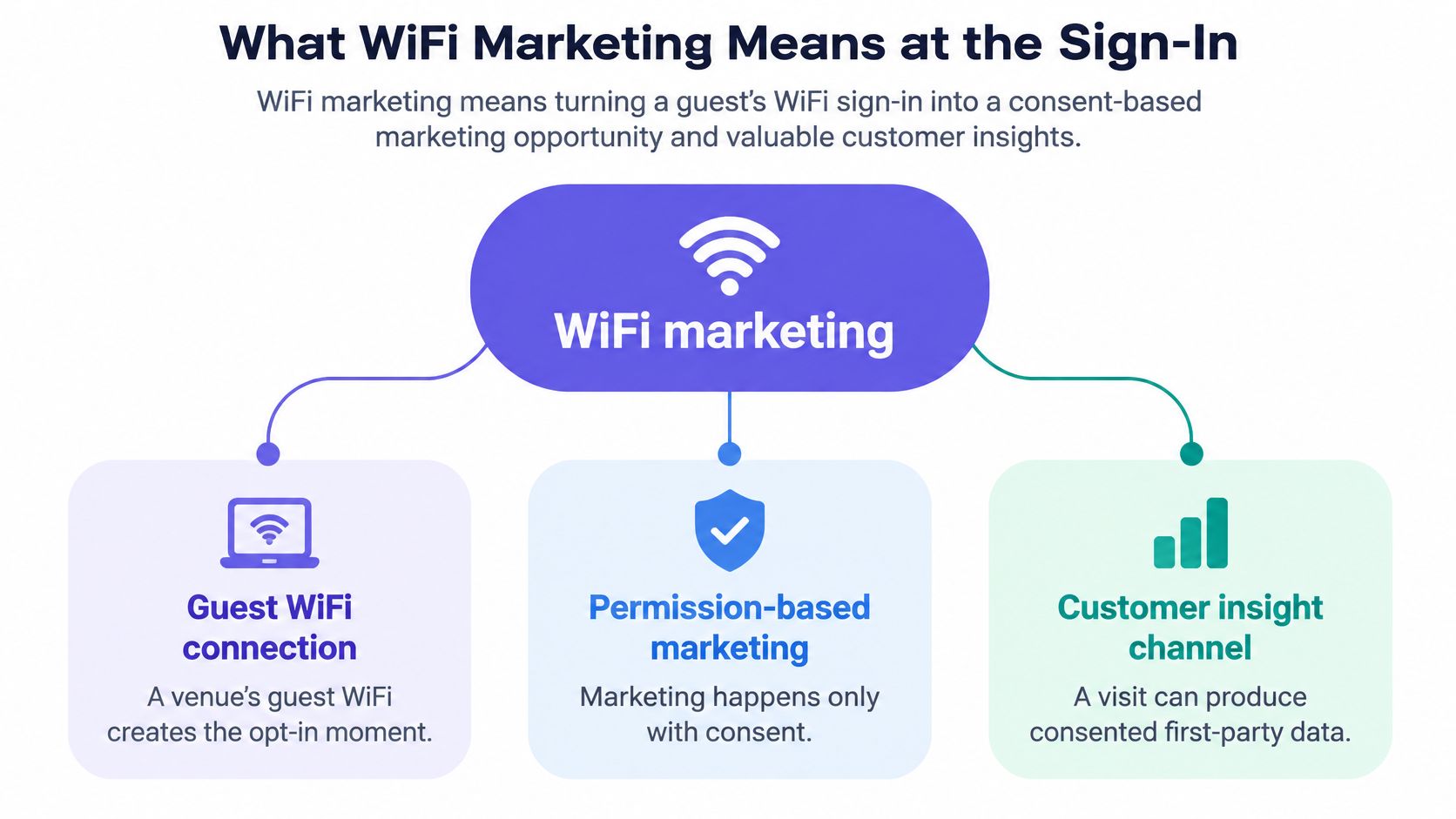
A venue technologist and a marketing lead can assess the interaction in three stages. The table separates what's required to provide a connection from optional information and later campaign activity.
| Job at sign-in | What the guest does | What may be recorded | What it is not |
|---|---|---|---|
| Access | Joins the guest SSID and receives an address | Venue, session start and duration | A marketing profile |
| Analytics | Accepts access terms and any optional fields | Declared contact or loyalty ID plus consent flags | A condition of access |
| Marketing | Uses an offer, joins loyalty, downloads an app or returns | A campaign or visit tied to that session | Permission to sell data |
At a hotel, access might mean a guest joins the network and gets online. Analytics could be accepting the access terms, then separately choosing whether to provide an email address for offers. Marketing could be a loyalty enrollment or a later visit associated with a campaign, if the guest has chosen to participate.
For a multi-site operator, the benefit is a structured account of consented interactions across physical locations, not a list of unidentified sessions. More fields do not make that account more useful. A field earns its place when someone will act on it: a segment, a message, a service recovery, a report. The guest needs a genuine choice, and the venue needs a reason to collect.
How Guest WiFi Becomes a Campaign Event
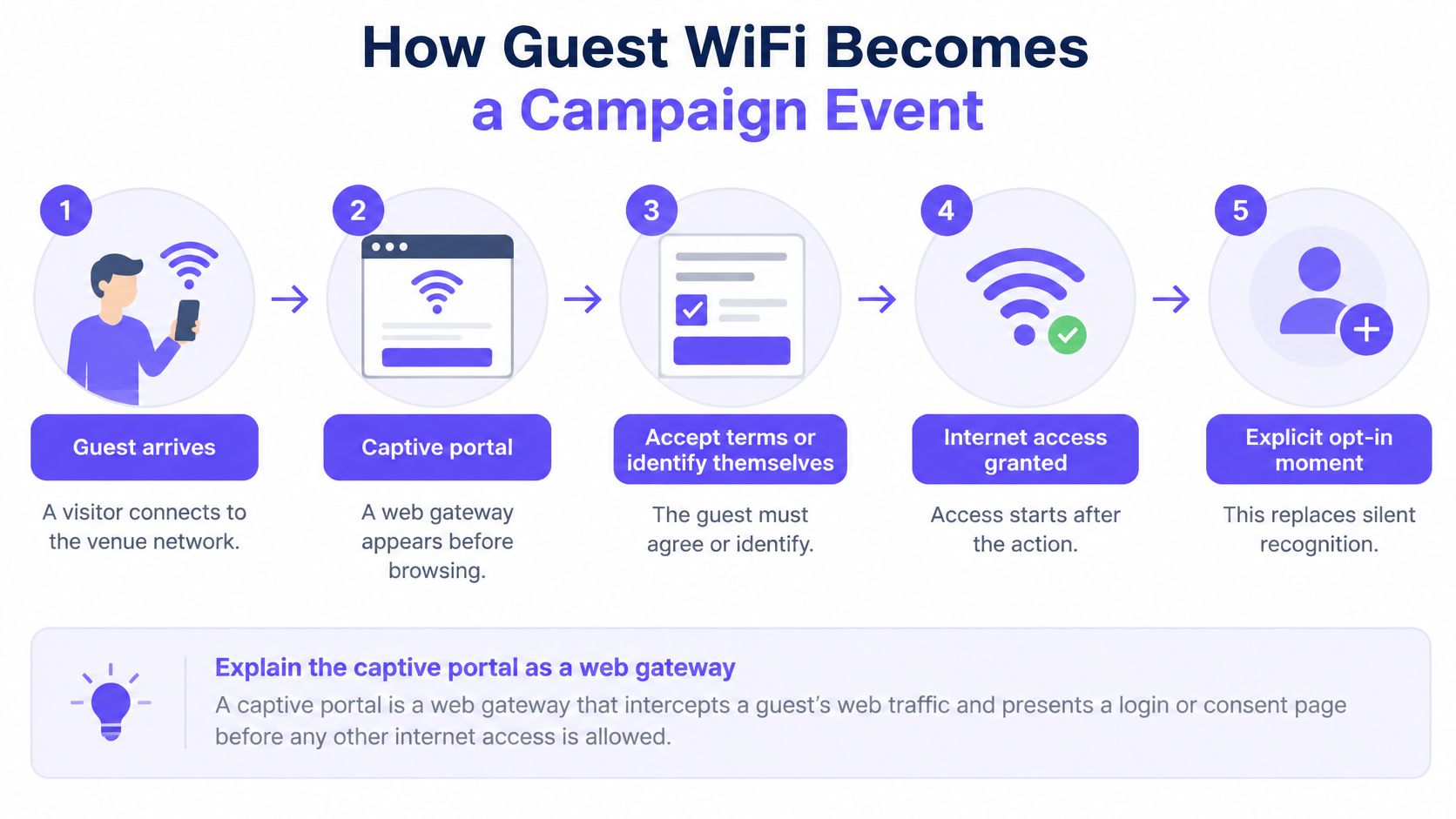
A captive portal is a web gateway that appears between a guest joining the network and browsing the internet. It may ask the visitor to accept access terms, identify themselves, or complete optional fields. The useful marketing event isn't that an ad appeared. It's that an access session, a recorded permission choice, and a later action can be related in a controlled way.
The basic flow has four control points:
- Connection: A guest selects the venue's open guest SSID and the device receives an IP address.
- Portal: The network redirects the guest to a page showing access terms. Optional fields may request an email address, cell phone number, loyalty identifier, or preferences.
- Network policy: After authentication, the platform can place the guest on a restricted guest VLAN, apply bandwidth or content rules, and record the relevant consent.
- Campaign event: The platform can send an event to a CRM or campaign tool, associating any permitted identity and consent with the venue, session, and campaign interaction.
The portal works like a turnstile checking a ticket. It should verify the guest's permitted access, not search their pockets for personal information. Passive recognition has also become less dependable: Apple introduced MAC-address randomization in iOS 14, and Android introduced an equivalent privacy feature in Android 10. The industry account of retailers using free in-store WiFi describes why an explicit login or consent event matters more when a hardware address can't reliably identify a returning guest.
The network's policy decision is important for security as well as measurement. A captive portal isn't a security boundary by itself. NIST's guidance on wireless network security recommends logically separating external guest WLANs from internal WLANs and preventing devices on one network from reaching devices on another. In practice, firewall rules should keep guest devices away from registers, cameras, staff systems, building controls, and resident networks.
The campaign system shouldn't become the only record of what happened on the network. Keep authentication logs, consent records, and campaign attributes separate. That way, deleting a marketing profile doesn't accidentally erase security audit evidence. Limit campaign fields to their stated purpose, and retain them according to applicable privacy requirements.
Choosing Anonymous, Consented or Identity-Backed Access
A guest portal doesn't have to trade internet access for an email address. The sign-in moment carries three separate jobs: getting the device online, learning something about the visit, and opening a marketing relationship. Venue teams often blur those into a single decision, then wonder why the portal feels heavy and the data feels thin. Name the job the venue needs most, and the model follows.
In a busy airport or hospital, a form slows access, excludes visitors without a usable email address, and pushes people toward inaccurate details just to get through. The Cybernews report on risks to hotel and other public guest WiFi makes the other half of the point: guest connectivity is a security boundary before it is a marketing opportunity.
| Objective | Best fit | What the guest provides | Success signal |
|---|---|---|---|
| Anonymous access | Airports, hospitals, education, peak retail | Terms only, no identity | Completion rate and fewer support contacts |
| Consented access | Retail, hospitality loyalty, promotions | Optional contact or loyalty ID and a separate marketing choice | Consent quality and attributed visits |
| Identity-backed access | Staff, residents, known guests, concessions | Certificate, Passpoint or OpenRoaming identity | Segmentation accuracy and lower incident exposure |
Anonymous access prioritizes reach and inclusion. Consented access supports relationship marketing, but only when a venue has a relevant reason to contact guests and a plan for using what they share. Identity-backed access uses a credential, certificate or roaming identity to support access control and segmentation, without turning the connection into a profile-building exercise. Each model needs different data at the portal, which is exactly why the choice should be deliberate. Venues that also run conferences have a second, unrelated collection moment at the exhibition booth or the session door, better served by on-site technology for capturing leads than by a longer WiFi form.
Choose by the job the network must do
A retail chain could show an offer after the guest accepts the access terms, leave marketing unchecked, and measure loyalty joins. A hotel could keep internet access immediate, offer a separate loyalty prompt, and use a room check as an access convenience rather than a profile field. Both cases share one rule: a visitor should be able to decline marketing and still get online.
At an airport, the simplest route may be anonymous access during peak periods, with a voluntary campaign in a lounge where the offer is relevant. A shopping center can keep registers, cameras, tenant devices and guest traffic on appropriately separated network paths without asking every visitor for contact details. That produces better service and safer segmentation instead of a longer lead list.
Guests already arrive wary of public WiFi, and a longer form does not read as safety. It reads as friction. Keep guest access short and secure, and write the access design down in a guest network access-control plan so staff, marketing and security all work from the same map.
The right measure changes with the objective. Anonymous access is judged on whether guests complete sign-in and need less help. Consented access is judged on the quality of the choice and the visits it produces. Identity-backed access is judged on whether the correct groups receive the right policies. Maximum data collection isn't maximum value. Collect identity only when it serves a defined purpose, and skip it where access alone serves the venue.
Consent That Does Not Gate the Connection
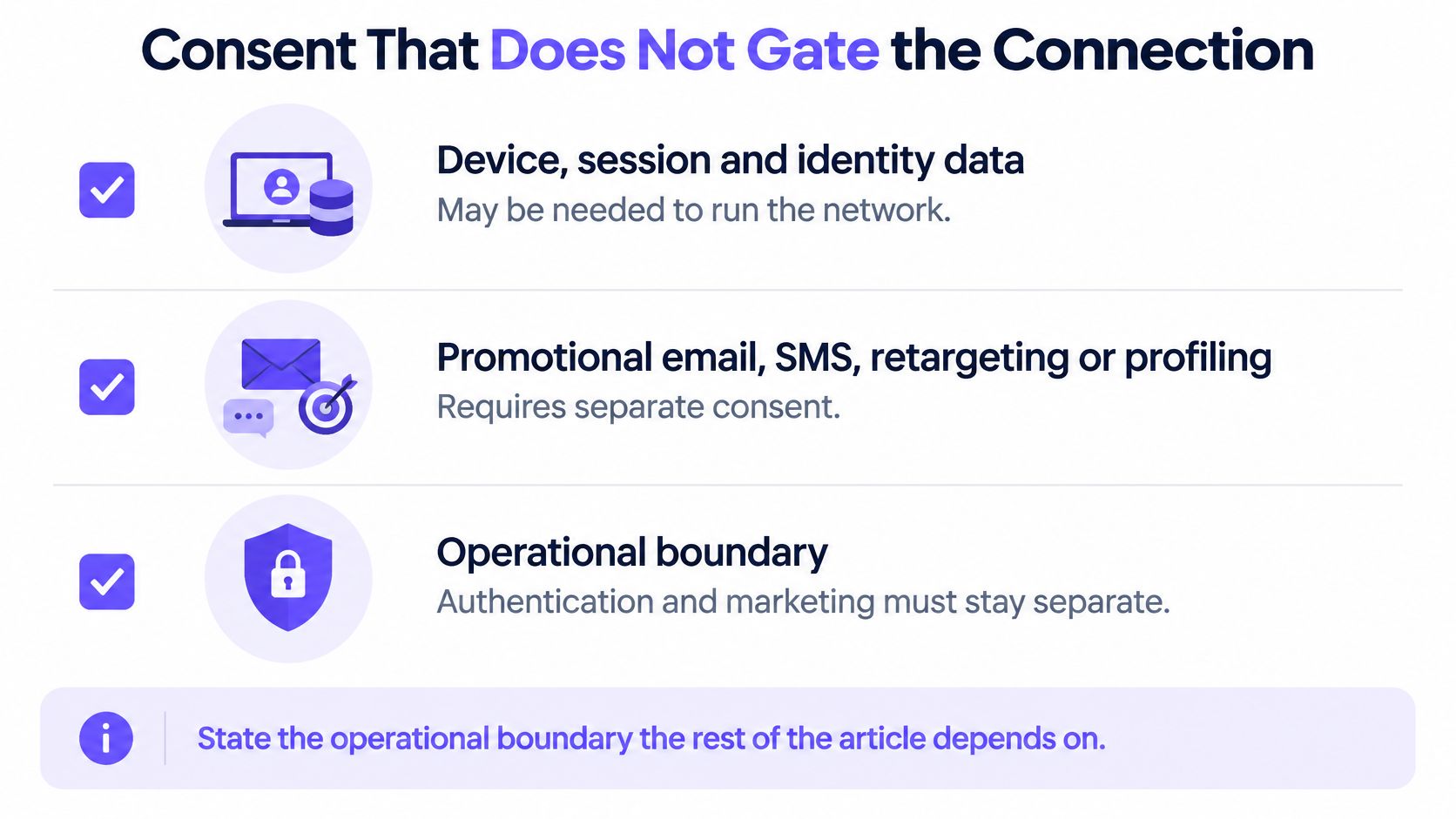
The operational boundary is straightforward: authentication may need device, session, and identity data to run the network, while promotional email, SMS, retargeting, or profiling needs its own legal basis. Guidance on guest WiFi marketing laws across countries describes how rules in the US, EU, Canada, Australia, and New Zealand commonly require consent for marketing messages. Consent shouldn't be bundled into the terms for getting online.
In plain language, the guest should be able to connect without agreeing to marketing. Marketing consent should be a clear, affirmative choice for a specific purpose, and the venue should avoid collecting information it doesn't need. That separation matters even when the same portal handles both network authentication and a campaign sign-up.
Make the choices operational
- Name the purposes separately. Identify what's needed for access, what's used for analytics, and what supports marketing. Don't describe all three vaguely as “service improvement.”
- Use separate, unchecked choices. A guest should be able to opt into a stated marketing use without accepting unrelated promotions or profiling.
- Record the choice. Keep the consent or withdrawal, the time, and the wording the guest saw. A checkbox without an auditable record may be hard to interpret later.
- Set different retention rules. Keep marketing profiles only for a defined period, separate from security logs that serve a different operational purpose.
- Name the responsible parties. Document who controls the data when a landlord, venue operator, brand, and technology provider all touch the portal.
A multi-site business can get into trouble when it uses one global portal and one generic privacy notice across locations with different purposes, data flows, and responsibilities. The notice may not make clear who controls the data or what a particular choice covers. Treating each purpose explicitly helps teams make those responsibilities understandable. A practical guest network security approach should also keep the marketing workflow from becoming a substitute for network access controls.
Access is the service. Marketing is an invitation.
Before building a campaign, read the portal copy as a guest would. Confirm that it explains the access terms separately from any optional marketing choice, and that declining the latter doesn't block the connection.
How to Attribute Visits and Campaigns
Attribution starts with the sign-in moment, but the sign-in is not the outcome. Separate the three jobs a WiFi marketing system can do. Access gets a guest online. Analytics describes what happened on the network. Marketing links a later business result to a guest who gave permission. A venue that only needs access can avoid identity capture entirely. A venue that wants visit attribution needs a consented identifier and a matching rule.
Acceptance, loyalty acquisition, and app-download rates vary by venue, country, offer, portal design, and privacy requirements. Treat any single figure as a program result from a particular deployment, not a universal benchmark.
| Measure | What it shows and how to read it |
|---|---|
| Policy acceptance | Guests who accept the terms for free WiFi. Read it with the wording and offer, not as a fixed benchmark. |
| Loyalty acquisition | Loyalty joins among portal users who gave marketing permission. A low rate can mean a weak offer or a portal that asks too early. |
| App download | Installs from the same deployment. Treat it as campaign-specific, not as proof that the WiFi works. |
| Completion rate | Guests who finish sign-in. A drop here points to portal friction before any campaign result is trustworthy. |
| Repeat connection | Return sessions from a recognized identifier. Anonymous sessions cannot prove a repeat visit on their own. |
| Consent quality | Specific opt-ins that were not pre-checked. Count each purpose separately instead of one blanket yes. |
| Visit attribution | A later visit or purchase tied to the session. It needs an identifier, a matching rule and a stated window. |
If a guest declines marketing, the session can still count toward aggregate connection volume, but it cannot be tied to a person. That distinction keeps access, analytics, and marketing from collapsing into one data grab.
A workable attribution path begins with a consented identifier stored with the venue and session time. Attach a campaign code to the offer shown. Then match a later loyalty scan, app open, or return connection at the same brand within an attribution window the team chooses and documents. For links used across channels, the guide to using unique URLs for campaign attribution explains how to distinguish one campaign from another.
Track completion rate, repeat connection rate, consent quality, segmentation accuracy, page-load performance after the portal, and support contacts alongside revenue or visit attribution. These measures explain why a campaign result changed. A poor result might reflect a difficult sign-in rather than an irrelevant offer. A retailer planning a wider rollout can review these retail WiFi solutions as part of its network planning.
Social login share is an authentication measure, not a business outcome. A loyalty join or attributed return visit is the outcome. Report the connection, permission, and outcome funnel monthly for each site. That way a strong location does not hide a weak portal elsewhere.
Set the Guest Journey Before You Collect
Write the guest journey on one page before adding fields to a portal. The page should answer who the guest is, whether the network is anonymous, consented, or identity-backed, which outcome matters, what legal basis covers each purpose, and who controls the data. That makes the technology decision follow the design instead of driving it.
- Name the network and venue. Record the SSID and whether the journey is for a hotel, store, airport, or another type of location.
- Choose one access objective. Decide whether the guest should connect anonymously, opt into a specific relationship, or use an identity-backed access method.
- Pick one outcome to measure. Choose a result such as a loyalty join, return visit, feedback response, or app install.
- List optional fields and their purposes. Give each marketing choice its own unchecked control, and state what the venue will do with the information.
- Confirm control and retention. Identify who controls the marketing data and set a retention period that's separate from security logs.
Internet access should remain available when a guest declines marketing. That rule gives the venue a clean test for the journey: if a field is mandatory, it should be necessary for access itself, not merely convenient for a future campaign.
Start with one site. Judge the pilot by completion rate, consent quality, and the single business outcome selected, then decide whether the same design works across a full month before copying it to other sites. Purple Engage is an all-in-one marketing platform for physical spaces that connects WiFi sign-ins with return visits and campaign attribution, with or without Purple WiFi. For network design, Purple Access offers a 45-minute session with a Purple network engineer to map existing SSIDs onto open, secure, and xPSK networks using the access points already in place, and the customer keeps the plan.
This week, choose the access objective for your busiest site and remove any marketing choice that's required to get online.
If you're separating guest connectivity from marketing consent, Purple Access offers a 45-minute design session to map your existing SSIDs onto open, secure, and xPSK networks on the access points you already own. Bring your current network and guest journey, and leave with a plan your team can keep and evaluate.