
Secure network: certificates, identity and PasspointAuthentication
Migrating staff WiFi from a shared password to 802.1X across a multi-site estate
You will be able to plan and run a staff WiFi migration from one shared password to IEEE 802.1X across every site, with no cutover weekend. You can sort devices into EAP-TLS, captive portal onboarding or per-device keys, then delete the shared key site by site on evidence from the authentication log.
15 min read
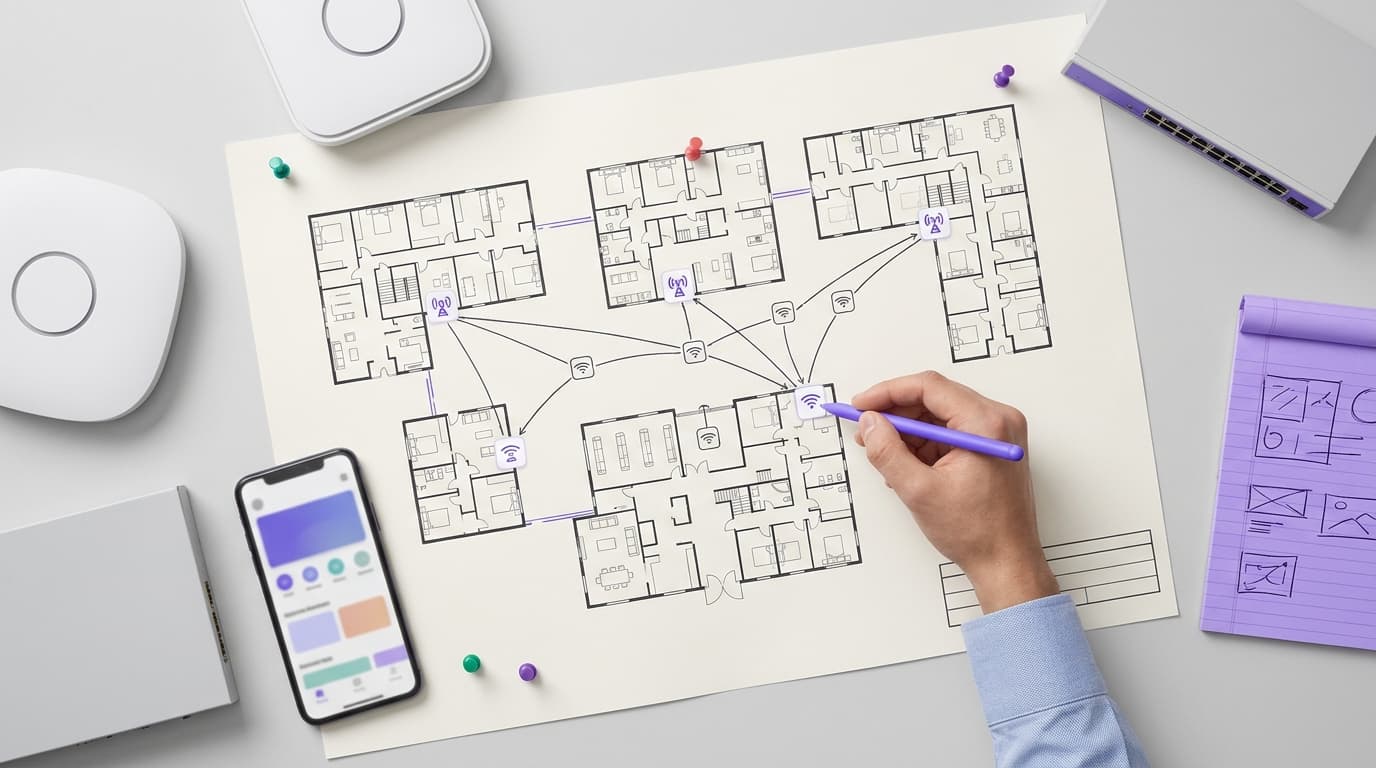
Run a new WPA-Enterprise SSID alongside the shared-password SSID and move devices in waves. Managed devices get EAP-TLS certificates from your MDM. Personal cell phones onboard through a captive portal. Devices that cannot hold a certificate get their own key on an xPSK network. Switch the shared password off at each site once its authentication log shows no legacy devices.
What does moving staff WiFi from a shared password to 802.1X change?
A shared staff password is one secret held by every colleague, every device and every former colleague. When someone leaves, they keep it. Changing it means re-entering the key on every register, tablet and laptop at every site.
PCI DSS v4.0.1 requirement 2.3.2 turns that into an obligation. It covers wireless environments connected to the cardholder data environment or transmitting account data. You must change wireless encryption keys whenever someone who knows them leaves the company or the role that needed them. You must also change them when a key is suspected or known to be compromised. In a high-turnover portfolio, a literal reading means re-keying most weeks.
IEEE 802.1X removes the shared secret. It is the standard for port-based network access control. A device must prove who it is before the access point forwards its traffic. The access point asks over RADIUS, the protocol network equipment uses to query an authentication server.
EAP-TLS (Extensible Authentication Protocol with Transport Layer Security, RFC 5216) is the strongest way to answer. The device and the server each present a certificate. There is no password to share, phish or write on the back-office whiteboard.
Identity then sets the VLAN (virtual LAN, a logically separate network segment). RADIUS returns a VLAN for each device using the tunnel attributes defined in RFC 3580. A finance laptop and a kitchen tablet can join the same SSID and land in different segments.
Where this sits on Purple Access
Purple Access runs three networks on one platform:
- Open: a captive portal, the web page a device sees before it gets network access. In this migration it onboards personal cell phones.
- Secure: EAP-TLS, identity provider integration, Passpoint and cloud RADIUS. Staff laptops, tablets and cell phones end up here.
- xPSK: a separate key for each device, called iPSK or PPSK depending on your vendor. Every device that cannot hold a certificate ends up here.
Guest WiFi stays on its own network and outside this project. Guest network security: A practical Guide for 2026 covers that side. DNS filtering on any of these networks is Shield. For the wider picture, see our WiFi security pillar.
Credential models compared
PEAP-MSCHAPv2 (Protected EAP with a username and password) is the usual halfway house, so it belongs in the comparison.
| Credential model | What each device presents | What a leaver takes with them | Revoking one person or device | Effect on PCI DSS 2.3.2 key changes | Suits |
|---|---|---|---|---|---|
| Shared PSK | One password for everyone | The key for every site | Re-key every device on the SSID | Change the key for everyone each time a leaver knew it | A single small site with no card data on WiFi |
| PEAP-MSCHAPv2 | Personal username and password | Their own password until the account is disabled | Disable the account | No shared key, but passwords can be captured if server certificates are not validated | Estates with no certificate authority yet |
| EAP-TLS | A certificate per device or person | Nothing usable once the certificate is revoked | Revoke the certificate or disable the identity | No shared key to change | Managed laptops, tablets, handhelds and onboarded cell phones |
| xPSK | A unique key per device | Only the device keys they personally entered | Delete that device's key | Change only the keys that leaver handled | Registers, card terminals, printers, CCTV, signage |
What do you need before you migrate a shared WiFi password to 802.1X?
You need no new access points. Purple Access is hardware-agnostic and runs as a cloud overlay on Cisco Meraki, HPE Aruba, Ruckus, Juniper Mist, Ubiquiti UniFi, Cambium, Extreme and Fortinet. You do need six things in place before the pilot.
- A device inventory per site. Export the client list for the staff SSID from each site's console, covering at least 14 days. Sort every device into one of three classes. Managed devices are enrolled in your MDM (mobile device management platform). Personal devices are staff-owned cell phones. Headless devices are registers, card terminals, printers, cameras and anything else without a certificate store.
- An identity provider with clean groups. Use Microsoft Entra ID, Okta or Google Workspace. Each group that needs its own segment becomes a VLAN rule. Okta WiFi Authentication: Setup Steps, Options and Fixes walks through the Okta side.
- A certificate authority your MDM can request from. Microsoft Intune, Jamf Pro and most other MDMs issue certificates through SCEP (Simple Certificate Enrollment Protocol) or PKCS profiles. Decide now whether a certificate identifies the device or the person. Shared tablets and handhelds need device certificates.
- A VLAN plan carried to every site. A typical plan has five segments: staff, managed corporate devices, payment devices, other headless devices and a restricted legacy segment. Confirm the switch trunk to every access point carries each VLAN.
- Purple Access set as the RADIUS server for the secure SSID. Where your vendor uses RADIUS for per-device keys, point the xPSK network at it too. Cloud RADIUS means nothing to install, patch or cluster at the sites.
- A named lead at each site. You need someone who can identify the mystery devices on the inventory and approve switch-off.
How do you migrate staff WiFi to 802.1X without a cutover weekend?
Three principles remove the cutover weekend. Build the new networks next to the old one. Move devices by class, not by site. Switch off site by site, on evidence from the authentication log.
Can you run both SSIDs during the migration?
Yes, and you should run them together for the whole project. The real question is airtime. Every broadcast SSID adds beacon frames on every radio, so vendor design guides, Cisco Meraki's among them, recommend keeping the SSID count low.
The tidy answer is to turn the legacy SSID into the xPSK network. Keep its name and security mode. Add the old shared password as one key in the per-device key list, mapped to the restricted legacy VLAN. Devices that know the old password reconnect without noticing. Every device you move gets its own key.
When the legacy key has no devices left at a site, you delete it. The shared password is then off, and no new SSID ever appeared. Your end state is three SSIDs: guest, secure staff and xPSK.
Test this on one site first. Several vendors run per-key features on WPA2-Personal rather than WPA3-SAE, so check your vendor's documentation. If your platform cannot hold the old password as one key, run four SSIDs during the migration and remove the legacy SSID at switch-off.
Phase 1: build once, apply property-wide
Configure the secure SSID and the xPSK network once, then apply them to every site from a template. Use WPA3-Enterprise where your managed fleet supports it, otherwise a WPA2/WPA3 transition mode.
| Vendor | Console | Secure SSID setting | Per-device key feature | Apply across sites with |
|---|---|---|---|---|
| Cisco Meraki | Meraki Dashboard | Enterprise with my RADIUS server | Identity PSK (iPSK) | Configuration templates |
| HPE Aruba | Aruba Central | Enterprise security level | MPSK | Groups |
| Ruckus | SmartZone or RUCKUS One | 802.1X EAP authentication | Dynamic PSK (DPSK) | Zones or venues |
| Juniper Mist | Mist portal | Enterprise (802.1X) WLAN security | Multi PSK | WLAN templates |
| Ubiquiti UniFi | UniFi Network | WPA Enterprise with a RADIUS profile | Private Pre-Shared Keys | Site settings per site |
Labels shift between firmware versions, so follow your vendor's documentation for the current path. More configuration walkthroughs live in our Access guides.
Phase 2: pilot at two or three representative sites
Choose sites that differ: a large site, a small one and one with an unusual switch model. Run every later phase end to end at those sites first. The pilot exists to find the trunk that does not carry a VLAN, the POS register that only speaks WPA2 and the MDM profile that installs in the wrong order.
Phase 3: push certificates to managed devices through the MDM
Managed devices move fastest because the MDM reaches every site at once. Deploy three profiles in order: the trusted root certificate, the device certificate, then the WiFi profile. Most MDMs fail the WiFi profile if the certificate it references is missing.
The WiFi profile names the secure SSID, sets EAP-TLS and pins the RADIUS server's certificate name and root. Once a device has authenticated on the secure SSID, push a profile that removes the legacy network. Otherwise the device may drift back to the old SSID it already trusts.
Phase 4: onboard personal cell phones to the same SSID
Staff join the open network, often by scanning a QR code posted in the back office. They sign in on the captive portal with their work identity and receive the secure network profile. Our Captive portals pillar covers portal design.
A Passpoint (Hotspot 2.0) profile helps a multi-site property portfolio most. Passpoint lets a cell phone find and join a network by its credential rather than by SSID name. One onboarding then works at every site. Map personal cell phones to an internet-only staff VLAN, away from payment and back-office segments. Run onboarding by region so the helpdesk sees a steady flow, not a spike.
Phase 5: move every device that cannot hold a certificate onto its own key
Give each headless device a unique key and map keys by class to VLANs. Card terminals go to the payment segment and cameras to the camera segment. Record the device, MAC address, site, key and the person who entered it.
Printers and camera recorders usually have web interfaces you can re-key remotely. Registers and terminals may need the vendor's management platform or a site visit. PPSK for retail store devices: a deployment checklist for tills, scanners and CCTV on Cisco Meraki and Juniper Mist covers this phase in detail.
How long does a multi-site 802.1X rollout take?
Treat the durations below as planning assumptions to test in your pilot, not benchmarks. Headless devices set the pace, because they are the only class that may need hands on site.
| Phase | What happens | Scope | Planning duration |
|---|---|---|---|
| 0. Prepare | Inventory, identity groups, VLAN plan, certificate authority | Entire property portfolio, no device changes | 2-3 weeks |
| 1. Build | Secure SSID and xPSK network in templates | Entire property portfolio | 1 week |
| 2. Pilot | Every phase end to end | 2-3 sites | 3-4 weeks |
| 3. Managed devices | MDM pushes certificates and WiFi profile | All sites at once | 2 weeks plus 2 weeks for stragglers |
| 4. Personal cell phones | Onboarding through the open network | 20-30 sites per wave | 2 weeks per wave |
| 5. Headless devices | Unique key per device | Remote or site visit | Half a day per site, run in parallel |
| 6. Switch-off | Delete the legacy key | Per site | 14 clean days minimum per site |
Phases 3, 4 and 5 overlap. On those assumptions, plan for 10 to 14 weeks across 50 sites and 20 to 26 weeks across 200.
Worked scenario: a 64-hotel group on Cisco Meraki
Illustrative figures. Each hotel ran about 40 devices on one shared staff key. That meant 22 managed devices, six personal cell phones and 12 headless devices: card terminals, receipt printers and signage players. Agency housekeeping staff knew the key, so every agency rotation triggered the PCI DSS 2.3.2 leaver condition.
The team converted the legacy SSID to iPSK and kept the old password as one key on a restricted VLAN. They built the Enterprise SSID in a configuration template. Intune pushed certificates to all 1,408 managed devices in the third week after the pilot. Duty managers onboarded 384 personal cell phones region by region. Engineers re-keyed the 768 headless devices during scheduled maintenance visits.
Outcome: by week nine, the legacy key carried only headless devices. The last hotel deleted it in week 16, with no cutover night. A leaver now means disabling one account, rather than re-keying 2,560 devices across 64 hotels.
Worked scenario: a 180-store retailer on Juniper Mist
Illustrative figures. Each store ran 27 devices on the shared key: 12 handheld scanners, three back-office PCs, four label printers, six cameras and two managers' cell phones. Re-keying after leavers had stalled, because nobody could reach every store on the same day.
Scanners and PCs moved to EAP-TLS through the MDM, 2,700 devices in total. Printers and cameras moved to Multi PSK, 1,800 unique keys mapped to two VLANs. Stores moved in six waves of 30. The pilot found one store format whose switches did not trunk the camera VLAN. The team fixed the template before wave one.
Outcome: the per-store legacy count reached zero in all 180 stores by week 22. No shared staff key now exists anywhere in the estate.
How do you check the migration works, site by site?
Prove each phase in the pilot
Run four tests at every pilot site before scaling:
- Join test: a fresh managed device, an onboarded cell phone and a re-keyed register each connect first time.
- VLAN test: each device lands in the segment its identity or key should set.
- Roaming test: a handheld keeps its session walking between access points.
- Leaver test: disable a test identity and revoke its certificate, then confirm the next authentication is refused.
Measure progress per site from the authentication log
Report three numbers per site each week, from the authentication log and the controller's client list:
- Devices authenticating with EAP-TLS on the secure SSID.
- Devices on their own xPSK key.
- Devices still using the legacy key.
Progress is the first two divided by all distinct staff devices seen in the last 14 days. Sort sites by legacy count and send effort where the count is highest. Count personal cell phones by identity, not MAC address. iOS and Android randomize MAC addresses per network, so one cell phone can look like two.
When do you switch the shared password off?
Delete the legacy key at a site when all four conditions hold:
- The legacy count has been zero for 14 consecutive days, covering two full schedule cycles.
- Every headless device on the inventory has its own key.
- Helpdesk tickets for that site are back to baseline.
- The site lead has signed off.
Record the date. From then on, no shared key exists for 2.3.2 to require you to change. Your key register and authentication log become evidence for the requirement. If a missed device appears later, give it its own key. Never restore the shared one.
What goes wrong in a multi-site 802.1X rollout, and how do you fix it?
Devices drift back to the legacy SSID
Devices remember both networks and may prefer the old one. Remove the legacy network by MDM profile once the secure SSID works. On personal cell phones, include "forget the old network" in the onboarding instructions.
Devices join without validating the server
A WiFi profile that skips server certificate validation will trust a rogue access point broadcasting the same SSID. Pin the trusted root and the RADIUS server name in every profile.
Clients authenticate but get no IP address
RADIUS assigned a VLAN the switch trunk does not carry. Audit trunks at every switch model in the pilot, then fix the template, not the individual site.
Windows laptops fail on PEAP
Microsoft documents that Windows Defender Credential Guard blocks MSCHAPv2 single sign-on with saved credentials. Moving those laptops to EAP-TLS removes the dependency on passwords.
Certificates expire across the property at once
Certificates issued in one push expire in one week. Set automatic renewal in the MDM well ahead of expiration, and stagger the initial push if your certificate authority allows it.
Too many SSIDs slow every network
Running guest, legacy, secure and xPSK SSIDs together adds beacon overhead on every radio. Convert the legacy SSID into the xPSK network, as described above, to hold the count at three.
What does an 802.1X migration cost, and what do you get back?
The costs are license and labor, not hardware. You pay for Purple Access, plus MDM profile work, site visits for headless devices and helpdesk time during onboarding waves. Access points, switches and controllers stay as they are.
The return is what you stop doing. In the retail scenario, one company-wide rotation of the shared key meant re-entering it on 4,860 devices. At an assumed three minutes per device, that is 243 hours of staff time per rotation. After migration, a departure means disabling one identity, plus changing any device keys that person entered.
You also gain an authentication log of which identity or key joined which site, and when. That log is evidence for PCI DSS 2.3.2, and for access-rights reviews under ISO 27001 Annex A control 5.18. Purple holds ISO 27001 and Cyber Essentials certification and runs at 99.999% uptime across 80,000+ live venues. That uptime matters when RADIUS decides whether staff can work.
Frequently asked questions
Do we need new access points to move staff WiFi to 802.1X?
No. 802.1X and per-device keys run on the access points you already own. Purple Access is hardware-agnostic and works as a cloud overlay on Cisco Meraki, HPE Aruba, Ruckus, Juniper Mist, Ubiquiti UniFi, Cambium, Extreme and Fortinet. You configure an Enterprise SSID that points at Purple's cloud RADIUS, plus a per-device key network using your vendor's own feature. The one physical check is that every switch trunk carries the new VLANs.
Can we run the shared password SSID and the 802.1X SSID at the same time?
Yes, and you should, because running both is what removes the cutover weekend. Where your platform allows it, convert the legacy SSID into the xPSK network. Keep the old password as one key on a restricted VLAN, so devices keep working while you move them. Delete that key at each site once its authentication log shows no devices using it for 14 consecutive days.
What happens to devices that do not support 802.1X?
They move to the xPSK network, each with its own key. Registers, credit card terminals, printers, cameras and signage players rarely hold a certificate, but nearly all accept a WPA2 passphrase. Each key maps to a VLAN for its device class, so you can revoke one device without touching any other. Keep a register of who entered each key, because PCI DSS 2.3.2 still applies to keys a departure knew.
How long does a multi-site 802.1X migration take?
Plan for 10 to 14 weeks across 50 sites and 20 to 26 weeks across 200, then test those assumptions in your pilot. Managed devices move fastest because the MDM pushes to every site at once. Headless devices set the pace, because some need a site visit. Each site needs at least 14 clean days in the authentication log before you switch the shared password off.
Does 802.1X make our staff WiFi PCI DSS compliant?
No single control does that, and your assessor makes the judgment. EAP-TLS and per-device keys give you evidence for requirement 2.3.2 in PCI DSS v4.0.1. Once no shared key exists, a departure no longer forces an estate-wide key change. The authentication log shows which identity or key joined which site and when, which also supports access-rights reviews under ISO 27001.
Should we use PEAP with passwords instead of certificates?
Use EAP-TLS wherever you can. PEAP-MSCHAPv2 removes the shared key but still relies on passwords. Those passwords can be captured if a device does not validate the server certificate. Microsoft also documents that Windows Defender Credential Guard blocks MSCHAPv2 single sign-on with saved credentials. That breaks password-based WiFi on many managed Windows laptops. Certificates pushed by your MDM avoid both problems and need no action from staff.
Do we need on-premises RADIUS servers for 802.1X?
No. Purple Access provides cloud RADIUS, so there is nothing to install, patch or make resilient at each site. Your access points send authentication requests to Purple. Purple checks the certificate or key, applies identity rules from Microsoft Entra ID, Okta or Google Workspace and returns the VLAN. Purple runs at 99.999% uptime and holds ISO 27001 and Cyber Essentials certification.
Can staff use personal cell phones on the same 802.1X SSID?
Yes, if your policy allows it. Staff join the open network, sign in on the captive portal with their work identity and receive the secure network profile. A Passpoint profile then joins the cell phone automatically at every site in the portfolio. Map personal cell phones to an internet-only staff VLAN, away from payment and back-office segments. Test in the pilot that your departing employee process removes their access.
Frequently asked questions
Do we need new access points to move staff WiFi to 802.1X?
No. 802.1X and per-device keys run on the access points you already own. Purple Access is hardware-agnostic and works as a cloud overlay on Cisco Meraki, HPE Aruba, Ruckus, Juniper Mist, Ubiquiti UniFi, Cambium, Extreme and Fortinet. You configure an Enterprise SSID that points at Purple's cloud RADIUS, plus a per-device key network using your vendor's own feature. The one physical check is that every switch trunk carries the new VLANs.
Can we run the shared password SSID and the 802.1X SSID at the same time?
Yes, and you should, because running both is what removes the cutover weekend. Where your platform allows it, convert the legacy SSID into the xPSK network. Keep the old password as one key on a restricted VLAN, so devices keep working while you move them. Delete that key at each site once its authentication log shows no devices using it for 14 consecutive days.
What happens to devices that do not support 802.1X?
They move to the xPSK network, each with its own key. Registers, card terminals, printers, cameras, and signage players rarely hold a certificate, but nearly all accept a WPA2 passphrase. Each key maps to a VLAN for its device class, so you can revoke one device without touching any other. Keep a register of who entered each key, because PCI DSS 2.3.2 still applies to keys a leaver knew.
How long does a multi-site 802.1X migration take?
Plan for 10 to 14 weeks across 50 locations and 20 to 26 weeks across 200, then test those assumptions in your pilot. Managed devices move fastest because the MDM pushes to every location at once. Headless devices set the pace, because some need a site visit. Each location needs at least 14 clean days in the authentication log before you switch the shared password off.
Does 802.1X make our staff WiFi PCI DSS compliant?
No single control does that, and your assessor makes the judgment. EAP-TLS and per-device keys give you evidence for requirement 2.3.2 in PCI DSS v4.0.1. Once no shared key exists, a leaver no longer forces an estate-wide key change. The authentication log shows which identity or key joined which location and when, which also supports access-rights reviews under ISO 27001.
Should we use PEAP with passwords instead of certificates?
Use EAP-TLS wherever you can. PEAP-MSCHAPv2 removes the shared key but still relies on passwords. Those passwords can be captured if a device does not validate the server certificate. Microsoft also documents that Windows Defender Credential Guard blocks MSCHAPv2 single sign-on with saved credentials. That breaks password-based WiFi on many managed Windows laptops. Certificates pushed by your MDM avoid both problems and need no action from staff.
Do we need on-premises RADIUS servers for 802.1X?
No. Purple Access provides cloud RADIUS, so there is nothing to install, patch, or make resilient at each location. Your access points send authentication requests to Purple. Purple checks the certificate or key, applies identity rules from Microsoft Entra ID, Okta, or Google Workspace and returns the VLAN. Purple runs at 99.999% uptime and holds ISO 27001 and Cyber Essentials certification.
Can staff use personal cell phones on the same 802.1X SSID?
Yes, if your policy allows it. Staff join the open network, sign in on the captive portal with their work identity, and receive the secure network profile. A Passpoint profile then joins the cell phone automatically at every location in the estate. Map personal cell phones to an internet-only staff VLAN, away from payment and back-office segments. Test in the pilot that your leaver process removes their access.