Pre shared keys explained: How they work and their limits
Published
Someone has left your team, but their phone still knows the WiFi password. You could change it, except the same password also connects the tills, printers, cameras and a thermostat nobody remembers configuring. The encryption may be working perfectly. Your immediate problem is deciding how to remove access without disrupting everyone else.
That's the practical challenge behind pre shared keys, usually written as pre-shared keys (PSKs). They're straightforward to deploy, but the way you issue, track and retire them matters just as much as the cryptography.
Table of Contents
- How a Pre-Shared Key Works
- Shared, Unique and Enterprise Keys Compared
- Why One Shared Password Becomes a Liability
- Rotating a Shared Key Without Losing Devices
- How WPA3-Personal Changes the Password Problem
- How to Run Unique Keys Per Device or Tenant
- Confirm Whether a Shared Key Still Fits
How a Pre-Shared Key Works
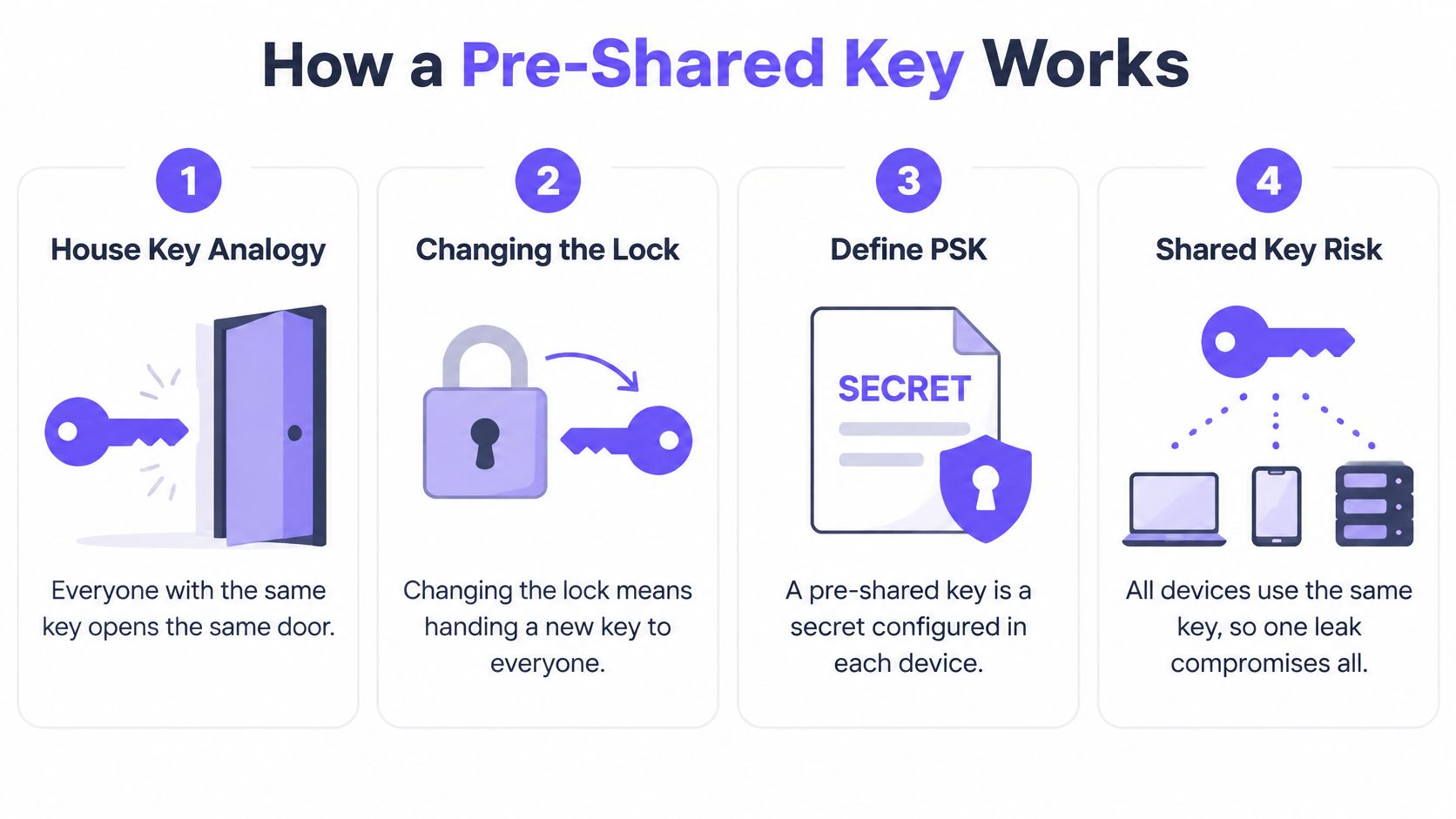
A shared WiFi password is like a house key copied for everyone who needs entry. Everyone holding a copy can open the same door. If someone keeps a copy after moving out, changing the lock means handing replacement keys to everyone who still belongs there.
A pre-shared key is a secret configured in advance on an access point and the devices connecting to it. In WPA2-Personal, you usually enter a passphrase into the router's settings, then enter that passphrase on each device. The access point doesn't need a separate authentication server to decide whether a connecting device knows the secret.
The diagram follows that shared-key relationship.
What happens when a laptop connects
Say you enter the office WiFi passphrase on a laptop. The connection proceeds through a few distinct operations:
- Prepare the secret. The laptop uses the configured passphrase and network name to derive key material. The access point has matching material.
- Prove possession. During the WPA2 four-way handshake, the devices exchange information that lets them verify possession of the matching secret. The password itself isn't transmitted.
- Create traffic keys. The handshake derives a Pairwise Transient Key, which protects traffic between that client and the access point.
The important distinction is between the long-lived credential you type and the encryption keys used for the connection. They're related, but they aren't interchangeable terms.
Why this model became common
WPA arrived as an interim replacement for the weak WEP system, and IEEE 802.11i became the technical basis for WPA2 when it was ratified on June 24, 2004, as documented in the IEEE 802.11i history. WPA2-Personal offered substantially stronger protection than WEP without requiring an organisation to operate an authentication server.
That combination suited homes and small businesses: configure the access point, give people the password and connect their devices. The operational burden appears later, when the administrator must decide who should still possess that secret.
Practical rule: Treat a WiFi password as an access credential with an owner and a retirement process, not just a router setting.
Shared, Unique and enterprise keys compared
Key models compared by control and accountability
| Model | Credential holders | Revoke one user alone | Per-user audit trail | Infrastructure needed |
|---|---|---|---|---|
| Shared WPA2-Personal passphrase | One passphrase for all users and devices | No | No | Access point only |
| Shared WPA3-Personal (SAE) password | One password for all users and devices | No | No | Access point and WPA3-capable clients |
| Unique per-device or per-tenant PSK | One key per device, person or tenant | Yes | Partial, by key identity | Access point with per-key PSK support, or RADIUS |
| 802.1X with EAP (WPA2/WPA3-Enterprise) | Individual account or certificate per user | Yes | Yes, with identity mapping and logging | RADIUS server and identity directory or certificate infrastructure |
Read the revocation column first. It tells you what an administrator can do when someone leaves, loses a device or discloses a credential. The other useful questions are who holds that credential, what the logs can identify and what supporting infrastructure you're prepared to manage.
The shared WPA2 and WPA3 rows look alike operationally because upgrading password authentication doesn't change who knows the password. Neither shared model identifies the human using a credential merely because the access point accepted it.
Unique keys identify a credential, not necessarily a person
With per-device or per-tenant PSKs, the network recognises different credentials on the same wireless network name, or SSID. Supported systems can associate those credentials with different network policies, including VLAN assignments and bandwidth controls, as described in NIST's wireless-security guidance.
However, a key named Apartment Guest isn't an individual identity. If a tenant shares it among their devices, the audit trail identifies the tenant's credential, not which person held a particular device. Good inventory records make that distinction useful rather than misleading.
Enterprise authentication adds an identity service
802.1X with EAP moves authentication to an identity-based process, commonly using RADIUS and user accounts or certificates. It's a stronger fit for managed staff devices when administrators need to connect access decisions to employment status, device enrolment or certificate validity.
The additional work includes configuring the authentication service, provisioning clients and maintaining trust settings. Our explanation of WPA2-Enterprise versus Personal covers that deployment distinction.
Choose against your hardest everyday case, not your easiest laptop. A contractor's departure, a resident's move-out or a headless sensor that can't run enterprise authentication will tell you more about the right model than a successful connection test.
Why one shared password becomes a Liability
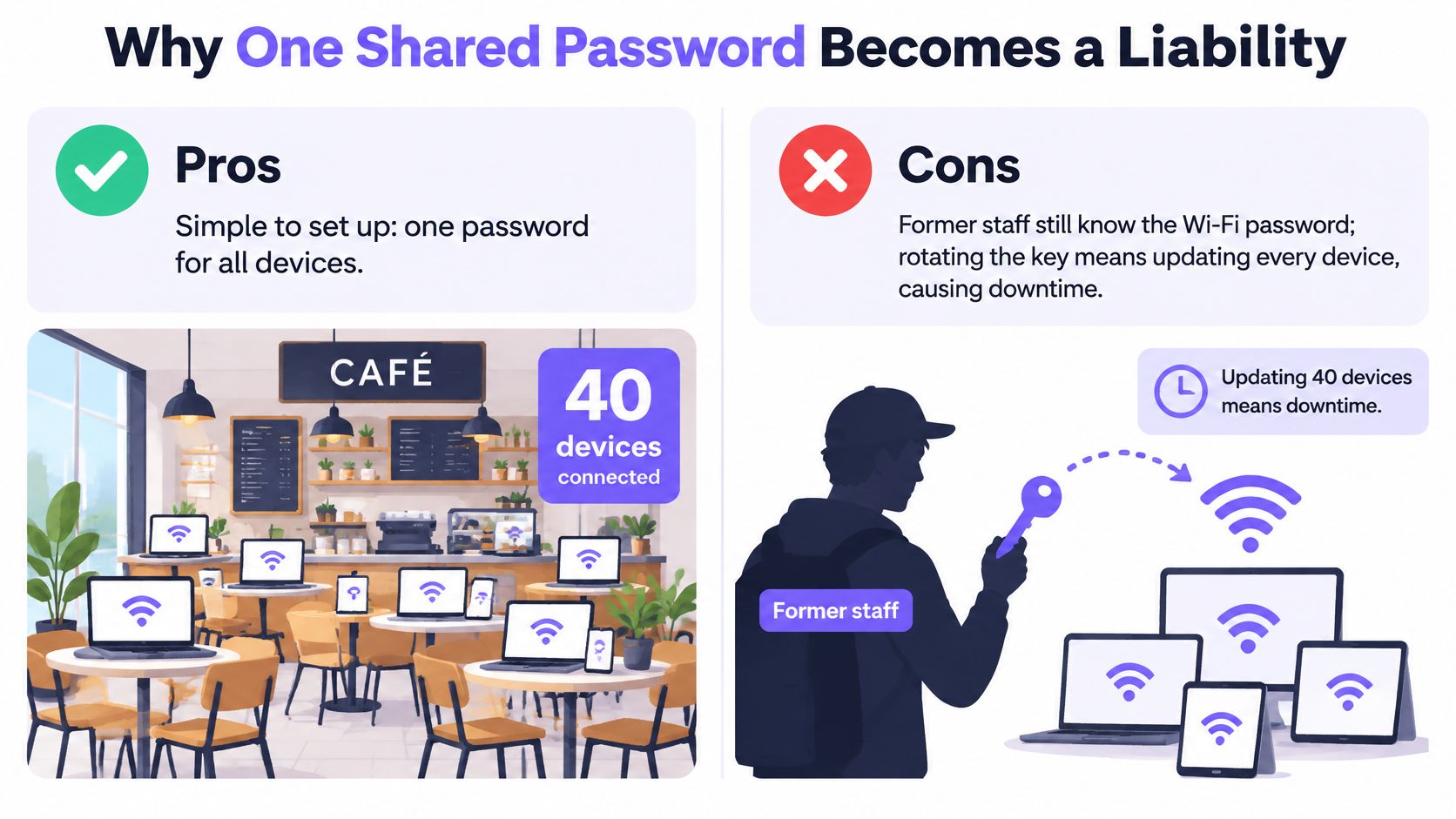
Suppose a café has around forty connected devices, and a former employee still knows its WiFi password. Removing their name from the rota changes nothing on the network. Unless the café has another effective access-control mechanism, the administrator must replace the common credential and update every legitimate device.
That's the shared blast radius: a disclosed credential can admit an unauthorised device to the same network access available to legitimate holders. It doesn't automatically defeat every firewall or decrypt every application, but it removes the shared-password barrier.
Convenient setup becomes inconvenient maintenance.
Password strength solves a different problem
NIST's guidance says PSKs must be distributed securely and that specified PSK cipher suites should provide at least 112 bits of security strength, according to its key-management recommendations. That's a security-strength requirement, not a universal character-count rule.
A password manager's randomly generated secret is different from a phrase an employee invents from the business name and opening year. In WPA2-Personal, an attacker who captures a suitable authentication exchange can test guesses offline. A predictable or reused passphrase makes that task easier.
But a strong secret doesn't tell you who used it. Nor does it prevent an authorised person from copying it into a message. When employees also connect personal equipment, the security risks of BYOD make credential ownership and device inventory especially important.
Match access to the network's users
The following recommendations describe suitable operating models, not blanket legal requirements for every organisation in a sector.
When a shared key is acceptable
| Network case | Shared key acceptable? | Main reason |
|---|---|---|
| Single-household home WiFi | Usually yes | One household, a manageable device inventory and a long random passphrase |
| Small office with stable staff | Yes, with a rotation plan | Limited membership, but departures still require credential replacement |
| Hotel or serviced apartments | No, not as the common access model | Changing guests and staff need separately managed access |
| Residential building or co-living | No | Residents and contractors need separate revocation |
| Shared IoT devices such as locks and sensors | No | Building devices outlive guests and need their own keys |
| Healthcare, education or retail staff devices | No, where individual accountability is required | Audit and applicable compliance obligations need identity-linked records |
At home, the people who control the router can usually coordinate changes directly. A small office can sometimes do the same, provided somebody owns the rotation process and knows every connected device.
Hotels and residential properties face a different lifecycle. A guest's permission should end at departure without disconnecting a lock, another resident or a maintenance contractor. Locks and sensors should retain their own credentials until their hardware lifecycle requires a change.
Staff networks with audit obligations need more than a list of connected device addresses. Administrators need records that connect access to an accountable identity.
Strong encryption answers whether traffic is protected. Credential management answers who should still be allowed through the door.
Shared PSKs keep initial administration simple. They become a poor bargain when administrators must repeatedly coordinate unrelated people and devices just to remove access.
Rotating a shared key without Losing devices
Rotation is a useful stopgap when you can't deploy individually managed credentials yet. Treat it as a controlled maintenance change, with a device inventory and a recovery plan, rather than a quick edit in the router dashboard.
Prepare the change
Identify legitimate recipients. List connected equipment, device owners and authorised users. Include unattended printers, cameras, locks and contractor tools, and separately record former users who must not receive the replacement.
Generate and protect the replacement. Use a password manager's random-password generator and save the result in a restricted administrative vault. Confirm the supported passphrase format on your access points and clients; length alone doesn't prove a particular security strength.
Schedule a quiet period. Tell authorised users when connectivity will stop and how they'll receive access securely. Don't send the replacement through a group containing former staff or contractors.
Preparation matters most for devices you can't easily reach. Have local management access, installation details and a responsible person available for equipment such as ceiling-mounted cameras or locked service-room controllers.
Reconnect and verify
Change the access point configuration. Apply the new credential consistently across the intended wireless network. Keep an administrative connection available that doesn't depend on the WiFi credential you're replacing.
Update devices by operational priority. Start with essential equipment, then work through the remaining inventory in manageable batches. Track failures individually instead of restoring the old password to accommodate a forgotten device.
Reconcile the client list. Compare the controller's connected clients with your inventory. Test the service each critical device provides, not merely whether it appears associated.
Record the outcome. Log the change date, reason, responsible administrator and devices needing manual intervention. Remove obsolete configuration records so someone doesn't accidentally redistribute the retired credential.
Change-control check: A connected payment terminal that can't reach its payment service is still an unresolved outage.
Each rotation recreates much of this coordination work. Keep the inventory you've built, because it's also the starting point for issuing credentials with a smaller scope.
How WPA3-Personal changes the password problem
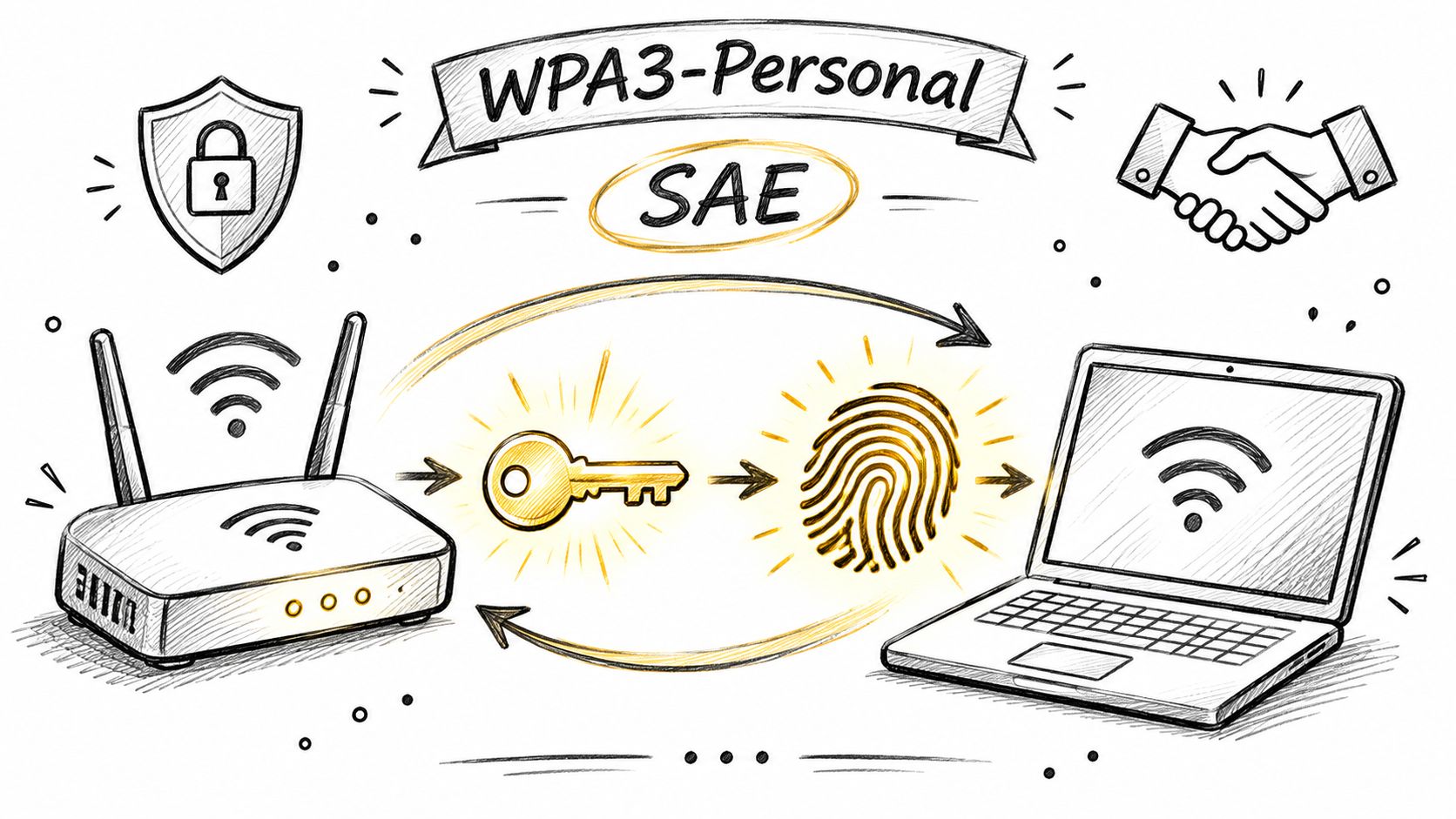
WPA3-Personal replaces WPA2-Personal's PSK authentication mechanism with Simultaneous Authentication of Equals (SAE). Users still enter a password, but the devices use a different process to establish the key material for the connection.
The illustration highlights the devices involved in that authentication relationship.
What SAE improves
SAE establishes a fresh Pairwise Master Key for each client association before the conventional four-way handshake derives session keys. The Wi-Fi Alliance deployment guide describes protection against passive-capture offline dictionary attacks and the provision of forward secrecy.
Those protections address distinct situations:
- Captured authentication traffic. An observer can't use a passive recording as an unlimited offline password-testing worksheet. Password guesses require active interaction with the authenticator.
- Later password disclosure. Discovering the password later doesn't reveal the earlier session's master key, so it doesn't allow previously captured traffic to be decrypted.
This is an architectural improvement, not a recommendation to choose a more complicated password. It changes what an attacker can do with recorded authentication traffic.
For an accompanying visual explanation, watch the video below.
Don't mistake transition mode for complete migration
A WPA2/WPA3 transition network accommodates older clients, but those clients still use WPA2. Enabling the mixed setting doesn't give every connection SAE's protections.
Before switching, check access points, printers, IoT equipment and management systems for compatible configuration and firmware. Pilot a representative group of clients on a test SSID, including devices that reconnect unattended after a power interruption.
Keep legacy clients under separate policy controls, with access limited to the services they need. Record their owners and replacement options rather than leaving them as unexplained exceptions.
SAE also doesn't create an individual identity from a password shared among several people. The Wi-Fi Alliance's WPA3 deployment options help distinguish stronger password authentication from the separate need for accountable access.
This week, export your client inventory and mark which devices support WPA3. Give every remaining WPA2 device an owner and a documented reason for staying.
How to run Unique keys per device or tenant
Start by checking your controller's per-key PSK capabilities. Vendors use different names and provisioning methods, so confirm support for credential assignment, VLAN policy, expiry and session termination before designing the rollout.
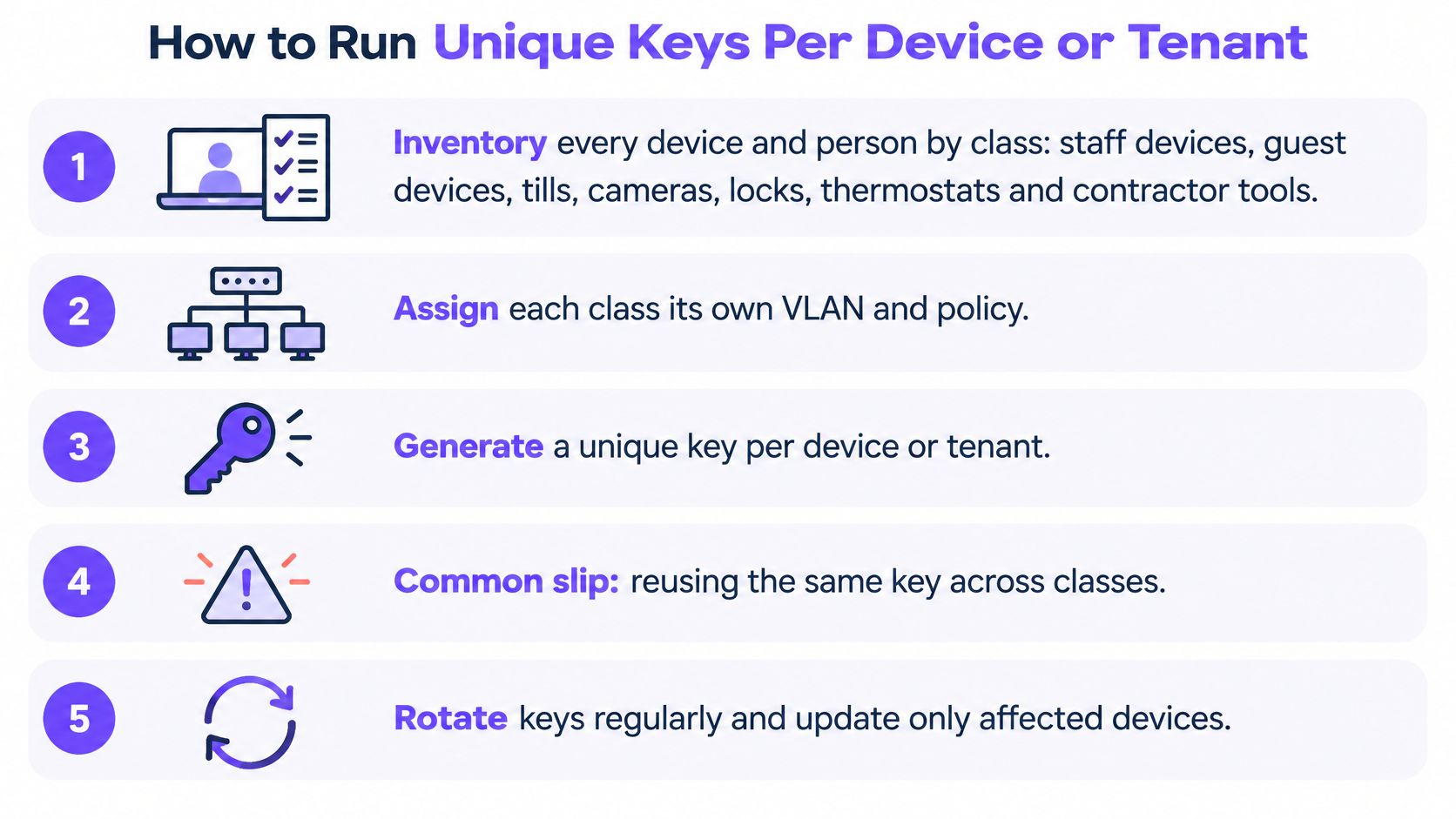
An individually managed key is useful only when its record tells the administrator what it belongs to and when to remove it. The checklist shows the core operating tasks.
Issue credentials around real lifecycles
Inventory by device class and owner. Separate staff devices, guest laptops, tills, cameras, locks, thermostats and contractor tools. Record the services each class needs; putting a lock and a staff phone under the same credential creates an avoidable dependency.
Choose the revocation boundary. Issue a key per device when devices need independent removal, or per tenant when the tenancy is the intended management unit. Don't reuse a retired device's key for its replacement, because that carries an old credential into a new lifecycle.
Bind keys where supported. Associate the credential with the intended device's MAC address to discourage casual transfer to another device. MAC binding isn't cryptographic proof of hardware identity, and private-address behaviour needs testing so legitimate devices don't unexpectedly lose access.
Apply the right network policy. Assign VLANs according to trust and function, then configure gateway or firewall rules that enforce the separation. A VLAN label alone doesn't block traffic, and a bandwidth limit doesn't provide isolation; use IoT network segmentation to define which destinations each device class may reach.
Don't issue access before testing the policy with representative devices. For example, a thermostat may need its management service but have no reason to reach staff laptops or payment terminals.
Retire access deliberately
Set an appropriate expiry. Give guests and contractors an end date tied to their booking or job. Building equipment needs a hardware-based lifecycle instead, so a guest departure doesn't disable the room's lock or thermostat.
Revoke and test the result. Remove the credential when its owner leaves or the device is retired, then confirm that any active session ends. Test both an already-connected device and a fresh connection attempt, since rejecting future authentication doesn't necessarily terminate an existing session.
Review records on a regular schedule. Reconcile issued keys, connection logs and the inventory. Investigate credentials with missing owners, expired work orders or unexpected device associations rather than carrying them forward automatically.
Keep the logs meaningful. A key identifier should map to an owner or asset record, and administrators should be able to explain policy changes without searching personal messages.
Healthy operation looks uneventful: few exceptions, deliberate expiry dates and inventory records that match actual connections. When a device fails or a tenancy ends, the administrator changes the affected record rather than coordinating an entire building.
Confirm whether a shared key still Fits
The right question isn't whether a shared password can encrypt wireless traffic. It's whether your team can manage everyone who possesses it throughout their time on the network.
Use these decision criteria:
- Credential holders. Can you identify the authorised people and devices that currently have access?
- Turnover. Do departures, temporary jobs or tenant changes regularly create removal work?
- Isolation. Must locks, tills, guests or contractor tools be kept apart?
- Audit evidence. Can your records connect access decisions to an individual, device or tenancy?
- Applicable standards. Does a contractual or compliance requirement govern wireless credential changes?
Pilot the cases that create the most work
Don't wait for every criterion to fail. If you can't remove a contractor or produce the required access records, you already have a concrete reason to test a different model.
For applicable payment-card environments, PCI DSS v4.0.1 Requirement 2.3.2 requires wireless keys to change when anyone who knows them leaves. That makes a widely shared credential particularly difficult to operate.
Keep the pilot narrow: a site, floor or device class with a clear access problem. Run it beside the existing network, and judge it on completed revocation tickets, service continuity and usable audit evidence rather than connection success alone.
Purple Access is an option to evaluate alongside your current controller: we support individually revocable keys, MAC binding to prevent casual key sharing, and RADIUS Change of Authorization to end live sessions on access points that support it. Test those controls with an actual departure scenario before expanding the deployment.
A useful acceptance test is simple: remove a contractor's permission while leaving the lock, thermostat and staff phone connected. Keep the authentication record and session-termination evidence with the change ticket so another administrator can verify the result.
Purple Access provides individual keys and network policies for devices, people and tenants on the access points you already own. Visit Purple Access to arrange a pilot and test issuing and revoking a key on a live network without disrupting unrelated devices.