Protective DNS Explained: How It Works and Why It Matters
Published

A guest in a hotel lobby taps a link, and the page begins to load. Before the browser can connect to the website, the guest's device needs to find out where that site lives on the internet. That quiet lookup is a chance to check whether the destination should be allowed.
Protective DNS adds a security decision to this routine step. It can help organisations protect people and devices on shared networks, but it works only when their traffic uses the managed resolver. Understanding that distinction makes it easier to plan for performance, exceptions, bypass routes, and privacy.
Table of Contents
- Why Every Website Visit Starts With a DNS Lookup
- What Protective DNS Does at the Name-Resolution Stage
- How Policy Enforcement Works Across a Network
- Performance Impact and Measurable Page-Load Gains
- Real-World Use Cases in Venues and Enterprises
- Choosing the Right Approach for Your Network
- Measuring Protective DNS Value Beyond Blocked Counts
- Next Steps for Planning Your Protective DNS Rollout
Why Every Website Visit Starts With a DNS Lookup
A website name is easy for people to remember. Computers need a network address to connect. The Domain Name System (DNS) provides the translation, much like a phone book that turns a person's name into a number you can dial.
When the guest taps the link, the browser asks a DNS resolver for the address associated with the website's name. The resolver looks up the answer and sends it back. The browser can then try to connect to the destination. DNS doesn't carry the page itself, but it helps the device find where to request it.
That sequence creates a useful security checkpoint. If the resolver recognises a requested domain as a known threat, it can refuse to provide a usable answer before the browser connects. A protective DNS service applies security policies at this lookup stage, rather than waiting for a downloaded file or a suspicious action on the endpoint.
The practical distinction: DNS helps a device find a destination. Protective DNS adds a decision about whether the lookup should succeed.
This matters especially in places where many people and devices share network infrastructure. A hotel may have guests' phones, staff laptops, payment terminals, and connected building equipment using different parts of the same overall network. An office, residential property, or public venue faces a similar challenge, though the users and devices differ.
Protective DNS can provide a common checkpoint for those lookups, but it isn't a complete security programme. It won't protect a device that avoids the managed resolver, and it doesn't replace endpoint protection, access controls, or careful network design. The useful questions are how the resolver makes its decision, how an organisation keeps devices on the intended path, and what evidence shows the service is helping without causing disruption.
What Protective DNS Does at the Name-Resolution Stage
Protective DNS is a policy-enforcing recursive resolver. A recursive resolver handles requests on a device's behalf, while protective DNS applies rules to decide whether a requested destination should receive a normal DNS answer. It isn't just DNS made faster or encrypted.
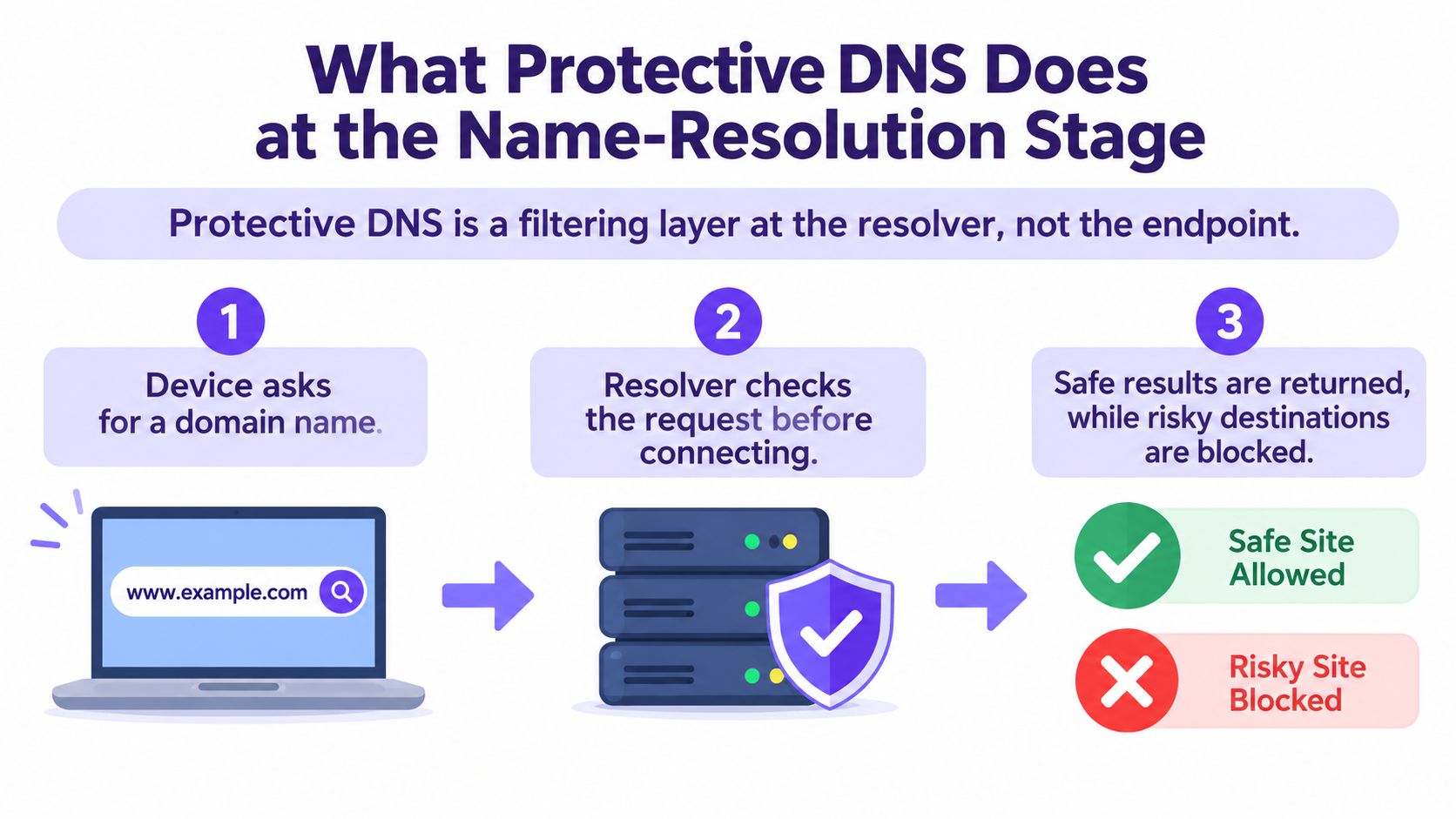
Follow one lookup from start to finish:
- The device asks for a domain name. A browser, app, or other process needs an address before it can attempt to connect to a named destination.
- The resolver checks the request. It compares the domain against configured policies and threat intelligence. Stronger implementations can also check a resolved IP address, which helps assess the infrastructure behind a name.
- The resolver returns an outcome. If policy permits the request, the resolver supplies an answer. If it doesn't, the service can block resolution, return an empty response, or redirect the client to a warning page. The exact behaviour depends on the product and policy.
Some implementations look for algorithmically generated domains, or DGAs, which malware can use to find command-and-control infrastructure. Unusual patterns in a domain's characters, including high entropy, can act as a signal for further policy evaluation. That kind of analysis can complement threat-intelligence feeds, but organisations still need to validate how their chosen service handles detection and exceptions.
Encryption and authenticity aren't the same as a safety decision
DNSSEC helps verify the integrity and authenticity of signed DNS data. DNS over HTTPS (DoH) and DNS over TLS (DoT) protect DNS queries in transit. Those properties matter, but they don't by themselves determine whether a domain that exists is malicious. Protective DNS makes that policy decision at the resolver.
For teams reviewing controls around web access and cloud services, this distinction can sit alongside broader guidance on securing Microsoft 365 business environments. The main point is to avoid treating encrypted transport or authenticated data as a substitute for a decision about destination risk.
How Policy Enforcement Works Across a Network
A resolver can make a sound decision for a single request and still fail to protect a network if devices can route DNS around it. Estate-wide deployment is therefore about two connected things: consistent policy and a dependable path to the resolver.
A centralised design sends DNS requests from multiple sites to a managed service. That makes it easier to apply shared rules and review activity across locations. It also makes availability a security requirement. If the resolver is unreachable, ordinary web access and services that depend on DNS can fail even when the rest of the network is operating.
The U.S. government's Protective DNS service became available to Federal Civilian Executive Branch agencies in September 2022. By August 2024, more than 104 agencies had onboarded, generating an average of 1.6 billion secured DNS queries daily; the programme reported 99.999% resolver uptime (CISA's Protective DNS fact sheet). The operational lesson is that filtering quality and service availability need to be assessed together.
Apply identity without multiplying policies
Staff, guests, residents, and connected equipment don't necessarily need the same rules. A network can assign different policies based on identity or network segment, such as a staff network, guest Wi-Fi, and an isolated network for building devices. The goal is to make the policy fit the user or device while keeping administration manageable.
Access controls help establish that separation, while network-traffic monitoring can help teams investigate unusual network activity. For a related view of how network access control fits into a managed environment, see these network access control solutions.
Close the bypass routes deliberately
If a device can send ordinary DNS directly to an external resolver, the protective service may never see the request. DoH and DoT create another challenge: encryption can protect queries in transit, but an unmanaged resolver can also remove them from organisational policy and visibility.
Where enforcement is required, teams should identify direct DNS paths and unauthorised encrypted-DNS destinations, then decide how network, endpoint, and browser controls will handle them. Test the exceptions too. Captive portals, mobile devices, IPv6, and applications with their own resolver settings can behave differently from a managed laptop on a corporate network. The policy works only across the paths the organisation can govern.
Performance Impact and Measurable Page-Load Gains
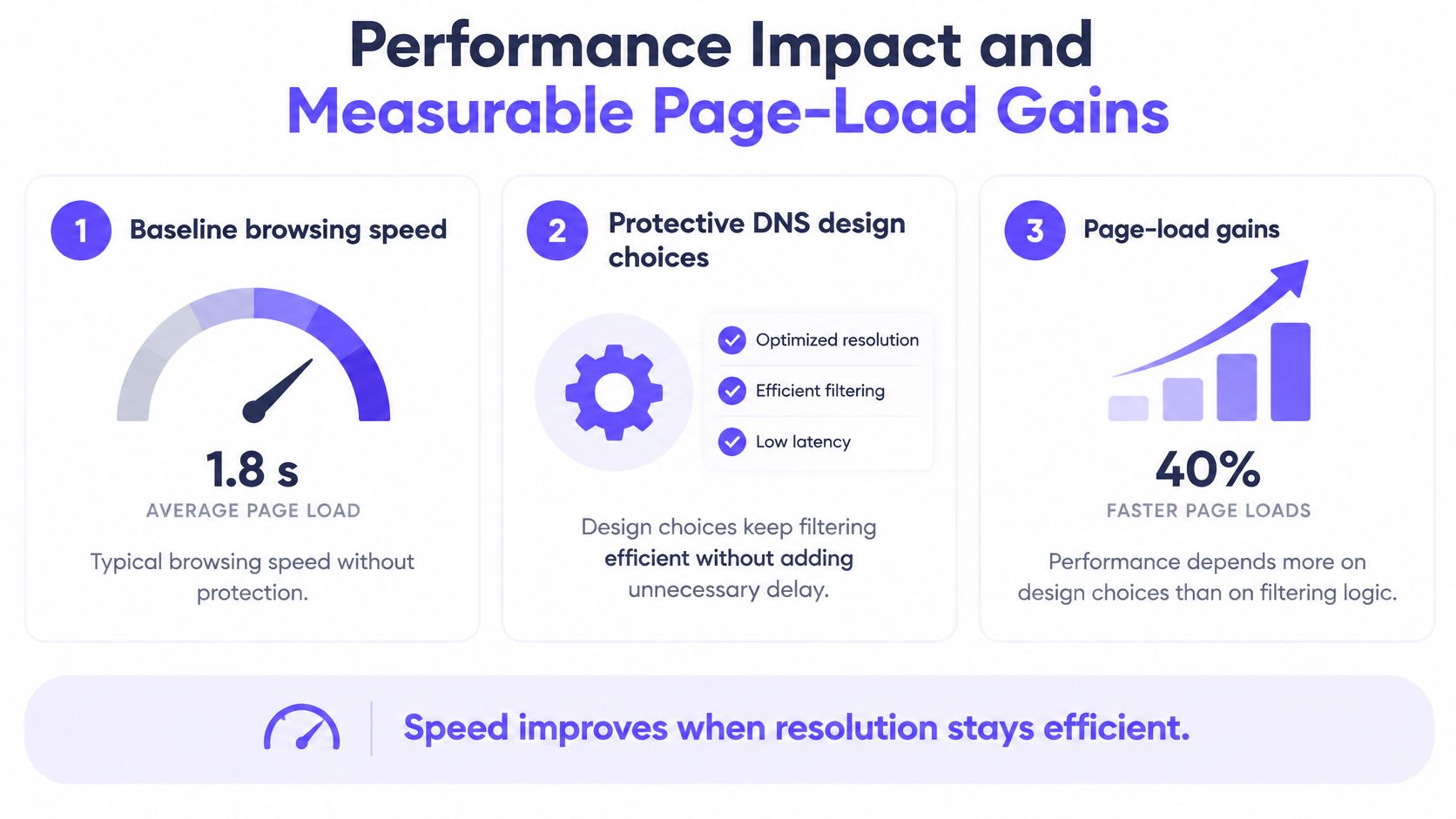
A protective DNS service doesn't have to make browsing noticeably slower. The impact depends less on the act of filtering than on practical design choices: where the resolver sits, how it caches answers, how it maintains connections, and whether devices bypass it.
Encrypted DNS can add setup time when a connection needs to establish TCP, TLS, or HTTP before sending a query. Reusing a persistent session avoids repeating much of that setup. TLS 1.3, 0-RTT, HTTP/2 multiplexing, and QUIC can also reduce connection overhead, according to independent measurements of encrypted DNS performance. Under healthy network conditions, raw lookup latency can be negligible, but that isn't guaranteed for every client or network path.
Test the lookup, not just the impression
A nearby, highly available resolver and standards-compliant caching help keep ordinary lookups responsive. But one average latency figure can hide slow experiences for a subset of users, or when the resolver must fetch an answer that isn't already cached.
Measure p50, p90, and p99 lookup latency separately for cold and warm caches. The median shows a typical lookup; the higher percentiles reveal slower cases that may affect users more sharply. Keep lookup speed distinct from full page-load time, since DNS is just one part of a browser's journey.
Include the conditions that expose surprises
Test from the kinds of networks and devices people use, including mobile clients, IPv6, and captive portals. Check applications and browsers that may select their own DoH or DoT service, because they can change both the route and the visibility of DNS requests.
DoQ, DNS over QUIC, has been observed in distributed measurements to approach plaintext performance and improve some page-load cases relative to DoH. Treat such findings as a reason to test transport choices in your own environment, not as a promise of a particular result. The practical target is a nearby resolver, effective caching, reusable encrypted sessions, and a design that doesn't leave unmanaged paths open.
Real-World Use Cases in Venues and Enterprises
A national deployment shows what protective DNS can do when many organisations share a managed security layer. In the United Kingdom, the number of organisations using the Protective Domain Name System service rose from 944 to 1,173 in 2022, an increase of 24%. Across that year, the service processed approximately 0.55 trillion DNS queries and blocked 11 billion requests associated with malicious destinations, about 2% of all queries (UK NCSC PDNS summary).
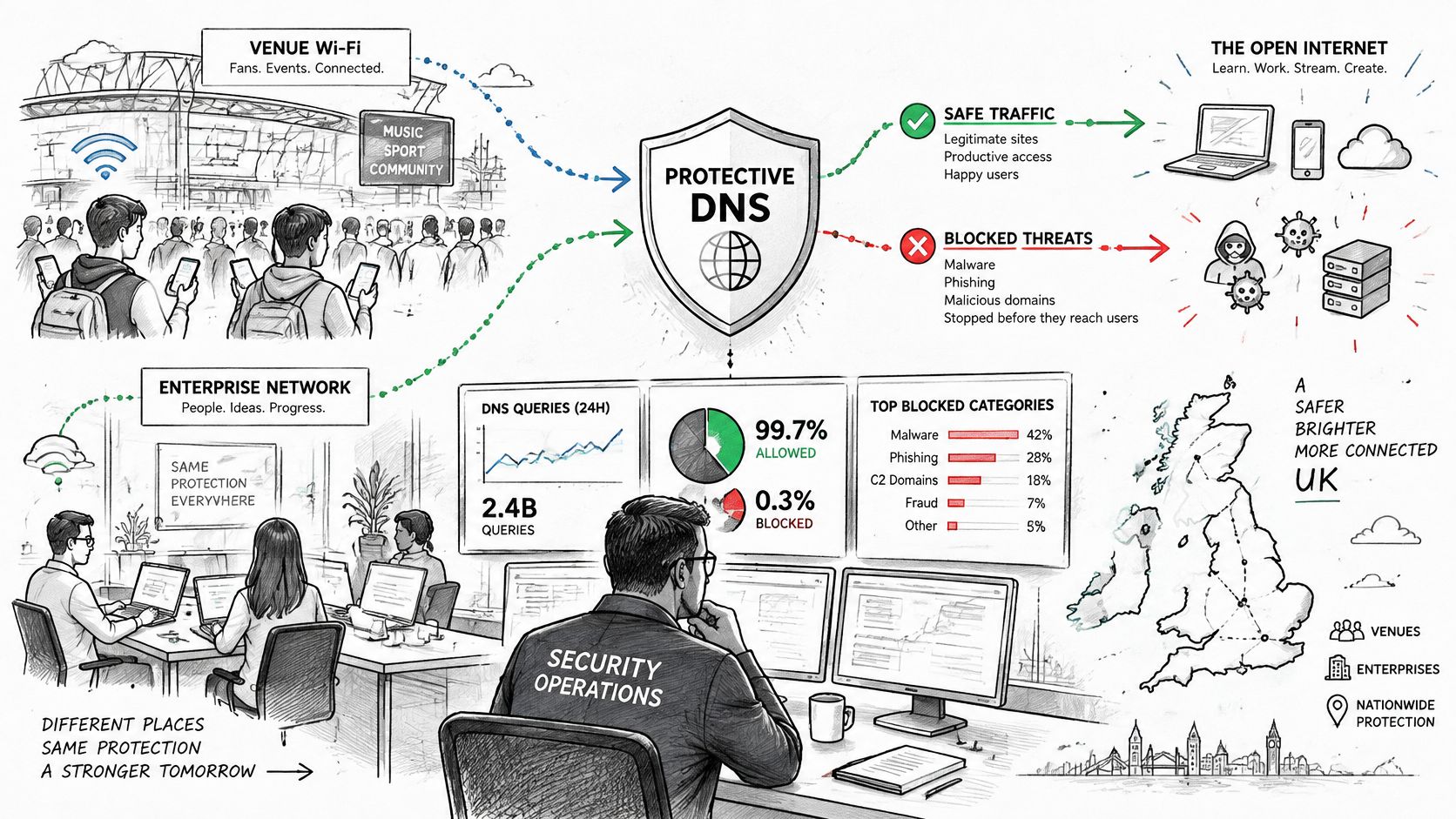
That scale illustrates the value of making a decision before a connection is attempted. It doesn't prove that every blocked request would have become an incident, or that DNS alone stopped every route to a threat. For a multi-site operator, the useful comparison is whether the service can apply policy consistently, produce actionable telemetry, and handle the volume and exceptions of that environment.
Consider how the same checkpoint fits different venues:
- Hotels and residential properties: Separate guest or resident access from staff and building devices. A captive portal, an older device, or a resident's preferred encrypted resolver can create an exception to plan for.
- Airports and stadiums: Apply a common baseline across high-turnover public access while keeping operational and staff networks distinct. Watch for unmanaged devices and connectivity needs that require a documented exception.
- Healthcare and education: Restrict access to harmful destinations without blocking legitimate services used for care, teaching, or administration. Provide a clear review path when a policy blocks something needed for work.
- Retail and shopping centres: Distinguish visitor traffic from tills, staff devices, and other operational equipment. Retail teams planning guest access may also find these retail Wi-Fi solutions useful when thinking about how access and policy fit together.
A short introduction to the topic can also help teams align on what the DNS layer does and doesn't do:
In each setting, DNS filtering is a partial control, not a guarantee that every threat is stopped. A user can reach infrastructure through another resolver or a direct IP address, and an application can use protocols that don't rely on the organisation's DNS path. The deployment needs exception handling and monitoring alongside the policy itself.
Choosing the Right Approach for Your Network
Protective DNS works at the resolver. Endpoint agents, browser settings, and network controls operate at different points, so teams usually choose a combination rather than a single substitute. The right mix depends on who manages the device, which traffic the network can see, and how exceptions should be handled.
| Control | Best Fit | Visibility | Common Limitation |
|---|---|---|---|
| Protective DNS | Shared networks, managed estates, and DNS-policy enforcement | DNS requests that pass through the resolver | Unmanaged resolvers and non-DNS paths can bypass it |
| Endpoint agent | Managed laptops and mobile devices that need protection off-network | Activity visible to the installed agent | Coverage depends on agent installation, health, and management |
| Browser policy | Managed browsers where resolver and browsing settings can be governed | Browser configuration and selected browser activity | Doesn't govern every app or unmanaged browser |
| Network-level controls | Segmented networks and traffic that passes through managed infrastructure | Network flows within the control's coverage | Encrypted or off-network traffic may limit inspection |
| Identity and access controls | Staff, guests, residents, and device groups with distinct access needs | Connection and access decisions tied to identity or segment | A permitted connection doesn't itself judge every destination |
For managed laptops, endpoint and browser controls can complement resolver policy, particularly when employees work away from the office. Guest Wi-Fi and BYOD are harder to manage with agents, making network-side controls more practical, provided the organisation can steer DNS to its chosen service. IoT and residential devices often need segmentation and a policy that accounts for limited device-management options.
For teams comparing network identity, filtering, and user-facing checks, free DNS and email checks from mailX can be a relevant resource alongside a wider review of access controls. If payment environments are part of the estate, also consider how Wi-Fi design and PCI compliance requirements affect network separation and administration.
Purple Access combines open, secure, and xPSK network options on existing access points, with captive portal onboarding and identity-driven network assignment. Purple Shield adds protective DNS and content filtering with per-policy controls. Those capabilities can sit alongside endpoint and browser controls, but they don't remove the need to define resolver enforcement, exceptions, and monitoring. Choose tools according to the paths and devices you need to protect, then verify that their policies work together.
Measuring Protective DNS Value Beyond Blocked Counts
A blocked-query total tells you that the resolver acted. By itself, it doesn't tell you whether it caught the right requests, disrupted useful work, or missed traffic that took another route. Count the decision, but measure the control.
The European Internet Industry Association's DNS workshop reported 2.3 million abuse reports covering 780,000 unique domains during the prior six months, with monthly reports rising from 220,000 to 380,000 (workshop report). Those figures show the scale of reported abuse. They don't establish how many incidents a resolver prevented, whether a block was correct, or whether affected traffic reached a destination through a VPN, an alternative resolver, a hard-coded IP address, or an encrypted application protocol.
Build a scorecard around outcomes and exceptions
A useful review combines security, service quality, and operational response. Track whether the resolver detected known malicious domains, how quickly teams handle false-positive appeals, and whether policy changes reach the intended locations promptly. Pair those measures with resolver availability and median and tail lookup latency.
Also measure bypass attempts. A low number of blocked requests may mean the environment has little malicious activity, or it may mean devices aren't using the protective resolver. Correlate relevant events with network identity, such as an SSID, VLAN, venue, or user group, so investigators can see where a policy applies and where an exception may be hiding. Compare DNS activity with endpoint or incident data rather than claiming that each blocked lookup represents a prevented incident.
Treat DNS logs as sensitive operational data
DNS logs can reveal browsing patterns, which calls for care in healthcare, education, hospitality, and residential settings. Set retention limits, restrict access by role, and keep security telemetry separate from guest-marketing data. Decide who can investigate a security event and what data they need before collecting logs at scale.
Next Steps for Planning Your Protective DNS Rollout
Start with the path, not the dashboard. Map which devices use the managed resolver, identify where direct DNS or unauthorised encrypted DNS could bypass it, and decide how enforcement will work for devices the organisation doesn't manage. Include an exception process for legitimate services that a policy blocks.
Before rollout, agree how the team will judge both security and service quality:
- Confirm resolver use: Check managed devices, guest networks, and less predictable devices such as IoT.
- Test the network path: Where enforcement is required, review direct DNS and unauthorised encrypted-DNS routes.
- Measure performance: Compare cold- and warm-cache lookup latency, including slower percentiles.
- Define the scorecard: Track false-positive handling, availability, policy propagation, bypass attempts, and incident outcomes.
- Set privacy rules: Establish log access and retention boundaries before broad collection begins.
For a multi-site deployment, bring together network and security teams to map identities, network segments, resolver routes, and the exceptions each venue needs. Purple offers design sessions led by network engineers to shape and validate deployment plans. Protective DNS can make harmful destinations harder to reach through the managed lookup path, but it won't replace endpoint security, network segmentation, or privacy governance.
Purple Access supports open, secure, and xPSK Wi-Fi networks, with identity-driven network assignment and guest or BYOD onboarding on existing access points. To plan how those access controls can work alongside protective DNS across your sites, visit Purple Access.