What is SSID and Why Fewer names work Better
Published
An SSID is the Service Set Identifier, the WiFi network name a device sees when it scans, not a password or a security control. That single distinction overturns two pieces of popular advice. Hiding the name doesn't make a network private, and adding a new name for every team, floor or tenant doesn't make it more secure.
If you're asking what is SSID in practical terms, think of it as a label people choose from a list. The protection comes later, from authentication, encryption and the policy applied after login. Fewer, clearer names usually give you a faster channel and a cleaner security story.
Table of Contents
- What an SSID Is and What It Is Not
- How a Device Finds and Joins That Name
- How Extra SSIDs Spend Channel Airtime
- SSID Naming Rules That Stay Useful
- Why a Hidden SSID Is Not Private
- A Three SSID Model for Real Venues
- Map Your Networks onto Fewer Names
What an SSID Is and What It Is Not
Open WiFi settings in a cafe and you might see Cafe Guest, Cafe Staff and Cafe Cameras. Those are three labels, not three locks. Each name tells your phone which logical network you're asking to join, and nothing in the text proves who runs it or whether your traffic is encrypted.
The Wikipedia entry on SSID defines an SSID as the logical name assigned to a wireless local-area network under the IEEE 802.11 family of standards, dating to the original 1997 standard that supported link rates of approximately 1 to 2 Mbit/s. That's the name a phone or laptop displays when it scans for nearby networks.
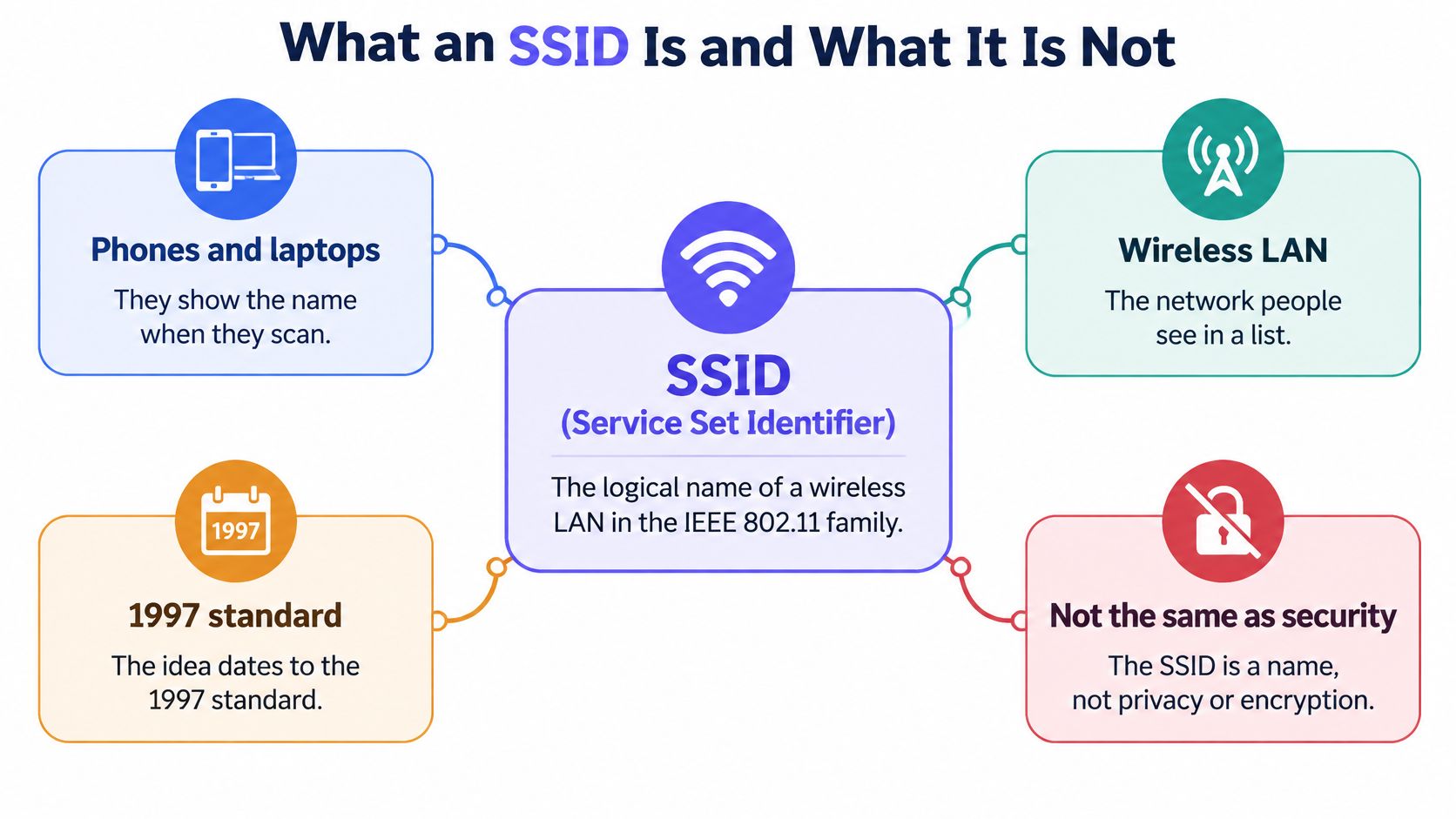
One name, many radios
An SSID identifies a service set, a group of wireless stations and access points operating as one logical network. It doesn't identify one physical box on the ceiling. In a hotel or campus, several access points advertise the same SSID so you can walk between coverage areas and stay on the same network.
Each of those radios still has its own BSSID, which identifies an individual basic service set and is normally tied to the access point's MAC address. You pick the SSID. Behind the scenes, your device associates with a specific BSSID, and it may switch BSSIDs as you move without the visible name changing.
Label, radio and lock
| Item | What it names | Where you see it | What it does not do |
|---|---|---|---|
| SSID | One logical WiFi network | Phone or laptop network list | Prove identity or encrypt traffic |
| BSSID | One access point radio, usually its MAC | Association and diagnostic details | Name the network a user chooses |
| Security suite | Authentication and encryption | WPA2, WPA3 or 802.1X settings | Change just because the SSID text changed |
That table matters because a rogue access point can copy Cafe Staff exactly. The string is public, so anyone nearby can reuse it. What stops a device joining the fake one, or stops an outsider joining the authentic one, is the security configured separately, such as certificates, a strong passphrase or 802.1X authentication.
An SSID helps a device choose a network. It never, on its own, proves that network is genuine or safe.
Rename Cafe Staff to Cafe Team and you've changed a sign, not a lock. The users, keys and permissions behind it stay exactly as they were unless you change those settings too.
How a device Finds and joins that name
Treat the SSID as a shop sign and the beacon as that sign flashing on a schedule. A client radio scans, reads what's flashing, and only then asks to come in. Choosing a door by its sign still leaves you needing a key for the lock on that door.
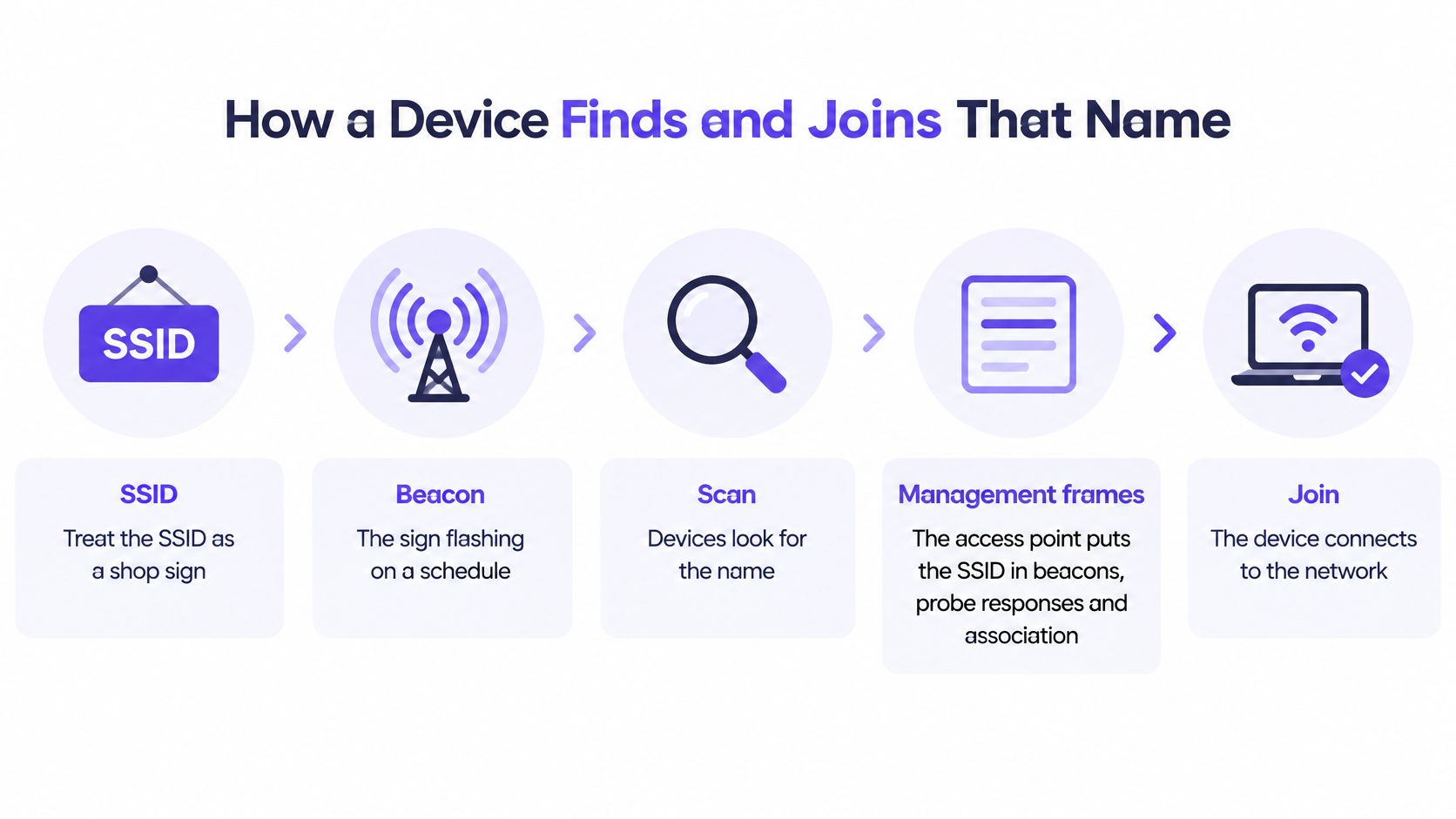
The IEEE 802.11 mentor document on virtual access points describes the SSID as the logical network name carried in management frames, including beacons, probe responses and association requests, with an information element of 0 to 32 octets. A zero-length value asks for any available network rather than naming one.
The order a client actually follows
- Listen for beacons: The access point advertises the SSID plus supported rates and security suites before association.
- Probe if needed: The device may ask nearby radios for a specific name it remembers, and matching radios reply.
- Send an association request: The device names the SSID it wants and negotiates capabilities with one BSSID.
- Authenticate separately: WPA2-Enterprise, WPA3-Enterprise or WPA3-Personal checks credentials or certificates after the network is selected.
Only after that last step should policy be applied. In enterprise design, 802.1X, certificates, RADIUS attributes and firewall rules assign a VLAN and privileges based on who or what authenticated. That means two people can join the same SSID and land in different segments, without you advertising a separate name for each group.
The short walkthrough below follows that scan and join sequence visually.
Keep names stable and unambiguous, because phones, laptops and managed profiles store that exact string. If you also monitor for copied names and rogue radios, GoSafe Dark Web monitoring for MSPs is a useful companion resource on spotting rogue access points. A familiar SSID from an unknown BSSID deserves investigation, not trust.
How Extra SSIDs Spend channel airtime
Every separately advertised SSID needs its own beacon and its own probe responses. Add a name for guests, voice, cameras and contractors, and every access point repeats all of them, all day, even when nobody's transferring data. That's not free.
The Cisco wireless best practices guide recommends limiting SSID count because additional SSIDs increase RF pollution and consume airtime, commonly targeting one to three SSIDs for corporate environments, with beacons at a 100-TU interval recurring approximately every 102.4 milliseconds. Beacons also go out at a mandatory low basic rate, so each one occupies the channel longer than a fast data frame of the same size.
Where the cost shows first
A quiet office may tolerate sloppy naming for years. A lecture hall, stadium concourse or busy hotel lobby won't. In dense rooms, dozens of radios share a channel, clients contend for airtime, and management frames compete directly with video calls, payments and voice traffic.
Constrained clients suffer too. Older scanners, handhelds and cheap IoT radios have to parse longer scan results and more probe responses. Some handle long SSID lists badly, which turns a naming habit into a compatibility ticket.
| Design | Beacon behaviour | Airtime effect | When it fits |
|---|---|---|---|
| One to three SSIDs | A distinct beacon per SSID about every 102.4 ms at a low basic rate | Management overhead stays small; Cisco corporate target | Offices, hotels, campuses and venues |
| Many overlapping SSIDs | A separate beacon and probe response for every name, even with no user traffic | Recurring airtime and RF pollution; worst in dense rooms | Legacy lists to consolidate |
| WiFi 6E Multiple BSSID | Information for several logical BSSIDs carried in one beacon | Less repeated beacon airtime | Dense 6E sites that still need a few logical networks |
Trim the list, keep the separation
WiFi 6E Multiple BSSID helps by carrying information for several logical BSSIDs in a single beacon, with airtime conservation as a primary goal. Use it where clients support it, but don't treat it as permission to keep ten overlapping names. It reduces repetition, it doesn't remove the operational confusion of a long list.
The cleaner fix is to merge use cases that differ only by label, then separate people after authentication. Identity can drive VLAN assignment, bandwidth limits and firewall policy behind one SSID. If you're redesigning a site from scratch, work through the wider WiFi network design considerations alongside your SSID count, because channel planning and basic rates shape the same airtime budget.
Practical rule: If two SSIDs would apply the same policy to the same people, they're probably one SSID wearing two names.
Count beacons before you blame bandwidth. A channel busy with management traffic has less room for the work users notice.
SSID naming rules that stay useful
A good SSID is stable, short and obvious to the person holding the phone. It should say which network this is. It shouldn't reveal who owns the building, which VLAN sits behind it, or anything that hints at a password.
Defaults fail that test. The Bitdefender report on a 2025 Broadband Genie survey found that 85% of 3,242 broadband users still used the default network name supplied with their router. Default names often reveal the manufacturer, which makes factory settings and known weaknesses easier to guess.
Names to retire, names to keep
- Retire personal identifiers: SmithFamilyWiFi tells strangers whose network it is.
- Retire hardware defaults: TP-Link_2G4 advertises the kit you're running.
- Retire internal detail: Finance-VLAN40 maps your segmentation for anyone scanning.
- Retire secrets in plain sight: Camera-Pass123 is a credential clue, not a name.
- Keep a consistent pattern: Northwind Guest and Northwind Staff, spelled identically at every site, let devices find the intended profile anywhere.
Don't encode a floor, tenant brand or department restructure into the string. Buildings and org charts change faster than saved device profiles do. A neutral name survives those changes without a painful rename.
How to rename without breaking everything
Sign in to the router or controller admin page, open wireless settings, and edit the SSID while keeping the same security mode. Save the change, then reconnect each device, because clients treat a new string as a different network. At scale, update printed signs, MDM profiles and captive portal instructions in the same change window.
Keep it short as well. The field holds only 32 octets, and characters that take more than one octet eat that budget quickly. Long or exotic names can be truncated by some clients, which breaks the match with a saved profile and leaves users staring at a network they can't join.
Why a Hidden SSID Is Not Private
People ask three different questions as if they were one. Can nearby devices see the name? Can they discover the network anyway? Can they join it or inspect traffic? Hiding the SSID answers only the first question, and only partly.
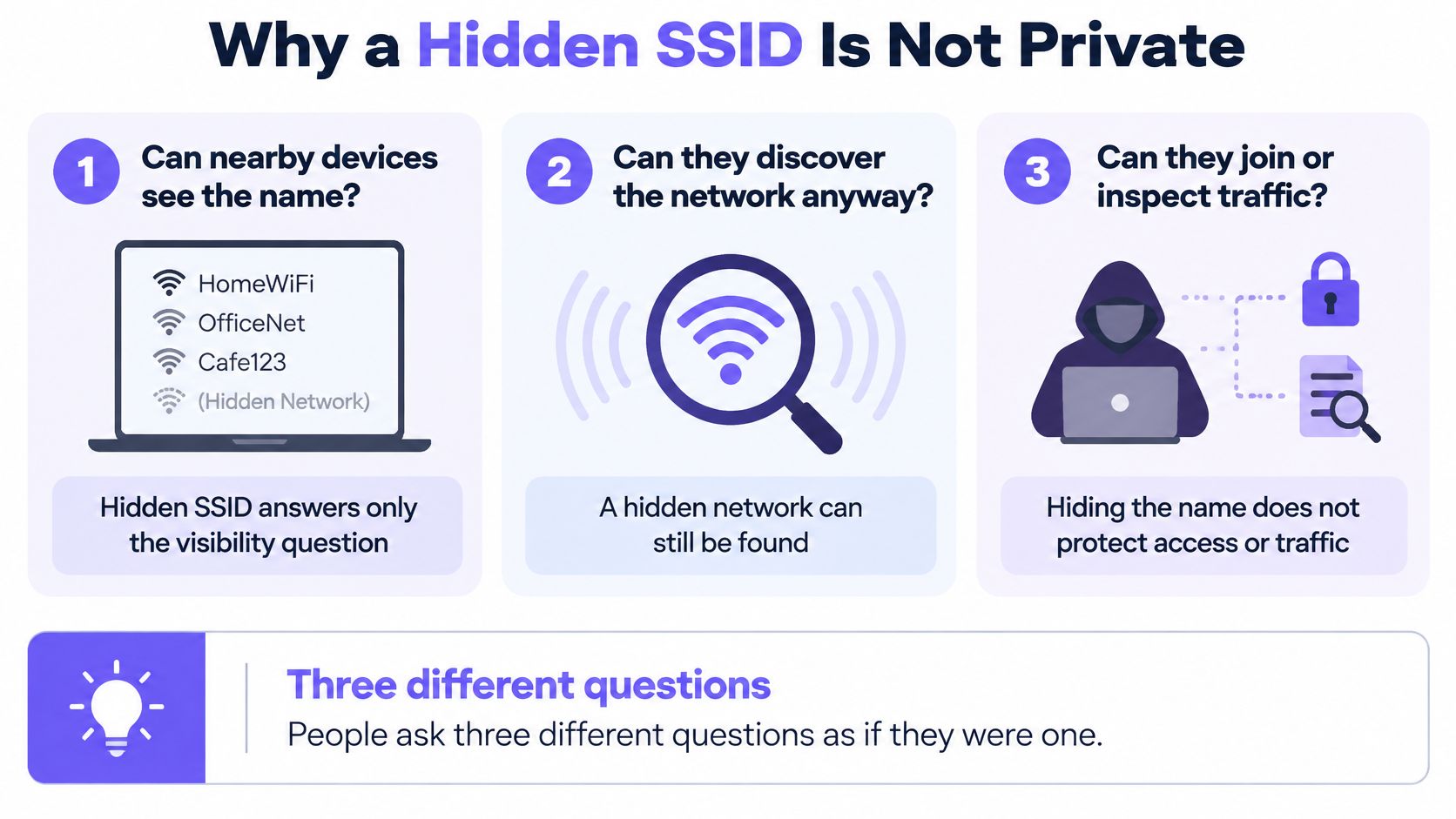
The Apple deployment guide on hidden networks states that hidden networks can still be learned from management traffic, may delay association and roaming, and can increase device battery use. Apple also warns that an unsecured or open network disables authentication and encryption, potentially exposing shared resources and network activity.
The hidden open network
So can you hide an open SSID and call it safe? No. Visibility and protection are separate decisions, and hiding changes only visibility. Anyone who learns the name from management traffic can still join an open network and see unencrypted activity.
Hidden networks can also leak more than broadcast ones. A device that has joined a hidden network may later send probe requests containing that name while it's elsewhere, announcing where it's been. Broadcasting a neutral name, backed by strong authentication and encryption, is often the less revealing choice.
What actually needs separating
Guest, staff, IoT and operational traffic need different authentication and policy, not obscure labels. A recognisable name can be copied by a rogue access point, and a shared password can't be revoked for one leaver or one lost device without disturbing everyone else. Those are identity and revocation problems, and no naming trick solves them.
Treat the name as part of privacy design. Keep it neutral and broadcast, then put real access control behind it.
A three SSID model for real venues
Once the name is only a door, most organisations need three doors, not ten. Guests, trusted staff and things behave differently, authenticate differently and fail differently. Almost everything else is a policy difference that identity can handle after login.
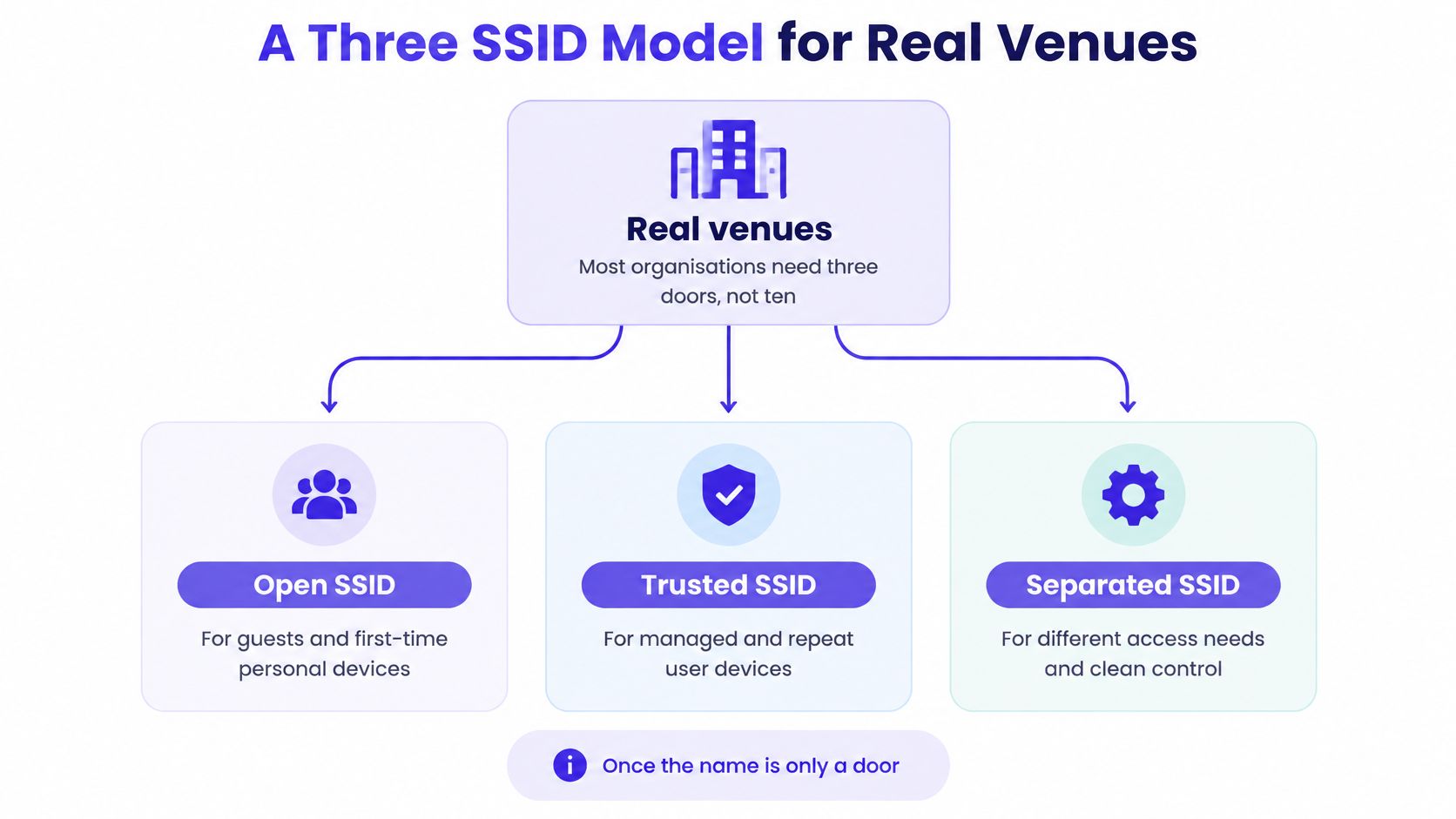
The three doors
The open SSID serves guests and first-time personal devices through a captive portal or equivalent onboarding lane. Add client isolation and a guest VLAN so visitors never see tills, cameras or resident traffic. It's the front door, welcoming but going nowhere sensitive.
The secure SSID is one WPA-Enterprise network for people you trust, ideally with EAP-TLS certificates delivered by your MDM. Staff don't share a passphrase, and you can revoke a leaver's certificate without changing a password on every remaining laptop. Strong WiFi access control is what makes this single door safer than five departmental ones.
The third SSID carries things, tenants, concessions and contractors, using a unique key per device, person or tenant. RADIUS returns the VLAN, policy and bandwidth limit for that key at authentication. Revoke one camera or one shop without touching anyone else.
| SSID role | Who joins | How they authenticate | SSIDs this replaces |
|---|---|---|---|
| Open | Guests and first-time BYOD | Portal or equivalent onboarding, isolation, guest VLAN | Per-brand or per-event guest names |
| Secure | Staff and trusted users | WPA-Enterprise, preferably EAP-TLS certificates | Per-department staff passwords |
| Things and tenants | IoT, residents, concessions, contractors | Unique key per device or tenant, VLAN from RADIUS | One SSID per shop, camera fleet or contractor |
| eduroam, education only | Roaming academic visitors and staff | eduroam's own authentication | Local copies of visiting campus networks |
The same pattern in three venues
A hotel puts short-stay guests on the open network, staff on the secure one, and door locks, TVs and long-stay residents on the third with individual keys. A mall isolates each shop on that third SSID by key and VLAN, without advertising a name per lease. Events add people quickly, and planners coordinating temporary teams can borrow thinking from staffing advice from GM GROUP Services on organising event staff, while the network side stays simple with the same three names.
A school keeps the same three and adds eduroam as a fourth, because roaming between campuses is eduroam's job. Skip per-device keys entirely and the model shrinks to two. What it refuses is a new beacon for every department, floor or brand, because identity after login already does that work.
Map Your Networks onto Fewer Names
The inventory comes before the redesign. Pick one representative site and list every SSID it broadcasts, including names nobody remembers creating. For each name, note which real group connects to it today, how that group authenticates, and what VLAN or policy the group receives. A name that carries no distinct authentication or policy is just a label.
The mapping exercise
- List the groups: Guests, staff laptops, phones, cameras, tills, residents, concessions and contractors.
- Place each group by proof of identity: Send it to the open, secure or things and tenants SSID according to how it authenticates, not according to which department owns it.
- Delete label-only names: Remove any SSID that existed only to imitate a VLAN, a floor or a department. The VLAN and policy can follow the login instead.
- Count the result: Many sites fall to three names without losing segmentation, because policy moves behind the login.
Seven SSIDs on one channel can collapse into three networks, and three SSIDs with a 12 Mbps basic rate win back airtime that 8 to 10 SSIDs were using at 15 to 25% of channel airtime on beacons. For device-heavy estates, pair this exercise with proper IoT network segmentation so cameras and sensors land in segments they cannot wander out of.
Pilot before you roll out
Pilot one site and judge it on evidence, not on how tidy the name list looks. Watch help-desk tickets, test whether you can revoke a single device key or certificate without touching other users, and check whether beacon load in your busiest room has dropped. Then copy the same three names to later sites in waves, updating signs, MDM profiles and portal instructions together.
If the inventory is messy, Purple Access provides a planner to map your SSIDs onto three networks, showing where each group lands. It also offers a 45-minute design session where a Purple network engineer maps your SSIDs onto open, secure and xPSK networks on the access points you already own, and you keep the plan. The same steps work with a spreadsheet and one site walk if you would rather start alone.
Book a 45-minute design session with Purple Access, and a network engineer will map every SSID you run today onto open, secure and xPSK networks on the access points you already own. You'll leave with a written three-network plan showing where guests, staff and devices land and which keys and certificates replace your shared passwords. That plan is yours to keep.