
xPSK network: things, communities and concessionsMulti-Tenant WiFi
Concession and tenant WiFi in retail centres: an xPSK architecture with a key and VLAN per tenant
You will be able to replace one SSID per tenant with three SSIDs: open guest WiFi for shoppers, one xPSK network for every concession and tenant unit, and 802.1X for centre staff. You can plan the VLAN, key and firewall design, onboard and revoke tenants against lease dates, and test segmentation as evidence for PCI...
13 min read
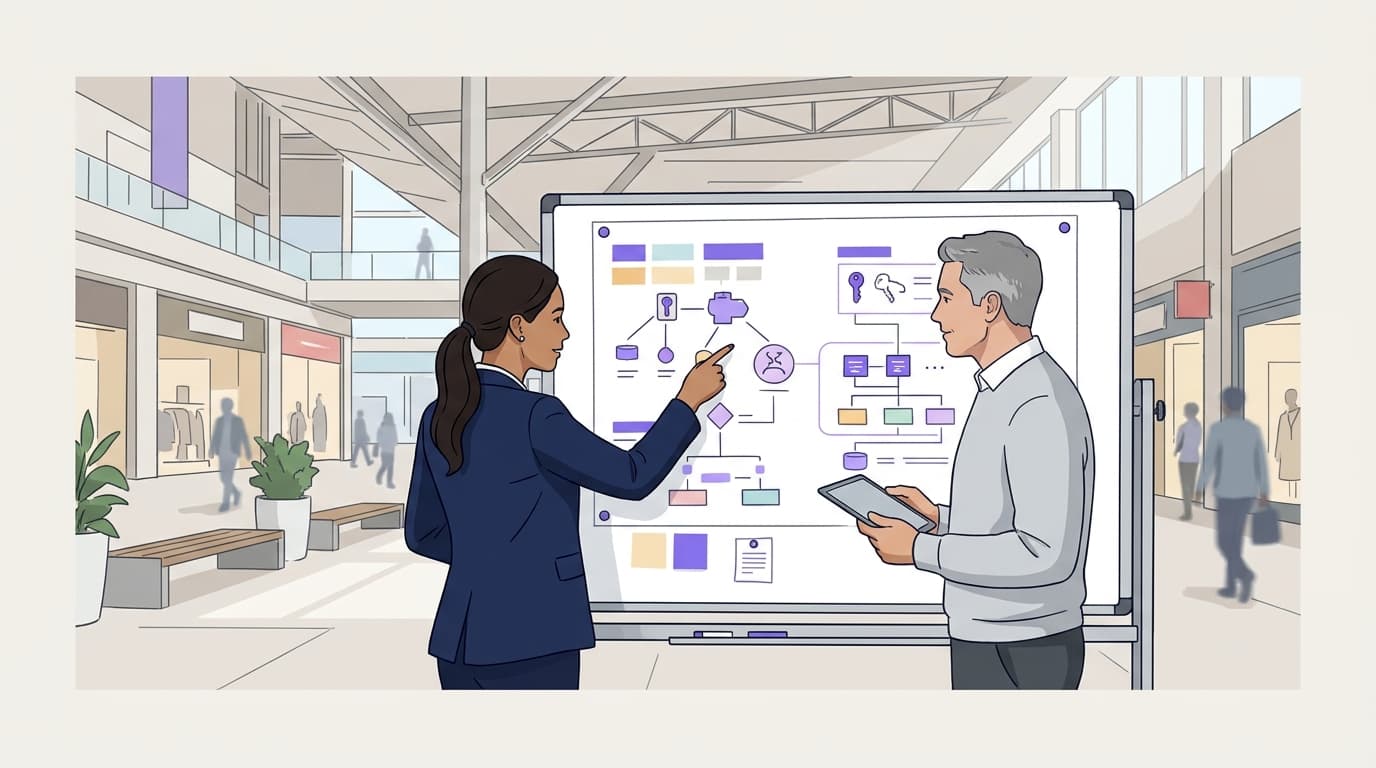
Run one xPSK SSID for every concession and tenant unit. Each tenant gets its own key, and the key places their tills, tablets and back-office devices on their own VLAN. Shoppers stay on the open captive portal network and centre systems on a secure 802.1X network: three SSIDs in total, with keys revoked the day a lease ends.
What does a key-and-VLAN-per-tenant network actually do?
A retail centre owns the access points, but dozens of separate businesses depend on them. Each concession, kiosk and tenant unit runs tills, stock tablets, back-office PCs and often digital signage. Those devices must not see each other, the shoppers or the centre's own building systems.
xPSK is the umbrella term for networks where every tenant or device has its own pre-shared key on a single SSID. Each vendor names it differently:
- Cisco Meraki: Identity PSK (iPSK).
- HPE Aruba: MPSK.
- Ruckus: DPSK.
- Juniper Mist: Multi PSK.
- Ubiquiti UniFi: Private Pre-Shared Keys (PPSK).
When a device joins, the key it presents identifies the tenant. RADIUS then returns that tenant's VLAN. RADIUS is the protocol your access points use to ask an authentication server who is connecting. A VLAN (virtual LAN, defined in IEEE 802.1Q) is a separate layer 2 network running over the same switches and cabling.
The result is one network name in the air and many isolated networks on the wire. Identity sets the VLAN, not the SSID.
Why one SSID per tenant does not scale
Every SSID transmits its own beacon frames on every radio. The IEEE 802.11 default beacon interval is 100 time units, or 102.4 ms, so each SSID beacons nearly 10 times a second. Beacons go out at the lowest basic data rate, which makes them expensive in airtime.
Each extra SSID therefore takes airtime that tenant and shopper traffic could use. With 20 tenant SSIDs, every access point in range sends 20 sets of beacons. Vendors also cap how many SSIDs a single radio can broadcast. A centre with 60 units reaches that cap long before it signs its last lease.
The operational cost grows too. Each SSID has its own passphrase to rotate, and every rotation disconnects all of that tenant's devices at once.
How many SSIDs does a retail centre need?
Three is the right number for most centres:
- Open guest network for shoppers. This network uses a captive portal: the sign-in page a device sees before it reaches the internet. See Captive portals for design options. Guest marketing on this network belongs to Purple's Engage plan, and DNS filtering is Shield.
- xPSK network for tenants. Every concession, kiosk and tenant unit connects here. The centre's own headless devices, such as CCTV, building management controllers and signage players, also join it, each with its own key and VLAN.
- Secure network for centre staff. This network uses 802.1X, the IEEE standard for port-based network authentication. Pair it with EAP-TLS, which authenticates each device with a certificate. Identities come from Microsoft Entra ID, Okta or Google Workspace. EAP TLS vs PEAP: Security, Certs and Fit and Okta WiFi Authentication: Setup Steps, Options and Fixes cover that side.
| Approach | SSIDs for 60 tenants | Tenant isolation | Removing one tenant | Beacon overhead | Who it suits |
|---|---|---|---|---|---|
| SSID per tenant | 60 tenant SSIDs, beyond per-radio limits | One VLAN per SSID | Delete that SSID and reconfigure the radios | Rises with every SSID | Centres with fewer than five tenants |
| One shared key for all tenants | 1 | None: one key, one VLAN | Change the key for every tenant | One SSID | No centre where tenants run tills |
| xPSK: a key and VLAN per tenant | 1 | One VLAN per key | Revoke one key; others are untouched | One SSID | Concessions, kiosks and units with headless devices |
| 802.1X per device | 1 | One VLAN per identity | Revoke the certificate or account | One SSID | Tenants with managed devices that run an 802.1X supplicant |
802.1X is the stronger model where a tenant's devices support it. Most concession estates mix tills, card terminals, tablets and signage players. Many of these cannot run an 802.1X supplicant, so xPSK carries them.
What do you need before you start?
Access points and a console that support multi-key PSK
You need no new hardware. Purple is a hardware-agnostic cloud overlay with cloud RADIUS, and it sits on top of the access points you already own. Before you begin, confirm that your model and firmware support multi-key PSK with a RADIUS-assigned VLAN.
| Vendor | Feature name | Console |
|---|---|---|
| Cisco Meraki | Identity PSK (iPSK) with RADIUS | Meraki Dashboard |
| HPE Aruba | MPSK | Aruba Central |
| Ruckus | DPSK | SmartZone or RUCKUS One |
| Juniper Mist | Multi PSK | Juniper Mist cloud dashboard |
| Ubiquiti UniFi | Private Pre-Shared Keys | UniFi Network application |
Check one more point in your vendor's documentation: WPA3 support. Many xPSK implementations run on WPA2-PSK with AES. WPA3-SAE support for multiple keys on one SSID varies by vendor and firmware. For Meraki and Mist build detail, see PPSK for retail store devices: a deployment checklist for tills, scanners and CCTV on Cisco Meraki and Juniper Mist.
A VLAN and IP plan
IEEE 802.1Q uses a 12-bit VLAN ID, which gives 4,094 usable VLANs. That covers any centre comfortably. Plan the following before the first key goes out:
- A reserved VLAN block for tenants. Keep it separate from the centre's management, CCTV and guest VLANs.
- A subnet and DHCP scope per tenant VLAN. Size each one to the tenant's declared devices plus headroom for seasonal additions.
- Trunks to every access point switch port. Each tenant VLAN must reach every port where a tenant device might connect. In practice, that means every port in the centre.
- Firewall rules at the gateway. Deny tenant-to-tenant traffic, deny tenant-to-centre traffic, and allow internet access. Permit the tenant's payment processor and head-office VPN where they need them.
A decision on who holds the keys
Centre IT should issue every key, and each tenant should name a single contact to receive it. Record that contact against the key. Without that record, you cannot tell who knew a key when a tenant reports it compromised.
Next, decide between a key per tenant and a key per device. A key per tenant is quicker to administer. A key per device for tills and card-handling equipment is tighter. If a stock tablet goes missing, you revoke its key and the tills stay online.
PCI DSS v4.0 requirement 2.3.2 expects wireless keys connected to the cardholder data environment to change when someone with knowledge of the key leaves. Per-tenant and per-device keys keep that change to the smallest possible group.
How do you set up a key and VLAN per tenant?
Build the xPSK SSID once
Create the tenant SSID in your vendor console with RADIUS authentication pointed at Purple. Use WPA2-PSK with AES as the baseline, and WPA3 where your vendor supports it for multi-key PSK. Broadcast the SSID: hiding a network name adds no security and makes devices probe for it everywhere.
Purple's setup documentation for your vendor gives the exact settings. Follow it rather than copying values from another site.
Map each tenant key to its VLAN
In Purple, each tenant record holds one or more keys and a VLAN ID. When a device authenticates, Purple returns the VLAN using the standard RADIUS tunnel attributes described in RFC 3580. These are Tunnel-Type, Tunnel-Medium-Type and Tunnel-Private-Group-ID. The access point then places the device on that VLAN.
Set bandwidth limits per tenant
Purple assigns the VLAN. The bandwidth limit attaches to the policy your console applies to that VLAN, group or role. Cisco Meraki group policies and HPE Aruba user roles both carry rate limits, and the other vendors offer equivalents.
Define a small set of tiers, such as kiosk, standard unit and anchor store. Assign each tenant to a tier when it onboards. Tiers stop a single unit streaming promotional video from starving the tills next door. They also give you a lever if a lease includes connectivity terms.
Onboard a new unit
Build onboarding into the fit-out checklist, not the opening week:
- Create the tenant record when the lease is signed. Include the unit number, nominated contact, lease start and end dates, and bandwidth tier.
- Allocate a VLAN from the tenant block and confirm its DHCP scope.
- Apply firewall rules for that VLAN, including any payment processor or VPN endpoints the tenant declares.
- Generate the key or keys in Purple and map them to the VLAN.
- Send the key to the nominated contact over an encrypted channel. Never print it in the lease pack.
- Test from the unit. Connect a device and confirm it gets the right subnet and reaches the internet.
- Record the issue with date, issuer, recipient and VLAN.
Revoke access when a tenant leaves
Revoke the tenant's key on the lease end date and schedule it as part of the exit checklist. Revocation stops new connections immediately.
Devices that are already connected may stay associated until they reconnect, depending on your platform. Where your platform supports RADIUS Change of Authorisation (CoA, defined in RFC 5176), use it to disconnect them. Otherwise, disconnect the clients from the vendor console.
Leave the freed VLAN unused for a quarantine period before you reassign it. This stops a forgotten device from appearing on the next tenant's network. The same joiners, movers and leavers discipline your HR team applies to staff accounts now applies to tenants.
How do you check the segmentation works?
Test every new tenant at onboarding and sample the whole estate each quarter:
- Right VLAN: a device using the tenant key receives an address in that tenant's subnet.
- No lateral access: from a tenant device, the gateway of a neighbouring tenant's VLAN does not respond.
- No access to centre systems: CCTV, building management and centre staff subnets are unreachable.
- Internet works: the tenant reaches the internet and any permitted payment or VPN endpoints.
- Revocation works: a revoked key fails to authenticate.
If tenant tills handle card data, PCI DSS v4.0 requirement 11.4.5 expects penetration testing of segmentation controls at least once every 12 months. Your quarterly results and the annual test are evidence for that requirement. Each tenant remains responsible for its own PCI DSS assessment as the merchant.
What to log
Log enough to answer three questions: who had access, when, and on which VLAN.
- Key issued: tenant, key ID, VLAN, issuer, recipient and date.
- Key revoked: tenant, key ID, reason, revoker and date.
- Authentication events: key ID, device MAC address, access point, VLAN assigned, timestamp and result.
- Firewall rule changes per tenant VLAN.
Device MAC addresses can be personal data under GDPR when they can be linked to an individual. Set a retention period, document it and delete on schedule. Purple holds ISO 27001 certification and is certified for GDPR and CCPA, which gives you evidence for your own supplier assessments. For the wider control set, see WiFi security and Guest network security: A practical Guide for 2026.
Worked scenarios
These two scenarios are illustrative designs, not named deployments. The outcomes follow from the design itself.
A 70-unit shopping centre replacing tenant SSIDs
Situation. The centre broadcast 14 SSIDs: guest, centre staff and 12 tenant SSIDs created for the earliest large tenants. The remaining 58 units shared one tenant password on a single VLAN. A departing tenant meant changing that password for every other tenant in the centre.
What was done. IT collapsed everything to three SSIDs: guest, centre staff on 802.1X with EAP-TLS, and one xPSK tenant SSID. All 70 units got their own key and VLAN, with per-device keys for tills. IT migrated the 12 SSID-based tenants one at a time, removing each old SSID once its devices moved. CCTV and building management moved to their own keys and VLANs on the same tenant SSID.
Outcome. Each radio went from 14 SSIDs to three. Beacon frames per radio fell from about 137 a second to about 29. A tenant exit changed from re-keying 58 businesses to revoking one key. Tenant-to-tenant traffic, previously open on the shared VLAN, is now blocked at the gateway and tested quarterly.
A council-run market hall with weekend traders
Situation. A public-sector market hall hosts 40 permanent stalls and up to 25 weekend traders. Every trader used one shared password that had not changed in years. Former traders could still connect from the car park.
What was done. Each permanent stall got its own key and VLAN. Weekend traders got individual keys mapped to a shared, client-isolated trader VLAN, so their devices cannot reach one another. The duty manager revokes all weekend keys as part of the Sunday close-down checklist, and new keys go out with Saturday pitch allocations.
Outcome. The council went from one long-lived shared password to 40 standing keys plus up to 25 weekly keys. No key outlives the trader who holds it. The council also gained a log of every key issued and revoked, which it lacked before.
What goes wrong, and how do you fix it?
| Symptom | Likely cause | Fix |
|---|---|---|
| Device connects but lands on the default VLAN | RADIUS reply lacks VLAN attributes, or the SSID ignores RADIUS VLAN override | Confirm the key-to-VLAN mapping in Purple, then enable RADIUS VLAN assignment on the SSID |
| Device connects but gets no IP address | Tenant VLAN not trunked to that access point's switch port, or no DHCP scope | Add the VLAN to the trunk and confirm the DHCP scope |
| Older till or terminal will not join | SSID set to WPA3-only or Protected Management Frames required | Use WPA2-PSK with AES or WPA2/WPA3 transition mode for that SSID |
| Revoked tenant still online | Existing session survives until the device reconnects | Send a CoA disconnect or remove the client in the vendor console |
| One tenant can reach another | Inter-VLAN routing allowed on the core switch or gateway | Add deny rules between tenant VLANs and retest |
| Unknown devices on a tenant VLAN | Tenant shared its key with a neighbour or contractor | Revoke that key, issue a new one and brief the nominated contact |
What does it cost, and what do you get back?
What it costs. You need no new access points, controllers or switches. You pay the Purple Access subscription, plus engineering time for the VLAN plan, trunking and firewall rules. After that, each tenant takes one record, one VLAN and one key at onboarding, and one revocation at exit.
What you get back.
- Airtime. One tenant SSID replaces one SSID per tenant, so beacon overhead stops growing with every lease.
- Containment. A leaked or departed key affects one tenant, not the whole centre.
- Evidence. Issue and revocation logs support PCI DSS requirement 2.3.2. Segmentation tests support requirement 11.4.5.
- Scale. Purple runs across 80,000+ live venues and handled 440 million logins in 2024 (Purple's own data). A 70-unit centre adds no strain.
If your centre staff still share one password, migrate them next. Migrating staff WiFi from a shared password to 802.1X across a multi-site estate sets out the sequence. More access designs sit in Access guides.
Frequently asked questions
Does this work with the access points our centre already owns?
Yes, Purple runs as a cloud overlay on the access points you already own, with no rip and replace. Purple is hardware-agnostic across Cisco Meraki, HPE Aruba, Ruckus, Juniper Mist, Ubiquiti UniFi, Cambium, Extreme and Fortinet. For a tenant xPSK network, confirm that your model and firmware support multi-key PSK with a RADIUS-assigned VLAN. Meraki calls this iPSK, Aruba calls it MPSK and Ruckus calls it DPSK.
Can tenants share access points but not networks?
Yes, that is the point of a key and VLAN per tenant. Every tenant connects to the same SSID through the same access points. Each key places that tenant's devices on its own VLAN. Firewall rules at the gateway then block traffic between tenant VLANs and the centre's own systems. Neighbouring units share radios and airtime but never share a layer 2 network.
How many SSIDs does a shopping centre need?
Three covers most centres. You need an open guest network with a captive portal for shoppers, and one xPSK network for every tenant and the centre's headless devices. Add a secure 802.1X network for centre staff, authenticated against Microsoft Entra ID, Okta or Google Workspace. Each extra SSID adds beacon overhead on every radio, so resist creating one per tenant.
How do we remove a tenant's WiFi access when they leave?
You revoke that tenant's key in Purple, and new connections stop immediately. Make the revocation part of the lease exit checklist, dated to the lease end. Devices that are already connected may stay online until they reconnect. Disconnect them with RADIUS Change of Authorisation where your platform supports it, or from the vendor console. Then quarantine the VLAN before you reassign it.
Will this make our tenants' tills PCI DSS compliant?
No, network design alone cannot make a merchant compliant. Each tenant remains responsible for its own PCI DSS assessment. A key and VLAN per tenant does give you evidence for specific requirements. Requirement 2.3.2 covers changing wireless keys when people with knowledge of them leave. Requirement 11.4.5 covers annual penetration testing of segmentation controls. Share your segmentation test results with tenants on request.
Can we cap each tenant's bandwidth?
Yes, you set the limit in your vendor console against the group, role or VLAN each tenant key maps to. Cisco Meraki group policies and HPE Aruba user roles both carry rate limits, and the other vendors offer equivalents. Define a few tiers, such as kiosk, standard unit and anchor store. Assign each tenant to one at onboarding so a single unit cannot starve its neighbours' tills.
How do we migrate from one SSID per tenant without downtime?
You migrate tenant by tenant, with the old and new networks running side by side. Build the xPSK SSID first, then move one tenant's devices to their new key and VLAN. Remove that tenant's old SSID once every device has moved. Start with a small concession to prove the VLAN trunking and firewall rules. Then schedule larger units outside trading hours.
Frequently asked questions
Does this work with the access points our centre already owns?
Yes, Purple runs as a cloud overlay on the access points you already own, with no rip and replace. Purple is hardware-agnostic across Cisco Meraki, HPE Aruba, Ruckus, Juniper Mist, Ubiquiti UniFi, Cambium, Extreme and Fortinet. For a tenant xPSK network, confirm that your model and firmware support multi-key PSK with a RADIUS-assigned VLAN. Meraki calls this iPSK, Aruba calls it MPSK and Ruckus calls it DPSK.
Can tenants share access points but not networks?
Yes, that is the point of a key and VLAN per tenant. Every tenant connects to the same SSID through the same access points. Each key places that tenant's devices on its own VLAN. Firewall rules at the gateway then block traffic between tenant VLANs and the centre's own systems. Neighbouring units share radios and airtime but never share a layer 2 network.
How many SSIDs does a shopping centre need?
Three covers most centres. You need an open guest network with a captive portal for shoppers, and one xPSK network for every tenant and the centre's headless devices. Add a secure 802.1X network for centre staff, authenticated against Microsoft Entra ID, Okta or Google Workspace. Each extra SSID adds beacon overhead on every radio, so resist creating one per tenant.
How do we remove a tenant's WiFi access when they leave?
You revoke that tenant's key in Purple, and new connections stop immediately. Make the revocation part of the lease exit checklist, dated to the lease end. Devices that are already connected may stay online until they reconnect. Disconnect them with RADIUS Change of Authorisation where your platform supports it, or from the vendor console. Then quarantine the VLAN before you reassign it.
Will this make our tenants' tills PCI DSS compliant?
No, network design alone cannot make a merchant compliant. Each tenant remains responsible for its own PCI DSS assessment. A key and VLAN per tenant does give you evidence for specific requirements. Requirement 2.3.2 covers changing wireless keys when people with knowledge of them leave. Requirement 11.4.5 covers annual penetration testing of segmentation controls. Share your segmentation test results with tenants on request.
Can we cap each tenant's bandwidth?
Yes, you set the limit in your vendor console against the group, role or VLAN each tenant key maps to. Cisco Meraki group policies and HPE Aruba user roles both carry rate limits, and the other vendors offer equivalents. Define a few tiers, such as kiosk, standard unit and anchor store. Assign each tenant to one at onboarding so a single unit cannot starve its neighbours' tills.
How do we migrate from one SSID per tenant without downtime?
You migrate tenant by tenant, with the old and new networks running side by side. Build the xPSK SSID first, then move one tenant's devices to their new key and VLAN. Remove that tenant's old SSID once every device has moved. Start with a small concession to prove the VLAN trunking and firewall rules. Then schedule larger units outside trading hours.