Client Isolation WiFi: What It Blocks and why
Published
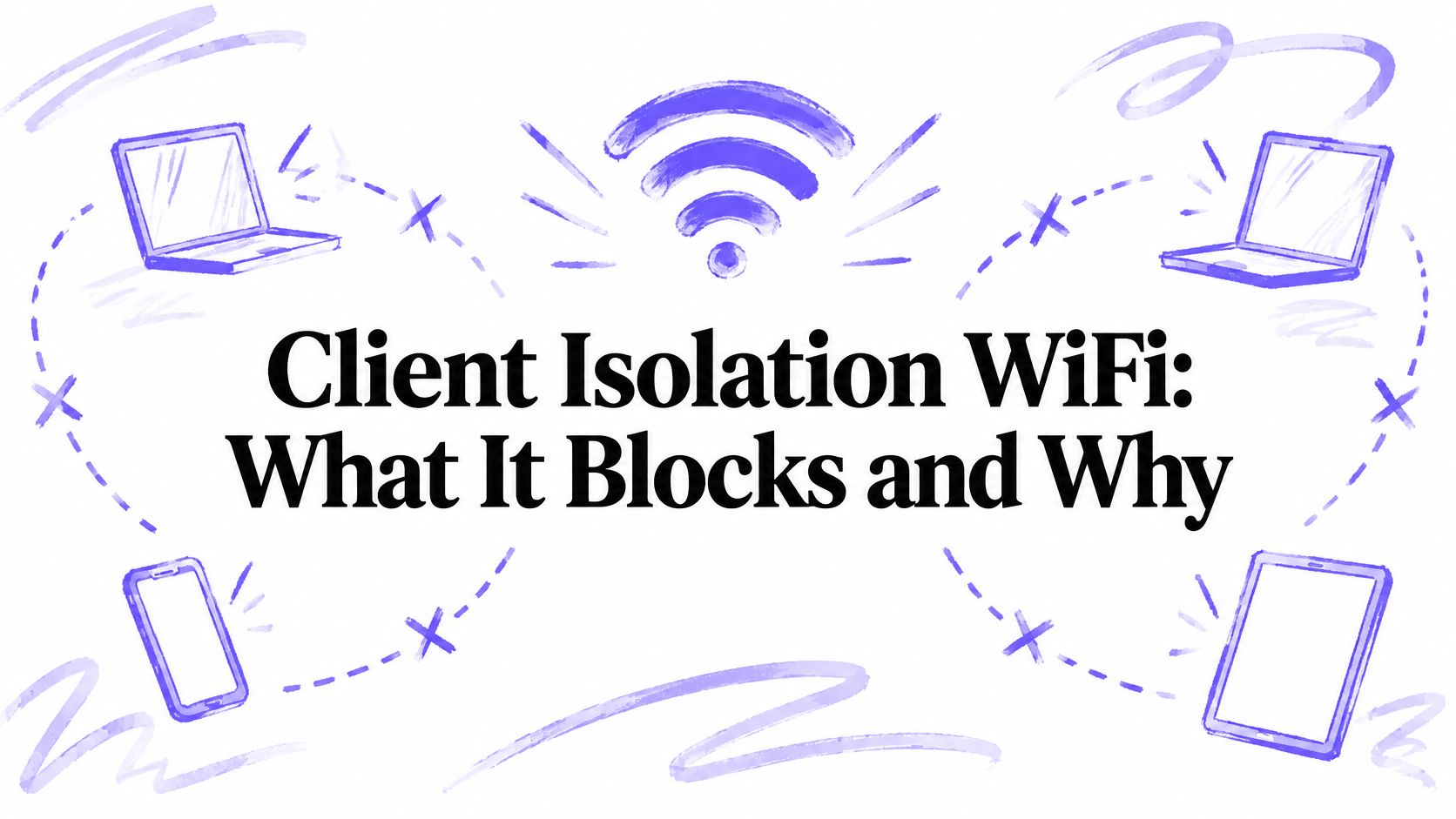
Client isolation WiFi is a control that stops devices on the same wireless network from communicating directly with each other while each one still reaches the gateway and the internet. Recent testing of home routers and enterprise-style networks found implementations inconsistent enough that bypass techniques worked against systems that had it switched on.
Search for advice on securing a guest network and the same instruction appears everywhere: switch on client isolation and you're done. That answer fails twice. It sells a checkbox as a boundary, and it ignores the printing, casting and commissioning that break the moment you flip it.
The honest framing is a service design decision. Every SSID carries a set of local conversations, and your job is to block some, relay a few and leave the rest alone. What follows is how to sort them, where the feature sits in the stack, and what to test before anyone signs off a guest network.
Table of Contents
- What Client Isolation WiFi Stops Between Devices
- Why Isolation Works Unevenly and What It Cannot Close
- Broadcast and Multicast Trade-Offs You Must Design
- Guest Hotels IoT and Venues That Need Exceptions
- How to Enable Isolation and Verify Every Path
- Setting Isolation on a Home or Small-Office Router
- Decide Where Isolation Ends and Segmentation Begins
What client isolation WiFi stops between devices
Vendors ship the feature under three names. Client isolation, AP isolation and wireless isolation all describe the same behaviour at the radio: the access point or wireless controller refuses to bridge frames between two associated wireless clients, while traffic to the default gateway, DHCP, DNS and the internet keeps flowing.
Think of a hotel. Every guest can call the front desk, order room service and walk out to the street. No guest can walk into another guest's room. The front desk is your gateway, the corridor is the shared wireless segment, and isolation is the lock on each door.
Which doors it locks depends on the product, so treat the table below as the working definition.
| Path | Typical isolation effect | Still required |
|---|---|---|
| Same AP, WiFi client to WiFi client | Frames dropped at the AP | Confirm with a same-AP ping |
| Second AP, same SSID | Often dropped if the controller enforces it SSID-wide; sometimes not | Test cross-AP and after a roam |
| WiFi client to a wired host on the same VLAN | Often still allowed | Separate VLAN or gateway ACL |
| IPv4 unicast between clients | Blocked when isolation is on the path | Ping test both directions |
| IPv6 between clients | Frequently missed by older firmware | Test neighbour discovery and ping6 |
| Broadcast and multicast | Suppressed, proxied or converted | Prove DHCP, DNS and discovery still work |
| Client to gateway and the internet | Allowed | Expected; do not block the gateway |
| Guest client to internal servers | Not stopped by isolation alone | Guest VLAN plus firewall deny |
The rows that catch teams out
Row one is the traffic the feature was built for. A guest laptop trying to reach another guest laptop on the same access point is the classic case, and a clean drop is what you paid for.
Rows three and eight are where assumptions collapse. A wireless guest reaching a wired host on the same VLAN usually still works, because many implementations isolate the radio rather than the subnet. And a guest reaching an internal server is a routing and firewall question, not a peer-to-peer one.
Row five matters more each year. IPv6 neighbour discovery and direct client-to-client traffic are frequently missed by firmware that was written when IPv4 was the only path anyone tested.
The U.S. Cybersecurity and Infrastructure Security Agency recommended in guidance published on February 1, 2021 that organizations deploy a guest WiFi network separate from the main network, using multiple SSIDs or other wireless-isolation features so guest traffic cannot access organizational information. Canadian Centre for Cyber Security guidance takes the same layered view, placing staff and guest roles in separate network spaces controlled with client isolation, VLANs, switches and firewall rules, and recommending client isolation on all access points and SSIDs where it's available.
That's the distinction to hold onto. Client isolation is a peer-to-peer control at the wireless or local-network layer. VLANs and firewalls create separation between security zones. Isolation cuts off unsolicited connections, device discovery and direct lateral movement between neighbours. It doesn't create a boundary on its own.
Rule for the design review: if a path matters to the business, it needs a test with a recorded result, not a tick in a dashboard.
Why isolation works Unevenly and what it cannot close
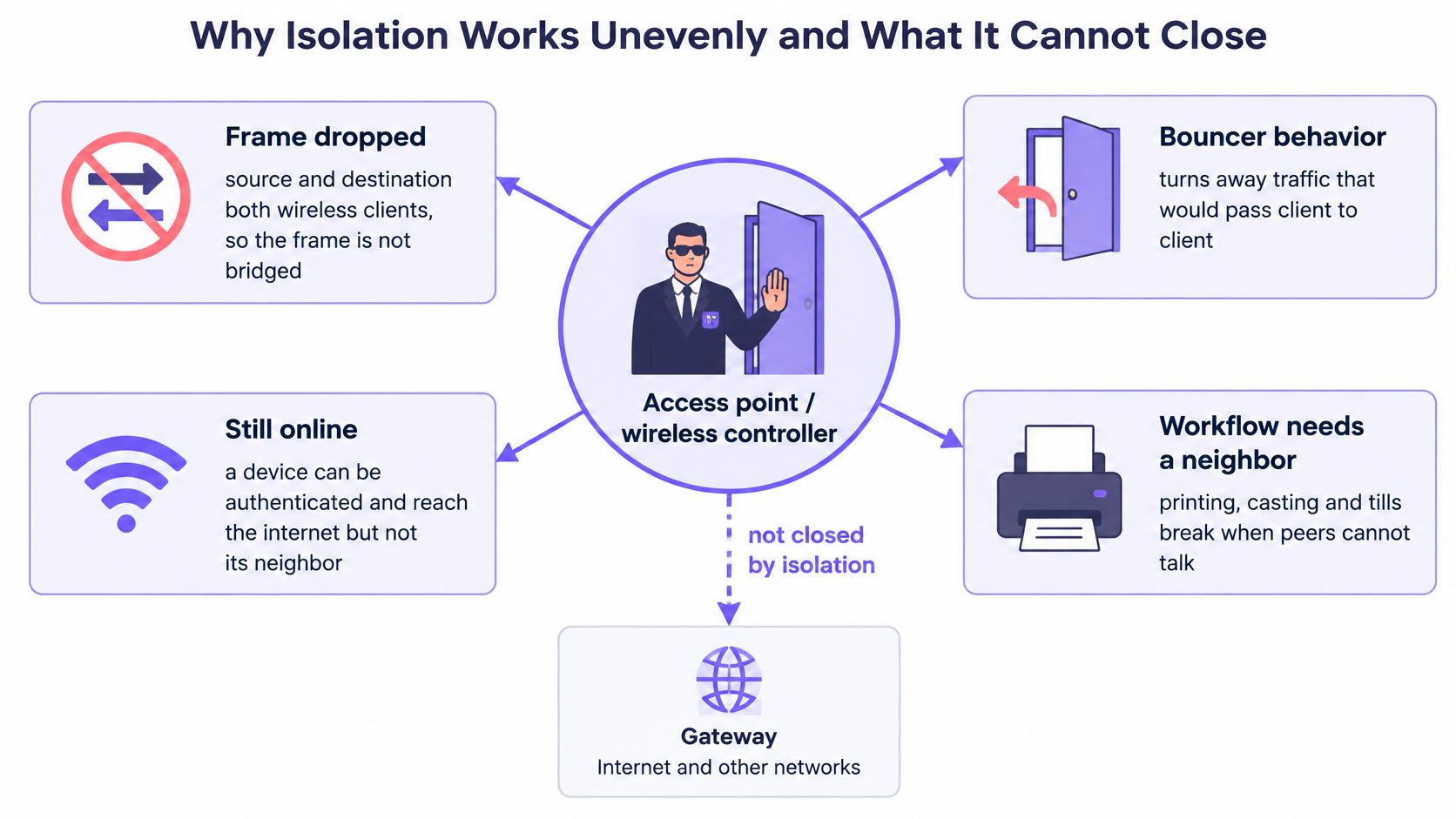
Client isolation is not a universal boundary. The access point or controller may inspect frames and drop traffic between wireless clients, while still allowing those clients to stay connected, receive DHCP leases, resolve names and reach the internet. The exact paths it blocks depend on where the check happens.
Why the checkbox varies by vendor
Client isolation, also called access-point isolation, has no single standard implementation across products. A paper presented at the Network and Distributed System Security Symposium describes this lack of consistency. One product may block clients only when they share an access point; another may apply the rule across an SSID. Mesh design and firmware can change the result again.
Research has found that isolation protections vary among manufacturers, and that some implementations leave exploitable paths. In some circumstances, a malicious client on the same wireless network may position itself between another client and the internet, creating an opportunity to intercept or manipulate traffic, even when modern security measures are present.
The failure modes point to useful design questions: Are group encryption keys shared? Is isolation enforced at only one network layer? Does the system link a device's identity consistently across layers? A checkbox label answers none of these.
What a checkbox cannot close
The term itself is unstable. Depending on the product, “client isolation” may block wireless-to-wireless traffic on one access point, across an entire SSID, or through broader VLAN and firewall policies. Mesh architecture and firmware also affect behaviour, as this guide to guest network and IoT isolation explains.
Isolation does not replace identity-based segmentation, device posture checks, DNS controls or explicit inter-VLAN policy. A flat guest VLAN can still allow a guest to reach a wired server if routing and firewall rules permit it. The radio may block one conversation while the network leaves another route open.
For a multi-site operator, record which paths are possible and how each was tested. Check same-access-point and cross-access-point traffic, wired-to-wireless paths, IPv4 and IPv6, multicast and roaming. Treat isolation as a service-design choice: decide which local conversations to block, which to relay and which to leave alone. A setting that behaves one way on a single access point may behave differently across a deployment, so test the actual client paths on the hardware and firmware in use.
Broadcast and multicast Trade-Offs you must design
Group traffic is where isolation design gets interesting, because the workflows people care about live in it.
| Workflow | What fails if fully isolated | Design exception |
|---|---|---|
| AirPlay or Chromecast | mDNS discovery between clients | Bonjour or mDNS gateway, or a private VLAN for that user only |
| AirPrint or a shared printer | Printer does not appear | Relay discovery and allow only the print ports |
| Home Assistant or smart-home join | Local commissioning never completes | Dedicated device VLAN, not the guest SSID |
| DHCP | Clients never get an address | Allow or proxy DHCP to the gateway only |
| IPv6 router advertisements | Clients stay IPv4-only or drop off | Do not suppress router advertisements |
| VoIP handsets | Direct media between phones fails | Send media via the gateway or an SBC |
| Captive portal sign-in | Redirect never loads | Permit gateway and portal while peers stay blocked |
The airtime side of this matters before you touch a single rule. WiFi multicast is transmitted so that all relevant stations can receive it, often using conservative transmission parameters, and clients may need to wake from power-save mode for frames they ultimately discard. The IETF notes in RFC 9119 that high volumes of wireless broadcast or multicast can be dropped, which shows up as incomplete DHCP exchanges or lost IPv6 router advertisements.
So the policy has to preserve essential control traffic while refusing unrestricted peer discovery. Those two goals pull in opposite directions.
Strip multicast down and you'll win the RF graph and lose the meeting room, because the casting button stops existing at exactly the moment your airtime chart looks healthiest.
The patterns that work are unglamorous. Proxy ARP keeps ARP requests off the radio and cuts low-rate transmissions. Multicast-to-unicast conversion, where the vendor supports it, turns group frames into acknowledged unicast with buffering for sleeping clients. Suppression of unnecessary broadcast and multicast reclaims airtime. Explicit handling of mDNS and service discovery is what stops the first three from breaking the workflows in the table.
Work through the rows in order. AirPlay and Chromecast fail when guest-to-guest multicast is blocked, so they need a relay or a per-user private segment. AirPrint fails the same way unless a Bonjour gateway advertises only the print service through a narrow firewall rule. Smart-home commissioning needs a local path that a guest SSID should never provide. DHCP and router advertisements must always survive. VoIP media should route via the gateway or a session border controller rather than phone to phone.
Aggressive suppression improves RF efficiency but breaks the services people came to use. Verify each row with a real client, not a diagram.
Guest Hotels IoT and Venues that need exceptions
The failure mode that generates support tickets isn't a broken network. It's a device that has internet access, appears correctly authenticated and is useless for the workflow the guest cares about.
Isolation as a binary switch hides that gap. It can also disrupt mDNS and other multicast-based discovery used by AirPlay, Chromecast, AirPrint, Home Assistant, smart-home commissioning and network printers, which is why this explanation of wireless client isolation argues for mapping traffic by function instead of toggling a feature.
Three venue scenes
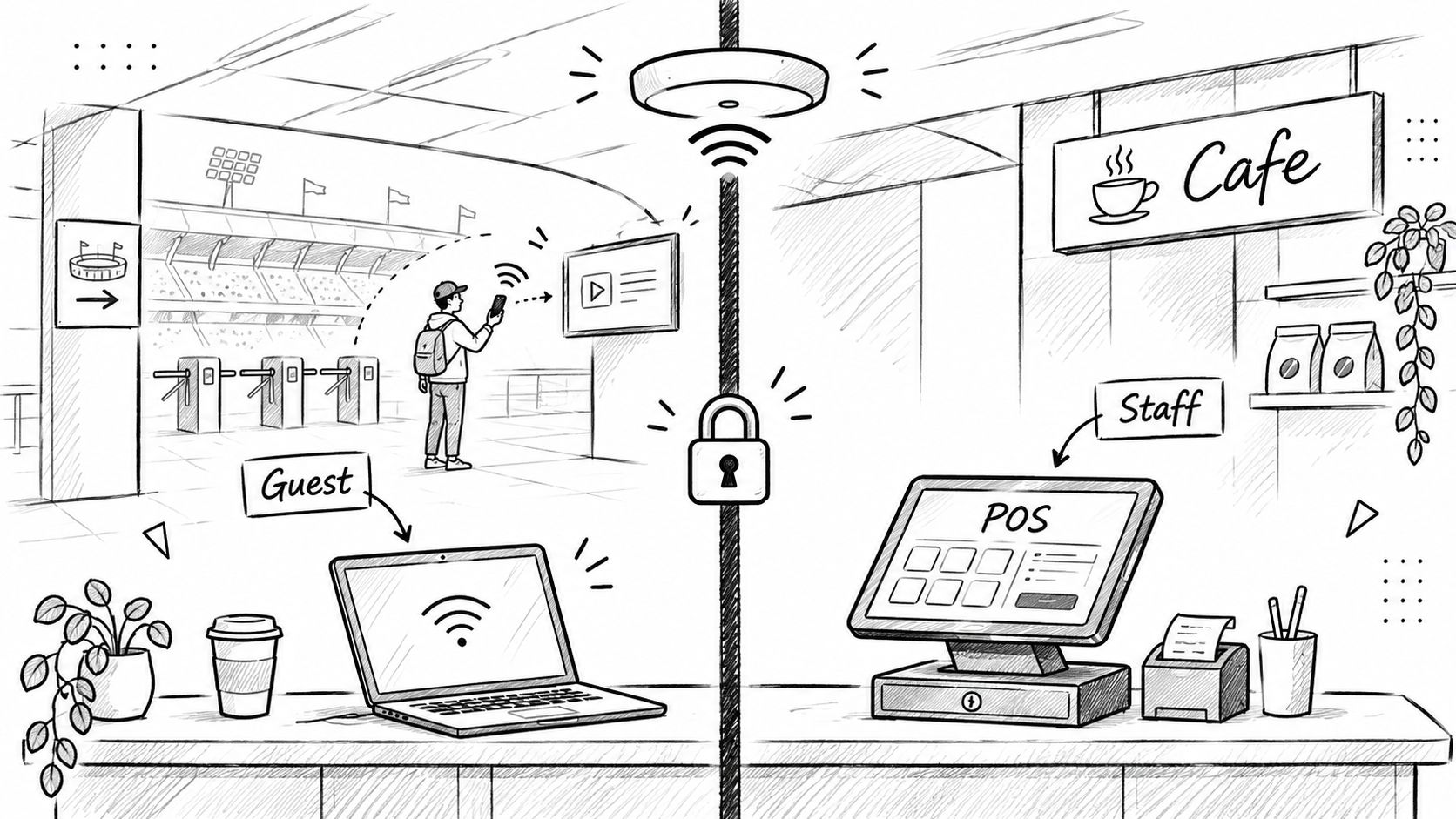
A cafe at lunch. A guest laptop browses fine and cannot ping the laptop at the next table. Nobody in the room can scan the room. That's the whole design, no exceptions, and it should stay that way.
A conference room. The clicker works because the display sits on an allowed path through the gateway, with the rule scoped to one device and one port. Turn isolation off to make it work and you've recreated a flat network for everyone in the building.
A sensor closet. Cloud-only leak sensors sit on their own device VLAN with outbound access and no peer discovery. A guest on the portal SSID can't reach them by any path, and nobody has to think about it again until the hardware is replaced.
The same logic scales to places with mixed populations. Hotel guest phones on the portal SSID should never see other rooms, while the in-room TV, thermostat and lock live on a device network guests never join. Student housing residents usually need their own casting plus a shared printer, which is a private segment per resident and one narrow gateway rule, not isolation switched off for the building. Clinics keep guest phones away from clinical peripherals and cameras entirely.
| Venue role | Isolation decision | Exception path |
|---|---|---|
| Cafe, lobby, stadium concourse or mall guests | Fully isolate | None; guest laptops cannot scan each other |
| Hotel guest phones on the portal SSID | Fully isolate | None; no view of other rooms |
| Hotel TV, thermostat and lock | Separate device network guests never join | Gateway rule for the room controller only |
| Student housing residents | Private segment per resident | Narrow mDNS gateway rule for a shared printer |
| Healthcare guest phones | Isolate and keep off clinical peripherals and cameras | Deny |
| Retail concessions and airport tenants | Separate VLAN per tenant, apart from shoppers and centre systems | Deny access to tills and building controls |
| Cloud-only sensors | Device VLAN with outbound access and no peer discovery | Outbound only |
| Staff printers, displays and controllers | Keep on the non-guest path | Narrow firewall rule and mDNS gateway, logged |
Concessions and tenants deserve a note of their own, because the usual answer is an SSID per tenant, which costs airtime you don't have. The better structure is one SSID with a key per tenant and a VLAN per tenant, kept apart from shoppers and centre systems, with no extra beacons on the floor.
If you're tightening guest access across a property, this walkthrough of guest network security covers the same block, relay and deny logic from the access side.
The question to answer for each role isn't whether isolation is on. It's which communications are blocked, which are selectively relayed, and how those exceptions stay auditable without going back to a flat network.
How to enable isolation and Verify every path
This is the sequence to run on a guest SSID, in order, with the failure each step exists to prevent.
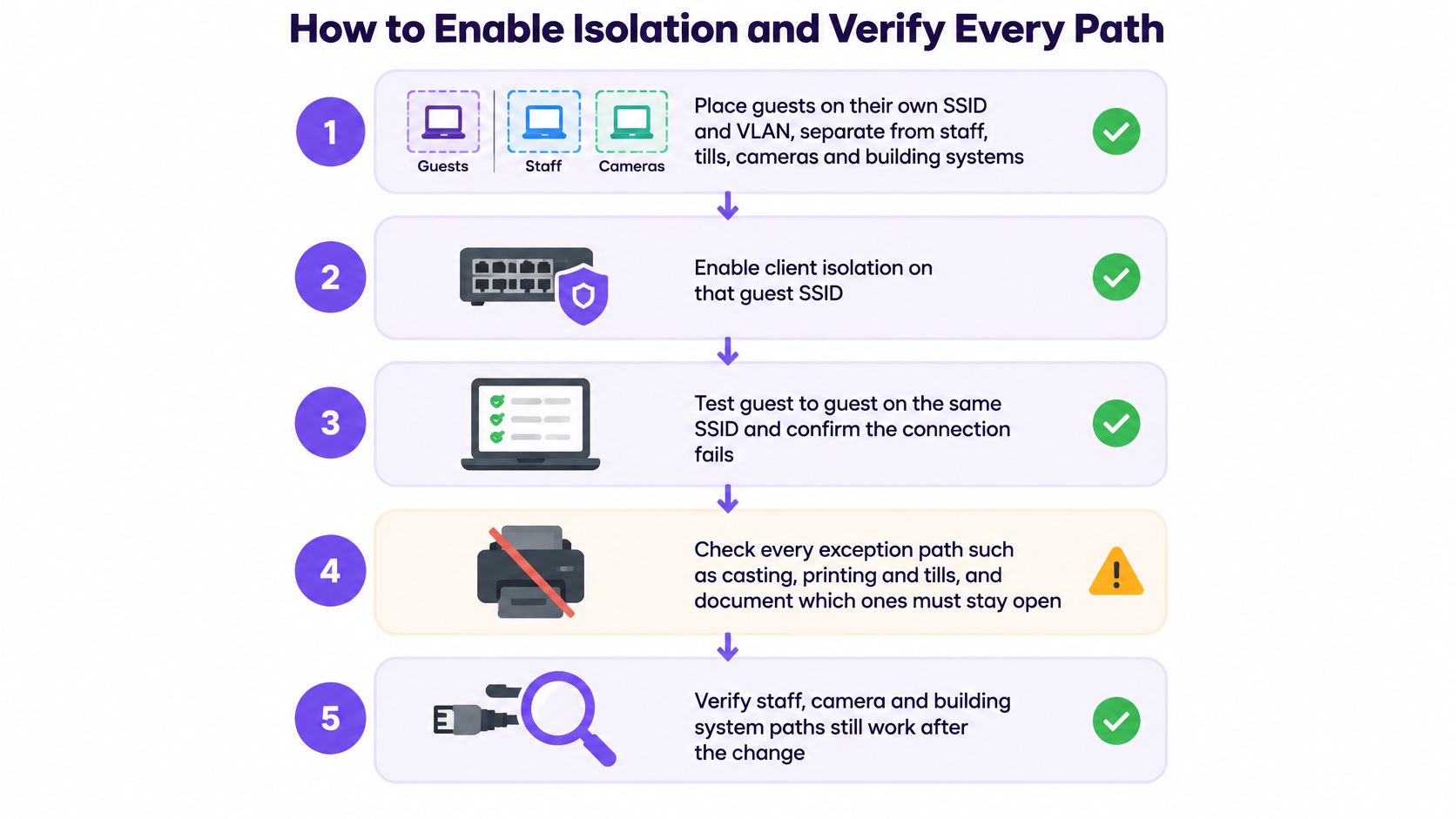
- Put guests on their own SSID and VLAN, separate from staff, tills, cameras and building systems. The failure this prevents is a guest VLAN that shares a broadcast domain with something that matters.
- Enable client isolation on that guest SSID only. Leave it off any SSID where staff or residents must discover local devices. Turning it on everywhere is how printing dies across an office.
- Permit DHCP, DNS and the default gateway, then confirm the captive portal still redirects. The classic breakage is a portal that never loads because the redirect target got isolated.
- Turn on proxy ARP and multicast-to-unicast or broadcast suppression where the vendor offers them, without dropping IPv6 router advertisements. Over-suppression blackholes addressing and looks like a dead network.
- Add exceptions at the gateway, not by disabling isolation: an mDNS or Bonjour relay plus a tight ACL for one named printer or display. The failure here is someone switching isolation off to fix AirPrint and never switching it back on.
- Test and record six paths: same-AP client-to-client IPv4, the same in IPv6, a second access point, a roam between access points, wireless-to-wired on the guest VLAN, and a multicast discovery attempt. A test that only pings the gateway proves nothing about peers.
- Repeat on a second site or a second firmware version before calling the control done. A lab access point can pass while a mesh site fails.
- File the results with the change record. A later incident review needs to show which paths were verified and when, not a screenshot of a settings page.
Pass condition: peers cannot reach each other, the portal and internet work, and every allowed local service is an explicit, logged exception with an owner and a date.
Anything short of that is a partial control you should describe in your documentation.
For the wider segmentation model that sits around these rules, this explanation of IoT network segmentation covers how device classes get their own boundaries rather than relying on the radio alone.
Setting isolation on a home or Small-Office router
Those who go looking for this setting are running a consumer router, not a controller. The steps are short, and the verification matters more than the toggle.
Open the router's admin page in a browser at the gateway address printed on its label, sign in, and look under wireless or guest network settings for AP isolation, client isolation or guest network isolation. The wording varies by brand, and some firmware tucks it behind an advanced tab.
Where to turn it on, and where to leave it off
Enable it on a guest network when visitors have no reason to reach your devices. Keep it off the main network if printers, speakers or phone-to-TV casting have to work, because those services discover each other over the local segment and isolation removes exactly that path.
Put smart-home gear on its own network, and keep guests off it. Cloud-only sensors can share an isolated network that has internet access and no peer discovery, and they'll keep working.
Then test from a phone on the guest network:
- Reach for a second device. Try to open a second phone on the same guest network by its address. A failed connection is the result you want.
- Confirm normal life continues. Load a website and check the phone still got an address from the router.
- Check both bands. If 2.4 GHz and 5 GHz have separate toggles, repeat the test on each, because one band can be isolated while the other isn't.
If the second phone answers, the setting isn't active on that band or that firmware, whatever the page says.
Don't assume a guest checkbox separates visitors from the main network's devices. Prove it from a guest device, or you've only proved the label exists.
Note the router model and firmware version alongside the result, so the same test can be repeated after the next update lands.
Decide where isolation Ends and segmentation Begins
Keep client isolation on every SSID where strangers share the air and have no legitimate reason to see one another: guest, public and open BYOD. Treat it as one layer, never the only one. Don't enable it on networks where people must cast, print or commission devices unless a relay is already designed and tested.
Add a separate VLAN and firewall policy whenever guests could otherwise reach staff systems, tills, cameras or resident devices. The venue table earlier is your lookup for role-by-role decisions, and testing peer paths is how you prove the answer.
For operators running many sites, the layered model scales furthest: identity decides which VLAN a user or device lands on, and isolation handles the local peer block. Purple Access runs that model on the access points you already own. Short-stay guests in serviced apartments join the Open network through a captive portal with consent recorded and land on a guest VLAN with client isolation. xPSK communities give each resident a private network that follows them across the building, with mDNS reflection so AirPlay and Chromecast stay in their own bubble. Each concession tenant in a mall, airport or venue gets its own key and VLAN, kept apart from shoppers and centre systems, with no extra SSID per tenant.
The boundary question, VLAN versus radio, is worth settling before you write the change record, and this VLAN segmentation guide covers how the two controls divide the work.
List every SSID you run, mark which roles must stay invisible to each other, and test one peer-to-peer path this week. That's a far better use of an afternoon than re-reading a settings page.
Client isolation is one layer in a design, and Purple Access builds the rest of it: guests, staff and devices on three SSIDs with their own VLANs, keys issued per person, device or tenant, and every one of them revocable without changing a shared password. If you're planning a guest or resident network where casting, printing and room controls have to keep working, Purple Access is worth a look. Bring your SSID list and the roles that must never see each other, and test one peer path before you sign anything off.