8 BYOD security risks and how to mitigate them
Published
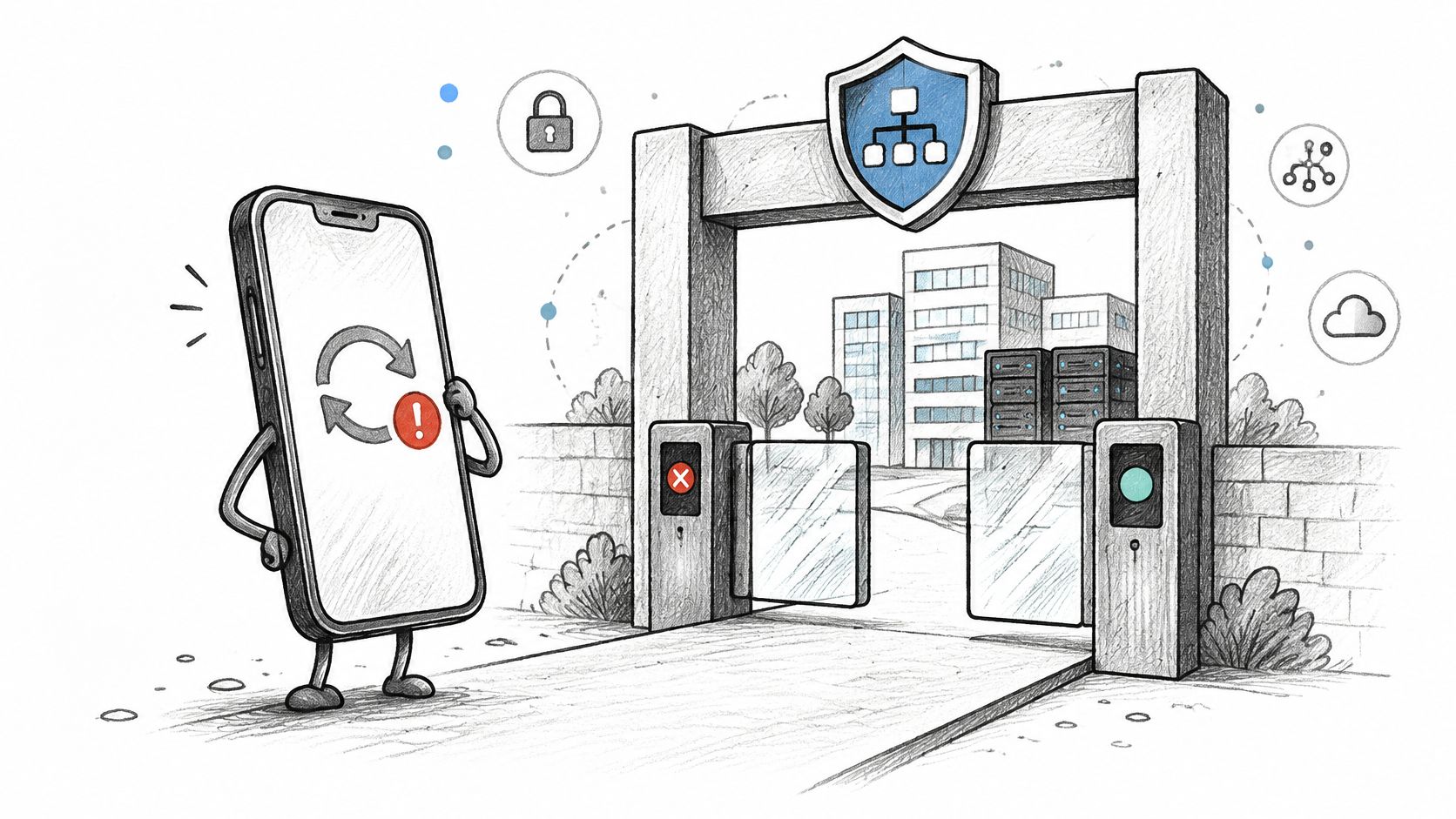
A staff phone joins a venue WiFi network on Monday with a saved staff password, a booking-system session, and an app installed from outside the official app store. The phone is two operating-system releases behind. If authentication admits it to a network that also reaches registers, cameras, or door controllers, its owner's update habits become an operational security risk.
BYOD security is an admission problem. The organization may not control the cell phone's updates or who uses it, but it can control the identity presented at join time, the credential issued, the network the device can reach, and whether a failed posture check is refused before traffic passes.
For multi-site operators, each risk below is paired with a network control that can be configured and evidenced: identity, a certificate or individual key, VLAN assignment, a posture check, or filtering. The trade-off is practical: stronger checks reduce exposure, but devices that cannot meet them need a separate, restricted access path. Most of the work is policy and network configuration, not replacing access points. If you want the wider workplace frame before you touch the WLAN, how TekRecruiter approaches workplace security is a useful companion. Then start at the join.
Table of Contents
- 1. Unmanaged and Unpatched Personal Devices
- 2. Data Leakage Through Commingled Work and Personal Data
- 3. Shared and Weak Credentials on Personal Devices
- 4. Rogue Access Points and WiFi Eavesdropping
- 5. Lateral Movement from Flat or Poorly Segmented Networks
- 6. Loss or Theft of Devices Without Remote Wipe
- 7. Malicious, Sideloaded, and Jailbroken Apps
- 8. Privacy, Monitoring, and Compliance Conflicts
- How the Eight BYOD Risks Compare by Cause, Exposure, and Primary Control
- Your BYOD Hardening Sequence Before the Next Device Joins
1. Unmanaged and unpatched personal devices
Personal smartphones, tablets, and laptops skip patches, ship without disk encryption, and never appear in the same inventory as a corporate laptop. An unpatched cell phone that associates to the staff SSID is a foothold you cannot patch yourself, and you often cannot prove its state before access is granted.
The scale is no longer a single-site nuisance. Verizon's 2025 Data Breach Investigations Report analyzed more than 22,000 security incidents and 12,000 confirmed breaches worldwide from November 1, 2023 through October 31, 2024, with credential abuse, social engineering, vulnerability exploitation, third-party risk, and ransomware among the patterns. Personal devices are now routine access points, and in a BYOD model you may control authentication while the owner controls the OS update, the backup, and who else uses the cell phone.
A stadium concessions cell phone on iOS two versions back is the worked case. It passes a shared password, then sits on the same broadcast domain as the POS VLAN because nobody gated the join on version or encryption. You find out during an incident, not at onboarding.
What you enforce before the certificate exists
Full device ownership is the wrong goal on a personal cell phone. Microsoft Intune compliance policies and Jamf compliance can block WiFi and mail until the OS and encryption meet a bar. Android Enterprise work profiles and Apple User Enrollment let you require a screen lock and a minimum OS without taking the whole handset. I would not issue an EAP-TLS certificate, or an xPSK key, until that check passes. Certificate-based WiFi authentication is what turns “please update” into a join the RADIUS server can refuse.
Practical rule: Define the minimum OS and encryption requirement in writing, enforce it in MDM, and only then hand out the credential that opens the secure SSID.
Non-compliant or unenrolled devices should not share reachability with managed endpoints. Identity-based VLAN assignment puts them on an internet-only segment. Publish the update deadline and a two-step self-service note so the helpdesk is not the patch process. Support cost is real: you will take calls from people who will not update. That cost is smaller than treating every personal cell phone as a trusted endpoint.
2. Data Leakage through Commingled work and personal data
A duty manager saves the night audit to a personal Drive folder to finish it on the train. The folder syncs to a home PC outside the organization's control. If the audit contains guest data, it may remain there after the manager leaves, with no reliable way to find or remove the copy.
Verizon's 2025 DBIR executive summary found that 46% of compromised systems containing corporate logins were non-managed systems hosting both personal and business credentials, a pattern it associates most plausibly with BYOD or corporate devices used outside policy. An endpoint inventory cannot show which browser profile, password store, or personal app holds an enterprise login.
Separate the data, then limit the wipe
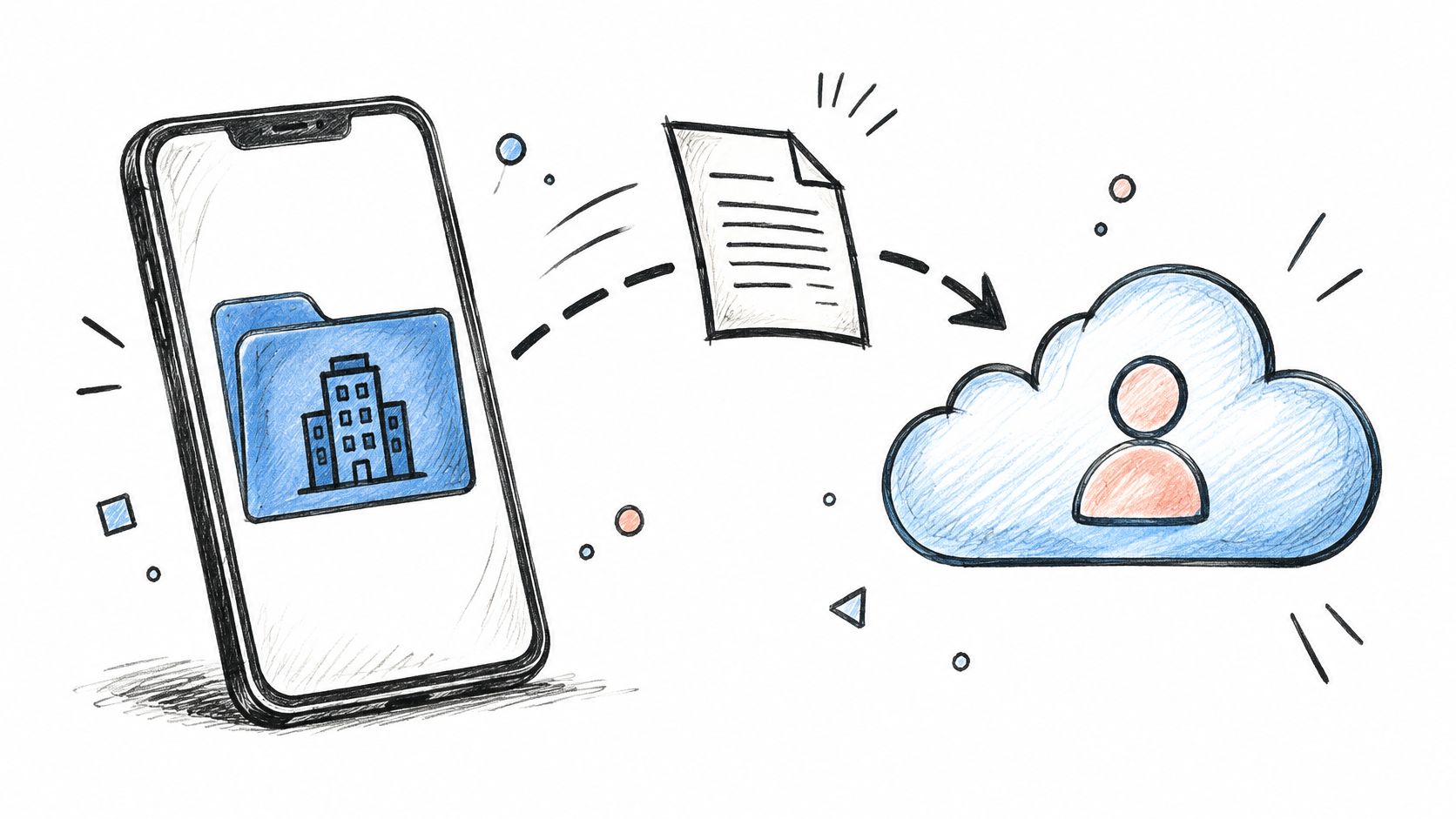
Android Enterprise work profiles and iOS User Enrollment keep corporate apps in a managed area. A selective wipe can remove work data without erasing personal photos. Intune app protection policies can block copy-and-paste and prevent work documents from being shared with unmanaged apps. Configure managed apps to keep corporate files on the work side, then state plainly in the acceptable-use policy what the organization can see and what it will not erase.
The network control is application-level access, not broad LAN access. A phone that needs mail and a roster app should not also reach file shares, cameras, or the property-management server. For a related view of data handling during transactions, see Bizbe's M&A data security guidance. Log the user identity, device identifier, and apps the device is entitled to use. Those records can evidence access and removal of work data without inspecting personal photos.
3. Shared and Weak credentials on personal devices
A single WPA2 passphrase on a whiteboard is not a credential. It is a group secret. One lost cell phone, one departure, or one browser that saved the key exposes every device that uses it, and you cannot name who associated at 02:14. Saved browser logins and reused passwords make the same failure on the identity side.
Stolen or compromised credentials were involved in 16% of breaches in IBM's 2024 Cost of a Data Breach analysis, the most common initial attack vector in that study. Those incidents averaged USD 4.81 million, and they took an average of 292 days to identify and contain, the longest period reported for any initial attack vector. The same body of IBM research has also recorded heavy password reuse across accounts. A token lifted from a personal cell phone is reused against mail, VPN, and the venue app, and it sits undetected for months.
Shared pre-shared keys fail the audit and the incident at the same time. You cannot revoke one person without re-keying everyone who still needs to work the shift.
PCI DSS v4.0.1 requirement 2.3.2 expects wireless keys to change when anyone who knows them leaves. A shared key makes that impractical on a hotel floor or a mall service corridor. The control that satisfies the finding is per-entity credentials.
Replace the shared secret, then log the revoke
- Staff: Move trusted users to 802.1X with EAP-TLS certificates from MDM. What 802.1X authentication is is the join you can disable with the directory account, not with a password rotation at 1 a.m.
- Personal devices and IoT: Issue xPSK with a unique key per device, tenant, or concession, bound to a VLAN. One departure revokes one key.
- Onboarding portals: Require phishing-resistant MFA, passkeys or hardware-backed credentials, on any SSO or captive-portal login that mints network access. An enterprise password manager is how you stop the same passphrase living in the personal browser and the work app.
- Evidence: Log identity, device identifier, authentication method, assigned segment, and revocation status. Review leavers the day the directory account closes.
Hospitality and residential sites already do this for residents. A tenant key dies with the lease. Staff should not be on a worse model than the people who rent the rooms.
4. Rogue Access points and WiFi Eavesdropping
A staff cell phone joins a familiar-looking WiFi network during a busy event. If an attacker has copied the venue's SSID, the cell phone may connect to that rogue access point and expose traffic to interception. A captive portal that looks genuine can also trick a user into handing over credentials or a session.
The 2017 KRACK flaws showed that vulnerabilities in the WPA2 handshake could allow traffic decryption or packet injection on affected, unpatched devices. The operational risk is concentrated on cell phones that join networks automatically and users who accept unexpected certificate prompts.
A front-desk cell phone connecting to a lookalike staff SSID can put booking-system access at risk. Train staff to stop at an unexpected certificate warning, and give them a secure network where authentication verifies the network rather than relying on its name.
Watch the lab-style walkthrough below to see how an evil twin can imitate a legitimate access point.
Stop trusting the SSID string
Passpoint and OpenRoaming support secure guest access without a captive portal. For staff and other trusted users, EAP-TLS certificates provide network authentication at join. Purple Access supports Passpoint and OpenRoaming on its Secure network, alongside EAP-TLS certificates delivered through an MDM.
Keep access-point firmware current, and monitor for unexpected access points advertising your SSID, particularly during events when temporary radios may appear. These controls reduce exposure to rogue radios, but they do not replace user training: an unexpected certificate prompt should stop the connection, not invite a click.
A guest network name is public by design. The control that matters is whether the device can authenticate the network and whether access is granted based on a trusted identity, not a familiar SSID.
5. Lateral movement from flat or Poorly Segmented networks
A compromised personal device is a scanner with a valid association. On a flat network it can see point-of-sale terminals, cameras, building controllers, and the server the night manager uses for card refunds. Venues and multi-family sites are the worst shape for this, because guests, residents, staff, and IoT already share the same closets and often the same VLAN.
The 2013 Target intrusion is the reference case operators still brief, even though it was not BYOD. Attackers used credentials taken from an HVAC vendor and moved laterally into payment systems because those networks were not isolated. Hotels and stadiums that still bridge guest WiFi to register and camera traffic are repeating the topology, with a softer endpoint.
Map roles before you add SSIDs
Draw the map on one page per property. Guests, staff, registers, cameras, residents, and sensors each get a VLAN. RADIUS returns the VLAN from identity or from device class, so a phone does not land on the register segment because someone picked the wrong SSID in a hurry. VLAN segmentation is the control you can test, not a diagram that lives in a slide.
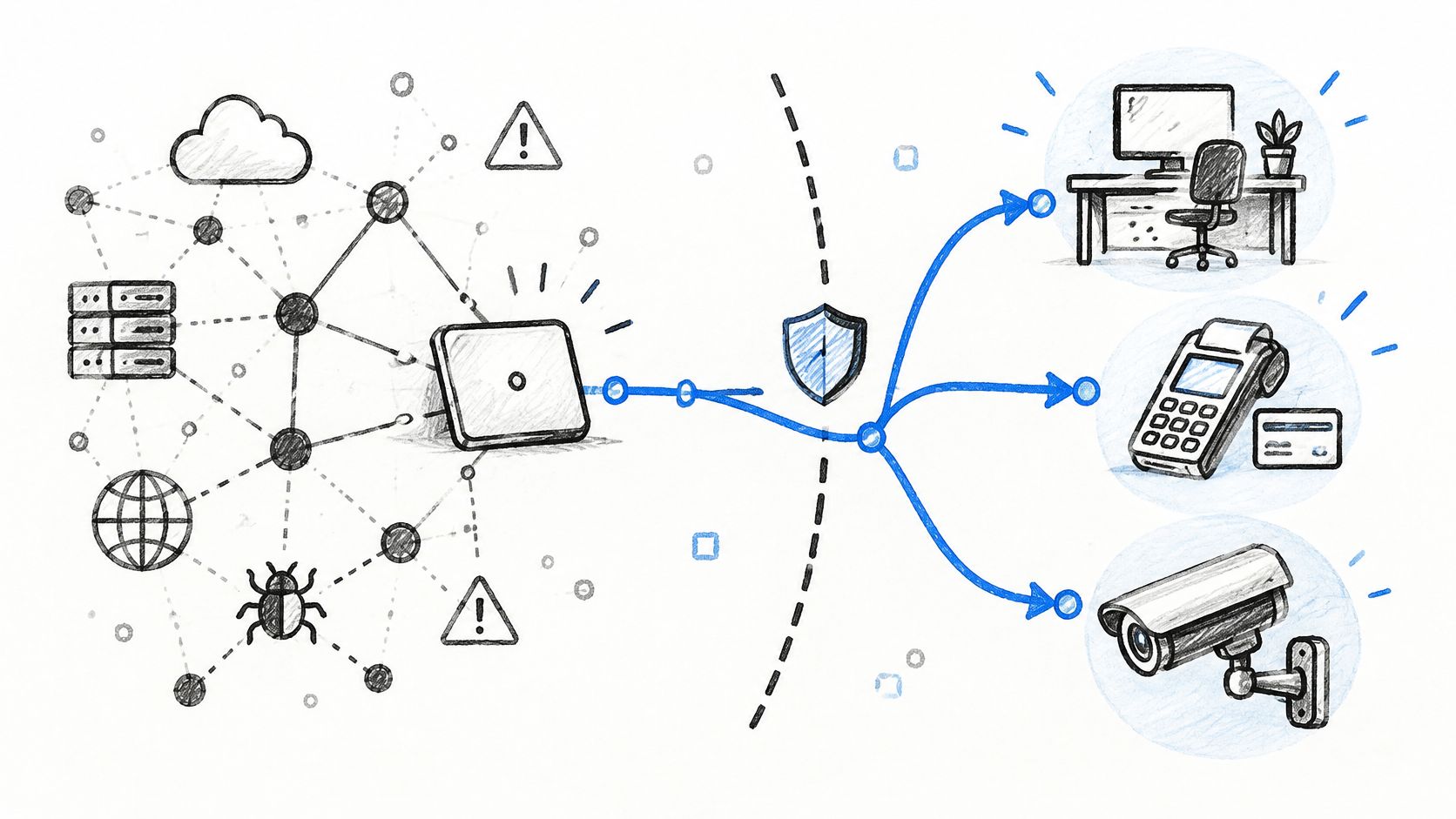
Run an internal scan from a BYOD test cell phone after every cutover. If that phone can reach a camera, a lock, or a payment VLAN, segmentation failed, regardless of what the design document says. Least privilege at Layer 2 is cheaper than explaining lateral movement to a card brand. The support trade-off is extra DHCP scopes and firewall rules between VLANs. Pay it once per site template, then clone it. Do not negotiate a flat network because one integrator finds inter-VLAN routing annoying.
6. Loss or theft of devices without remote wipe
Phones ride in pockets, Ubers, and hotel bars. A corporate laptop usually stays in a bag with a cable lock story. A personal phone does not. If it holds a VPN profile, a WiFi credential, an email session, or cached files, whoever picks it up inherits that access until you revoke it. Without enrollment you cannot locate, lock, or wipe it, and delayed reporting stretches the window.
Lost hardware is real, and it is not the incident most partners see first. In a survey of 319 U.S. MSPs, 55% had seen at least one BYOD-related security incident in the previous 24 months, including 16% reporting a confirmed data breach, according to CRN's sponsored Aura briefing on the BYOD opportunity. Among MSPs that had experienced an incident, credential theft or account compromise was the most commonly reported at 45%, email or messaging compromise followed at 42%, malware at 40%, and lost or stolen devices ranked last at 29%. The sample is MSP observation, not a global enterprise census, so treat it as direction. The direction says wipe is not the center of the program. Revocation is.
A housekeeper's phone left on a room-service tray is the Tuesday version. It has a WiFi pass for the staff SSID and a mail token. You will not get the handset back before the next shift.
Revoke the network credential the hour you hear
Intune or Jamf selective wipe of the work container is right when the device was enrolled. Activation Lock and Find My help the owner recover the phone. They do not replace your ability to kill network access. Require a report inside a set window, with one phone number or one ticket queue, not a manager who “will mention it tomorrow.”
- Certificates and xPSK: Revoke the WiFi certificate and the per-device key as soon as the loss is logged. Short-lived certificates shrink the gap if the report is late.
- Sessions: Kill SSO sessions and refresh tokens for that user, not a global password reset that locks the rest of the floor.
- Record: Note who authorized the revoke and when. That line is the evidence, not a remote-wipe screenshot you cannot produce on an unenrolled phone.
A remote wipe you cannot perform is not a control. A key you can revoke without re-keying the building is.
MDM enrollment of every personal phone sounds tidy and fails in hospitality and agency labor, where people work a week and leave. Design for the device you will never see again.
7. Malicious, Sideloaded and jailbroken apps
A personal phone can install from an unofficial store, sideload an APK, or run jailbroken or rooted. Those states weaken sandboxing and code signing. Malware can read other apps, intercept traffic, or lift tokens. A “legitimate” app with a kitchen-sink permission set does similar damage more politely. The phone then associates to your network and carries the problem inside.
Verizon's 2025 Mobile Security Index reports that 70% of mobile devices affected by an attack were personal rather than corporate-issued. Among enterprises, 52% experienced a mobile cyberattack that caused system downtime, and 47% attributed a compromise partly to user behavior such as phishing, smishing, or unauthorized app installation. The path is the person installing something, not only a missing patch.
Picture a retail supervisor who sideloads a “schedule helper” because the official app is clunky. The helper asks for accessibility and SMS rights. It now sits beside the staff WiFi profile. Banking-trojan style malware has used this sideload path for years. Your cash register VLAN should never be the next hop if posture says the OS is compromised.
Refuse the join when the platform is broken
Mobile threat defense such as Lookout, or Microsoft Defender for Endpoint on mobile, can flag rooted or jailbroken devices. Wire that signal to admission. MDM should block jailbroken or rooted devices from the corporate SSID, and Conditional Access should refuse authentication when the compliance rule fails. Restrict corporate-access apps to managed stores. Review permissions on anything that touches guest data, payment references, or mail.
Filtering still matters after the join. DNS or secure-web policy on the staff VLAN blocks known bad domains even when the cell phone is not fully managed. Do not rely on a yearly “don't sideload” email. The enforceable version is a failed posture check and a VLAN that cannot see registers, cameras, or resident devices.
8. Privacy, monitoring, and compliance Conflicts
Every control above asks for some visibility: OS version, jailbreak state, certificate identity, app compliance, DNS logs. Take too much and you collide with employee privacy and data-minimization duties under CCPA/CPRA. Take too little and you cannot show what you collected, why, or when you wiped it. Unclear wipe rights are how a security incident becomes an employment dispute.
Research from Queensland University of Technology describes work with 542 employees in the United States, Germany, and South Korea in which legal concerns significantly influenced how people judged BYOD risk, alongside worry about exposure of emails, photos, locations, and applications. NIST's National Cybersecurity Center of Excellence flags three under-addressed risks in the same problem space: employer visibility into personal devices, personal data flowing to employers or third-party analytics, and factory resets that erase private data. US and EU employers who publish a BYOD policy aligned with the FTC and state attorneys general and CCPA/CPRA expectations are doing the minimum competent thing. SOC 2 Type II, where you hold it, expects documented control of devices and network access, which means you need logs, not a vibe.
A Student Housing operator who “monitors the network” and retains full DNS history for residents for a year, with no stated purpose, is the failure mode. So is the operator who wipes an entire phone because a lease ended and never wrote down who could authorize that.
Collect the join, not the life
Limit telemetry to compliance status, network identity, assigned segment, and security DNS hits on corporate policy. Do not collect personal browsing on a resident VLAN to make a dashboard look busy. Publish scope, retention, and wipe boundaries in the BYOD policy. Record consent at guest and BYOD onboarding, and keep the audit log for a defined period. Authorize a wipe in writing, and make the wipe a work container, not a factory reset, unless the owner agrees.
The support cost of a clear policy is a longer onboarding screen. The cost of an unclear one is a regulator, a union, or a resident who can show you deleted their photos. Privacy-by-design here is a network decision: corporate container and security logs, not whole-device surveillance.
How the Eight BYOD risks Compare by Cause, exposure, and Primary control
| Risk | Root Cause | Who It Exposes | Primary Control | Implementation Effort |
|---|---|---|---|---|
| Unmanaged and Unpatched Personal Devices | Outdated software and inconsistent security settings | Corporate and venue networks | Enforce device compliance through MDM and conditional access | Moderate; requires enrollment and support |
| Data Leakage Through Commingled Work and Personal Data | Work data mixes with personal apps and cloud storage | Sensitive organizational data and employee privacy | Use managed work profiles, app controls, and selective wipe | Moderate; requires policy and user adoption |
| Shared and Weak Credentials on Personal Devices | Reused passwords and shared WiFi keys | Networks and users relying on shared credentials | Use EAP-TLS or unique per-device keys, with MFA for onboarding | Moderate; requires credential management |
| Rogue Access Points and WiFi Eavesdropping | Auto-joining spoofed networks and unencrypted connections | Users on public, guest, and open WiFi | Use Passpoint or OpenRoaming and authenticated encryption | Moderate; requires network configuration and user awareness |
| Lateral Movement from Flat or Poorly Segmented Networks | BYOD devices can reach sensitive systems on flat networks | Corporate, payment, camera, and building systems | Segment networks and assign VLANs by identity | High; requires planning and compatibility testing |
| Loss or Theft of Devices Without Remote Wipe | Lost devices retain sessions, credentials, or cached data | Corporate accounts and data accessible from the device | Revoke device credentials promptly and selectively wipe managed data | Moderate; requires enrollment and a response process |
| Malicious, Sideloaded and Jailbroken Apps | Unvetted apps or weakened operating-system protections | Corporate networks and data accessed by the device | Block non-compliant devices and restrict app installation | Moderate; requires threat detection and policy tuning |
| Privacy, Monitoring and Compliance Conflicts | Unclear or excessive monitoring and data collection | Employees, guests, and the organization | Publish transparent policies and limit collection to necessary data | Moderate; requires policy, legal, and audit work |
Your BYOD Hardening sequence before the next device joins
Do these in order. Skipping ahead is how teams buy a monitoring tool and still share one WiFi password.
Replace shared WiFi keys first. Staff move to a passwordless WPA-Enterprise SSID with EAP-TLS from the MDM you already run. Things, tenants, cash registers, and locks move to unique xPSK keys. One leaver is one revocation, and the PCI shared-key finding goes away because you are no longer rotating a secret the whole shift knows. On cutover night, managed laptops and cell phones pick up their certificate and join on their own. Personal cell phones that you trust but do not enroll can install a WiFi pass. Each cash register gets its own key once and does not need re-keying when a person leaves.
Segment by identity second. Guests stay on the open onboarding lane. Staff land on a VLAN from directory group. Registers, cameras, locks, and sensors sit on key-bound VLANs those guests never see. If a cleaner has no MDM, they sign in once and get a pass. They still must not see the camera VLAN. Test it with a scan from a cell phone, not with a topology screenshot.
Gate admission on posture third. Minimum OS, encryption, and a block on jailbroken or rooted devices run before the certificate is trusted. A device that fails the rule is refused at authentication, every join, not after it has already pulled a DHCP lease on the staff network. Conditional Access is the check. A policy PDF is not.
Tune monitoring last, and keep it proportionate. Log identity, device, method, VLAN, and revocation. Apply DNS threat blocking on the staff VLAN and content policy where the audience needs it, such as a student or guest segment. Do not retain personal browsing to prove you are serious.
Three readiness questions decide whether you are done. Do you know every device on the network by identity, not by a shared password? Can you revoke one device without disrupting the rest of the property? Can you show who agreed to what, and when, including wipe scope?
Purple Access is one way to land that sequence on the access points you already own: an open SSID for guests and BYOD onboarding, a secure SSID for staff and trusted users, and xPSK for things, residents, and communities, with Cloud RADIUS putting each identity on the right VLAN. If you want to see the revoke rather than read about it, book the demo where a network engineer issues and revokes a key on a live network using one apartment's worth of devices, a lock, a thermostat, a guest laptop, and a staff phone.
Purple Access gives venues and multi-site operators open, secure, and xPSK WiFi on the access points you already run, so staff, guests, and devices stop sharing one password and each identity lands on the VLAN you intended. That is the admission control this list is about: certificates, per-device keys, and a join you can revoke without a building-wide re-key. See how it fits your sites at Purple Access.